Too much dust inside the equipment or failure to clean
up the internal dust for a long time can cause nozzle
damage, please follow these steps to clean up the
internal dust:
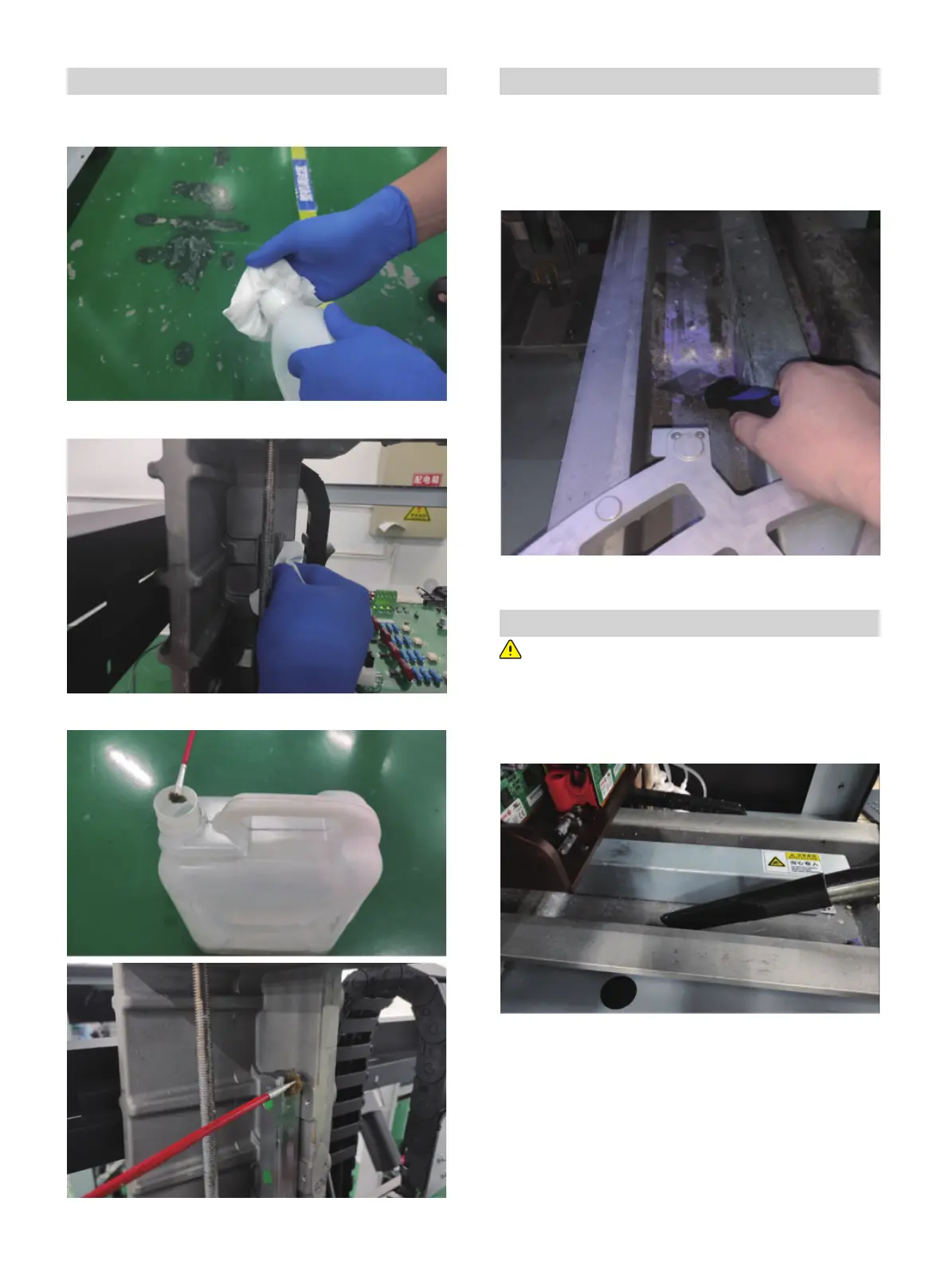
Wear rubber gloves and sprinkle with a little alcohol on a
dust-free cloth.
Clean the guide by dust-free cloth.
Daub oil on the Z-axis guide by brush.
Daub oil for Z-axis guide and the motor screw rod
Clean the X -axis base
Check that the X-axis base is clean before each printing,
follow these steps to clean the X-axis base:
1. Open the right door and move the build plate to home
position;
2. Use a stainless steel scraper to clean the wax drops or wax
blocks on the X-axis base.
3. Close the door.
Clean internal dust
Use a vacuum cleaner to clean the wax dripping on the X-axis
base.
01 02 03 04 05 06 07 08
09 10 11 12 13 14 15 16 17
18 19 20 21 22 23 24 25 26
27 28 29 30 31 32 33 34 35
36 37 38 39
40 41 42 43
44 45 46 47 48 49 50 51
52 53 54
55 56 57 58 59 60 61
62 63 64 65 66 67 68 69
70 71 72 73 74 75 76 77
78 79 80 81 82 83 84 85
86 87 88 89 90 91 92 93
94 95 96 97 98 99 100 101
102 103















 To Next Page