FT-112(D) Panel Weighing Indicator, Technical Manual, Rev.1.0.0, May 2019 Page 130 of 170
Profinet
Profinet interface of the weighing instrument can be done via hub switch or serial bus over two Profinet ports.
1. Serial bus connection. You may connect instruments serial to your Profinet bus via two ports.
2. Star connection. If you connect the instrument to your PLC via hub switch, you can use P1 or P2 port
on the instrument. You may change the port, if there is any malfunction on a port.
The rate of Profinet interface is 100Mbit and full duplex.
GSDML file is available in on internet www.flintec.com.
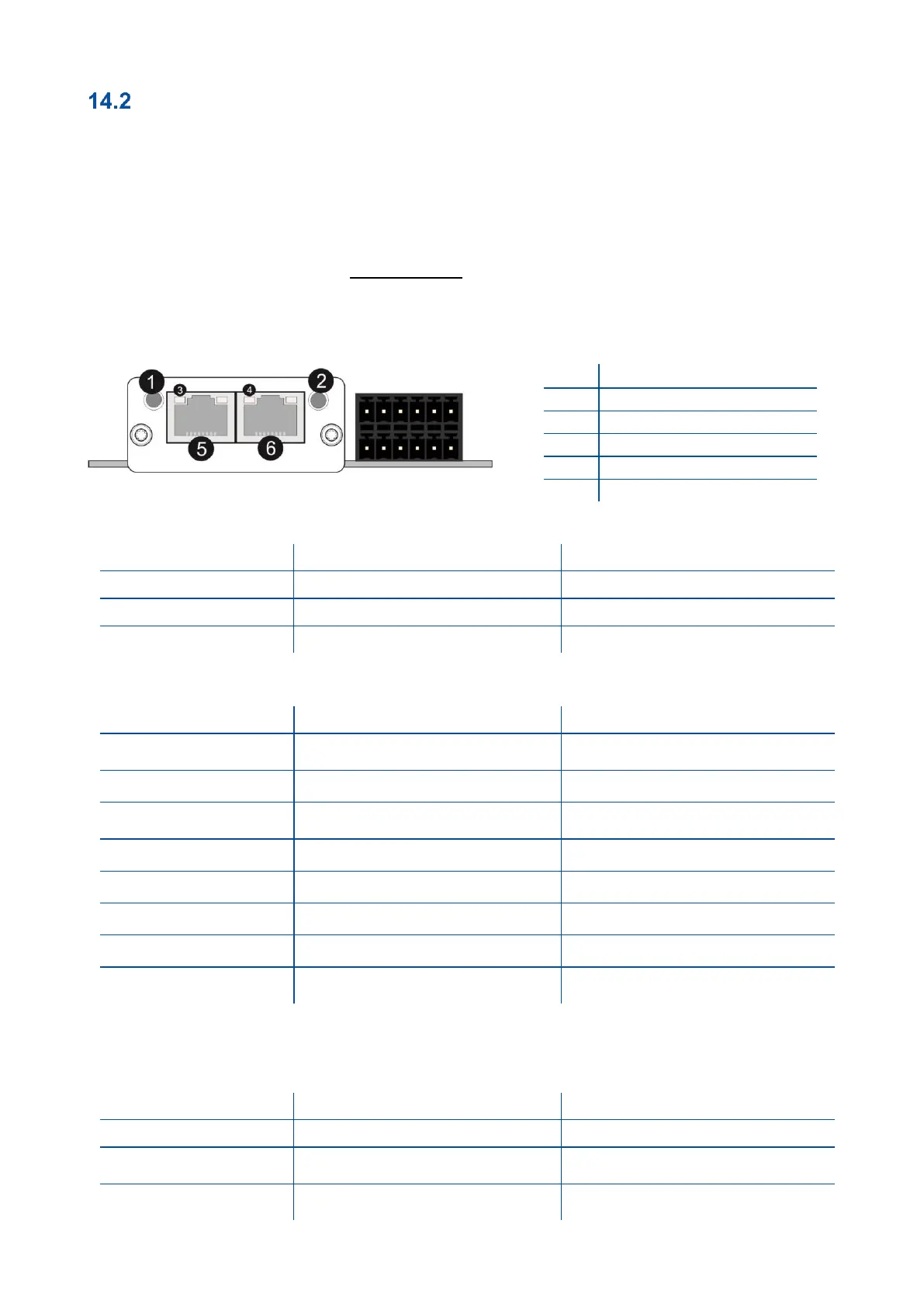
There are 4 announcement LEDs on the instrument to indicate the interface status as shown below. The
meanings of these LED’s are;
(A) Network Status LED
Not power or not initialized
No power or Profinet module is in
initialization state
Initialized, diagnostic
event(s) present
There is an exception error
Check GSDML configuration
Re-energize the instrument.
If shown again, change the board.
In the case of red LED warning, check cabling, configuration, IP address and device name. Power off the
instrument and re-energize the instrument 30 seconds later.
LINK/Activity LED
No link, no communication present
Ethernet link established, no
communication present
Ethernet link established,
communication present
Link/Activity LED (port 1)
Link/Activity LED (port 2)



 To Next Page