FT-112(D) Panel Weighing Indicator, Technical Manual, Rev.1.0.0, May 2019 Page 13 of 170
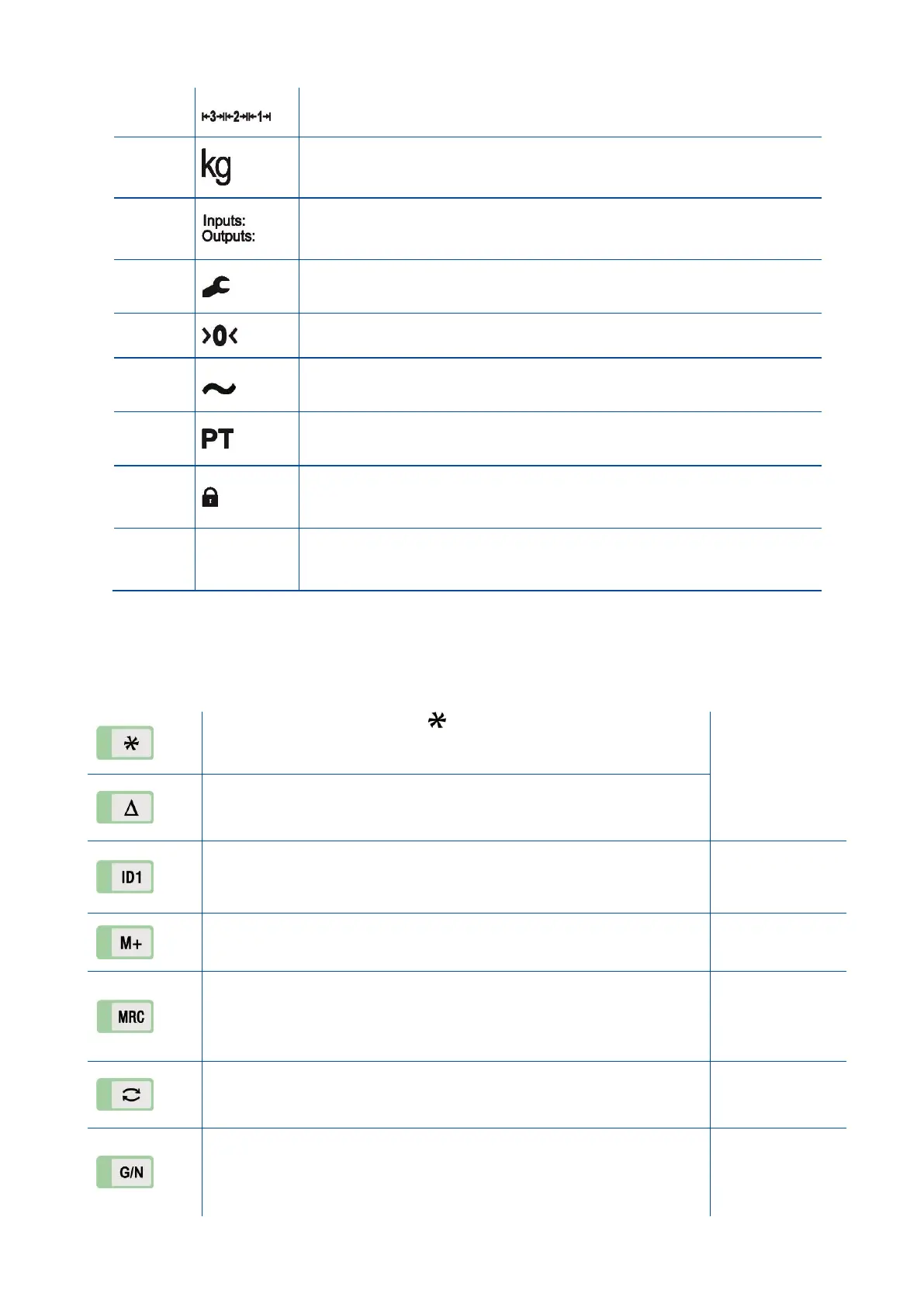
Indicates the range of the scale at multi range and multi interval
operations.
g, kg, t, lb, klb, N, kN units are located on the right of the display.
Announces the activated inputs and outputs.
Announces the instrument is at repair status or call service.
Announces the weight value is in the center of zero range.
Announces the weighing is not stable. After stabilization of the
weighing, this symbol disappears.
Announces the scale is preset tared after entering the specified tare
value.
Announces the keys are locked.
Announces the time unit of the parameter value is millisecond or
second.
3.3.2 Key Pad
The keys and the key functions of FT-112(D) Panel:
Programmable Function key This programmable key is set for
your easy use in your application.
Page 56, 35, 81,
84, 86, 90, 94,
Programmable Function key This programmable key is set for your
easy use at your application.
Identification data ID1 and ID2 keys are used to enter identification
data.
ID2 key can be programmed for another function, if ID2 is not required.
Totalization. This key is used for totalization of sequential weighing.
Total This key is used to indicate the total value in totalization.
Grand Total Press this key for more than 2 seconds to display Grand
Total.
Clear total Press this key to clear total or grand total which is
displaying.
Unit Change Change to the secondary unit.
Temporary gross weight indication Press this key to read the gross
weight temporary until pressing the key again.
The display returns to the normal operation automatically after 10
seconds at approved scale.



 To Next Page