Moisture Measurement Operation
7
Figure 7.11 Selecting the MR12 (optional Ball Moisture probe) mode
• Set Reference Mode
‘Set Reference’ is used to compare measurements to a stored reference
value. This mode applies only to readings taken with the pinless internal
sensor or the external MR12 Ball Moisture probe. The moment the Set
Reference mode is selected, the current reading is offset to zero. Subse-
quent readings will be offset by this same amount, see Section 7.8 Set
Reference Mode for additional information.
Figure 7.12 Selecting the ‘Set Reference’ mode.
7.5 Pinless Moisture Measurements
• Select the pinless mode from the menu system (Moisture mode/Pinless);
see Figure 7–10).
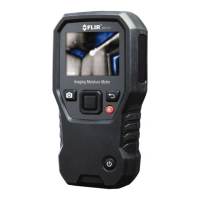
• Press the rear sensor pad firmly against the test surface. Apply pressure to
ensure that the internal sensor is completely flat against the surface of the
material under test.
• The internal moisture sensor detects moisture to a depth of approximately
19 mm (0.75”). The actual depth will vary depending upon the amount of
moisture, the material under test, surface roughness, and other factors.
• Pinless measurement readings are ‘relative’ scaled (0~100).
#NAS100070; r. AB/77165/77326; en-GB
32


 To Next Page