12
Hardware Index
PATCH MANUAL
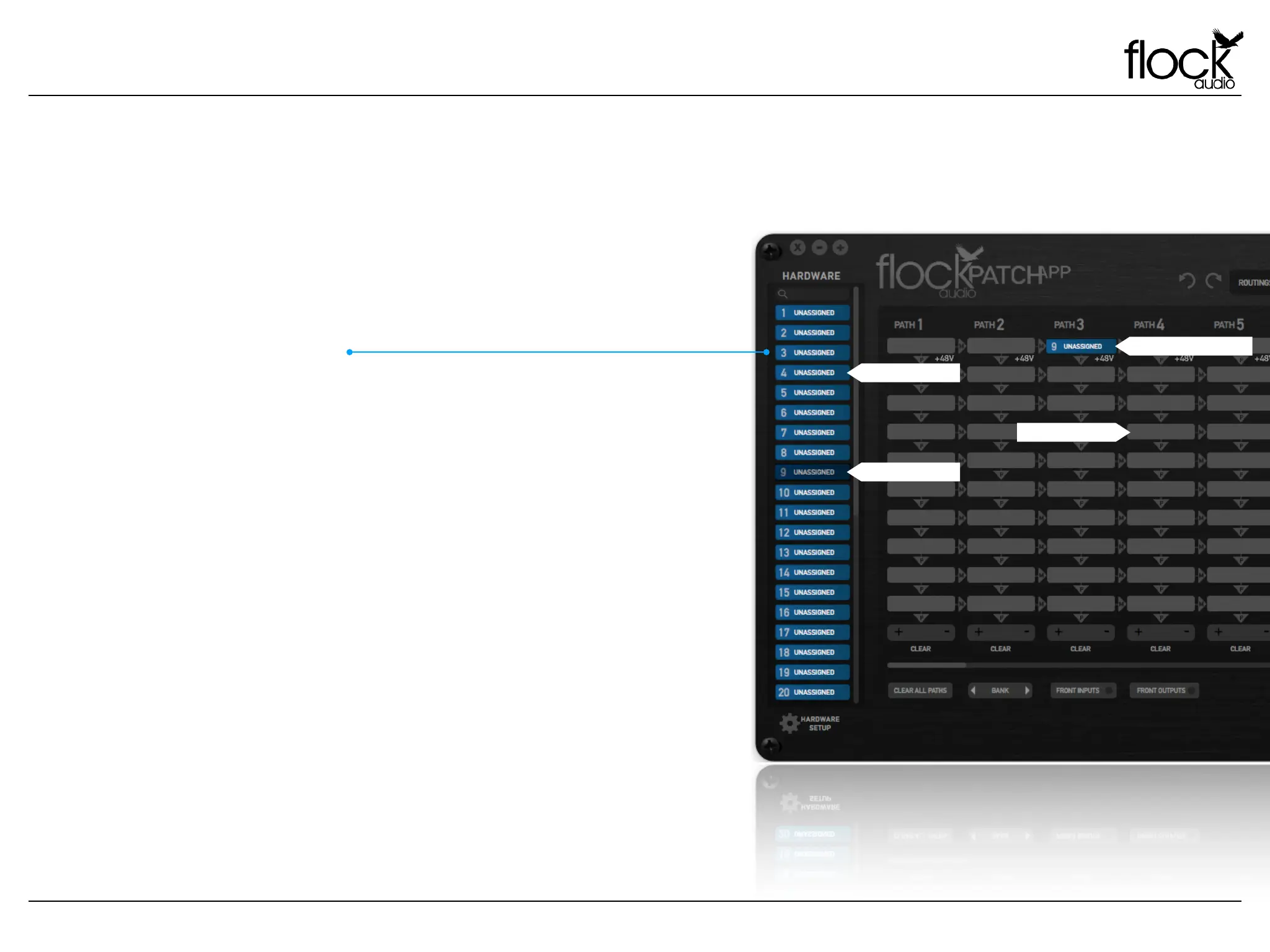
HARDWARE INDEX & RACK SPACE LEGEND
Digital Rack Space Legend
Users will catalog all of their external audio equipment physically
connected to the PATCH Hardware system with-in one easily
organized index list. The Hardware Index allows the user to scroll
through and Drag + Drop “Digital Rack Spaces” into desired
signal flow PATH’s in the active routings section of the app. The
Hardware Index is equipped with a search field located at the top
of the Hardware Index, allowing users to search for desired analog
audio equipment.
Preferred user preferences for the Hardware Index are located in
the Hardware Setup Menu below the Index, which will be covered
later on in this user manual.
HARDWARE INDEX
Digital Rack Space
Empty Rack Space
Active Digital Rack Space
Inactive Rack Space


 To Next Page