25
MULTIPLE UNIT SETUP MENU
PATCH MANUAL
MULTIPLE UNIT SETUP MENU
Multiple PATCH System Setup Menu (Pt.3)
When connecting multiple hardware units together for Multi-
Unit configurations, a user must choose which connections to
configure in order to Send &/or Receive analog audio signals
between multiple PATCH Hardware Units. !
!
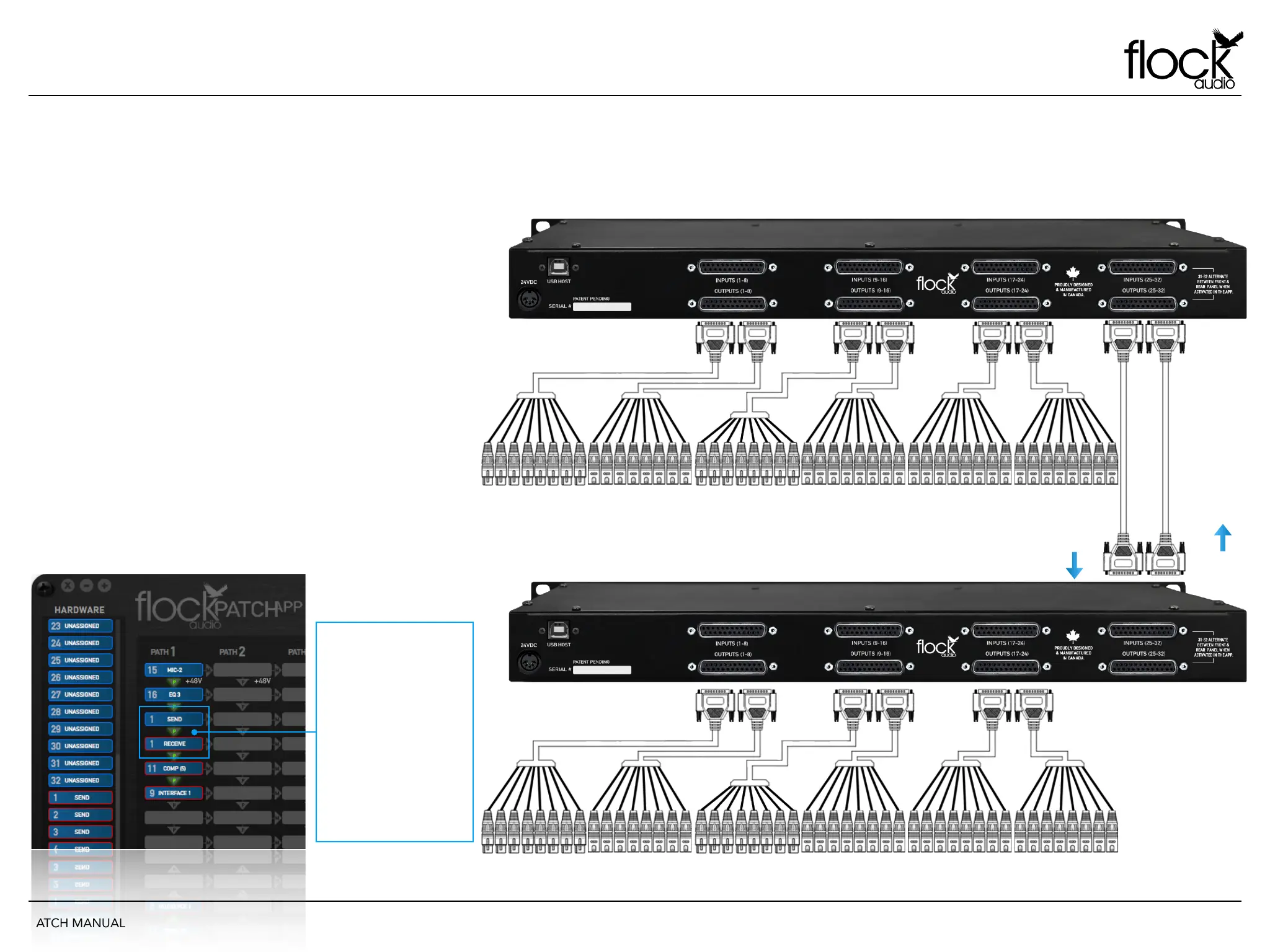
As shown in the right side example, 2 - PATCH Hardware Units
are connected with 8 Sends and 8 Returns. This configuration
example allows a user to Send 8 analog audio signals from one
PATCH #1 to PATCH #2 and return 8 analog audio signals to
PATCH #2 (if required).
This is only an example of the possible Multi-Unit routing
configurations and is not restrictive of other user desired
configurations. Users may choose to have more or all sends
then equal returns.
The below example shows a simple PATCH APP Software view
of what an Mulit-Unit Hardware setup would appear like in the
PATCH APP when routing from PATCH #1 to PATCH #2.
MULTIPLE UNIT ANALOG CONNECTIONS
PATCH #1
PATCH #2
RETURNS
SENDS
W h e n D r a g g i n g +
Dropping a SEND “Pass”
into a signal flow digital
rack space that is empty,
th e PAT CH AP P wil l
populate both SEND &
RECEIVE Digital Rack
Spaces with color coded
outlined Racks to allow
t h e u s e r t o e a s i l y
distinguish which PATCH
unit is which.


 To Next Page