18
USER OPERATION INSTRUCTIONS
PATCH MANUAL
USER OPERATION INSTRUCTIONS
User Operation Instructions
In order to create an analog routing configuration the user will
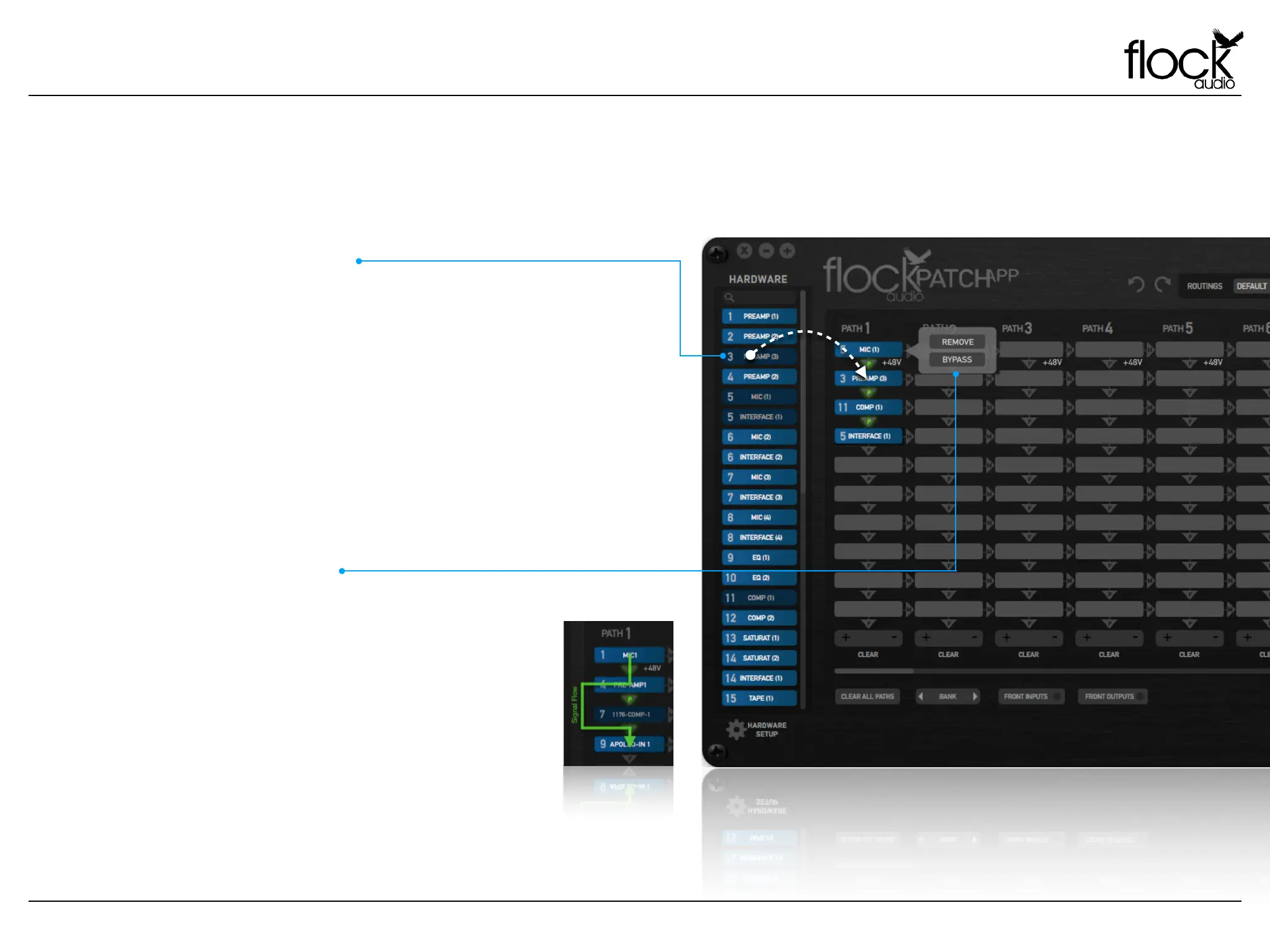
Click + Drag a preferred Digital Rack Space into the desired PATH
space of their choice. Once hovering over the chosen empty rack
space, the user will release the mouse button allowing the Digital
Rack Space to snap into place, activating the desired routing
connection.
As previously mentioned earlier in the manual, all signal flow
PATH’s go from top to bottom as shown in the example to the
right side of this description. If the Active Digital Rack Space is
inserted into a incorrect empty rack space, the user can simply just
Click + Drag it into the preferred empty rack space, following the
same instructions as previously mentioned.
DRAG & DROP OPERATION
Once a Digital Rack Space is in its desired PATH, the user can
Right + Click on the activate Digital Rack Space and choose
between the options of “Remove” or “Bypass”. !
!
Remove - Choosing Remove will disconnect the the activate
Digital Rack Space routing configuration and return the Digital
Rack Space to the Hardware Index for future routing possibilities. !
!
ByPass - Choosing Bypass will disable the selected Active Digital
Rack Space allowing the signal flow to bypass this specific Rack
Space without being affected or processed. Once a Digital Rack
Space is Bypassed, it will show in a darker color shade. The user
will be able to UnBypass this Digital Rack by Right + Clicking
again and choosing UnBypass.
RIGHT + CLICK OPTIONS
Bypass Example.


 To Next Page