23
MULTIPLE UNIT SETUP MENU
PATCH MANUAL
MULTIPLE UNIT SETUP MENU
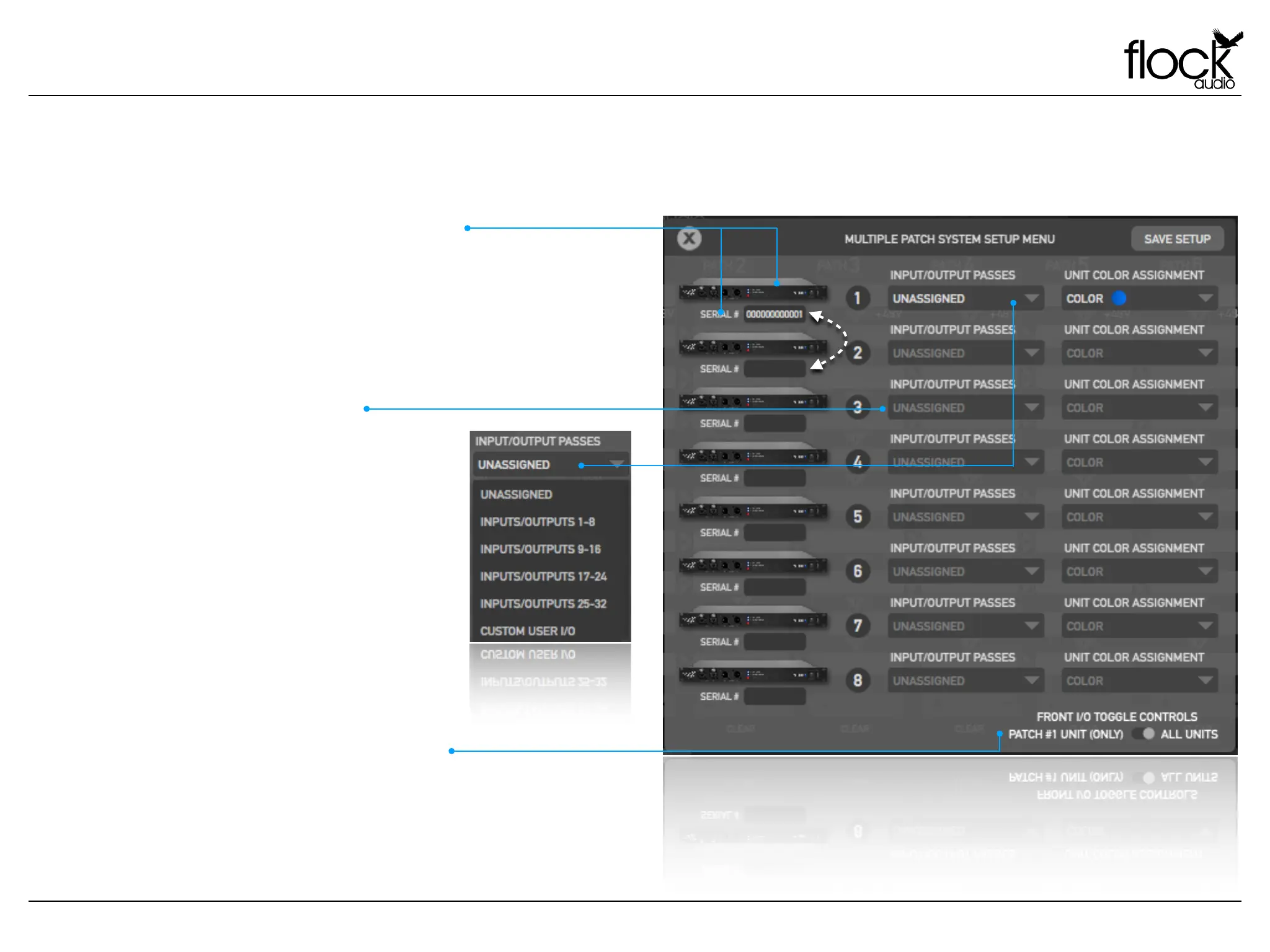
Multiple PATCH System Setup Menu (Pt.1)
When using a multiple PATCH unit setup(s), users must designate
specific connection configurations between PATCH units in order to
send analog signals from one system to the next. PATCH Systems
are identified in the PATCH APP according to their registered serial
numbers. Rearranging the systems to a specific desired order is as
simple as clicking + dragging on the serial numbers into a preferred
order.
MULTIPLE UNIT IDENTIFICATIONS
INPUT/OUTPUT PASSES
Input & Output Passes represent physical
connections between PATCH Systems in the
application. In order to Send or Receive audio
signals between PATCH Units, a specific Send
&/or Receive must be chosen with-in the Input/
Output Passes section of the Multiple Unit
Setup Menu.
This menu has options for recommended
suggestions such as Inputs & Outputs (1-8),
(9-16), (17-24), (25-32) which will generate 8-16
available sends & receives between PATCH
units, or a user can choose “Custom I/O”
which will allow the user to designate their
own Sends &/or Receives
When multiple PATCH units are connected, users can choose
whether the Front Inputs & Outputs are engaged only on the first
designated unit or on all connected PATCH Systems. This option
allows users to avoid Multiple Unit Setup issues when 31-32 are
configured as Sends & Receives between PATCH units.
FRONT I/O TOGGLE CONTROLS


 To Next Page