24
MULTIPLE UNIT SETUP MENU
PATCH MANUAL
MULTIPLE UNIT SETUP MENU
Multiple PATCH System Setup Menu (Pt.2)
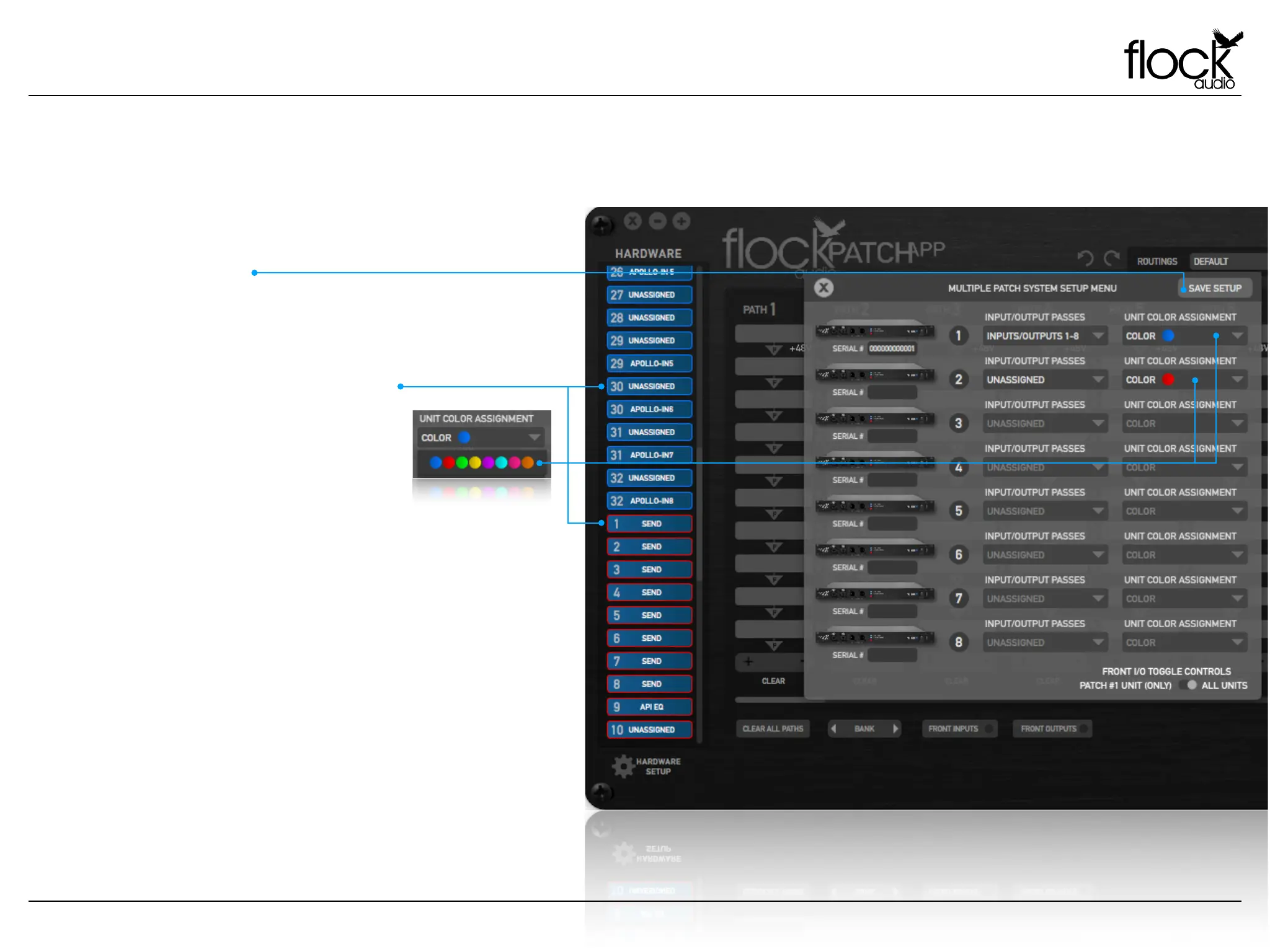
Once a desired Multiple Unit Setup configuration is
established, a user must save their setup in order to properly
operate their multiple system setup from the PATCH APP.
SAVE SETUP
UNIT COLOR ASSIGNMENT
When using Multiple PATCH System
units, Each PATCH System Hardware Unit
is identified by a coloured outline around
all available Digital Rack Spaces in the
Hardware Index.
By default the specified colors are
indicated from left to right. However, a
user can change the color assignment of
each PATCH Unit based upon the users
preferences by selecting the Unit Color
Assignment drop down in the Multiple
Setup Menu.


 To Next Page