30
INSTALLING NEW FIRMWARE
PATCH MANUAL
INSTALLING NEW FIRMWARE
Bootload
Reset
How-to Install new PATCH Firmware
Step by Step Install Process for New Firmware
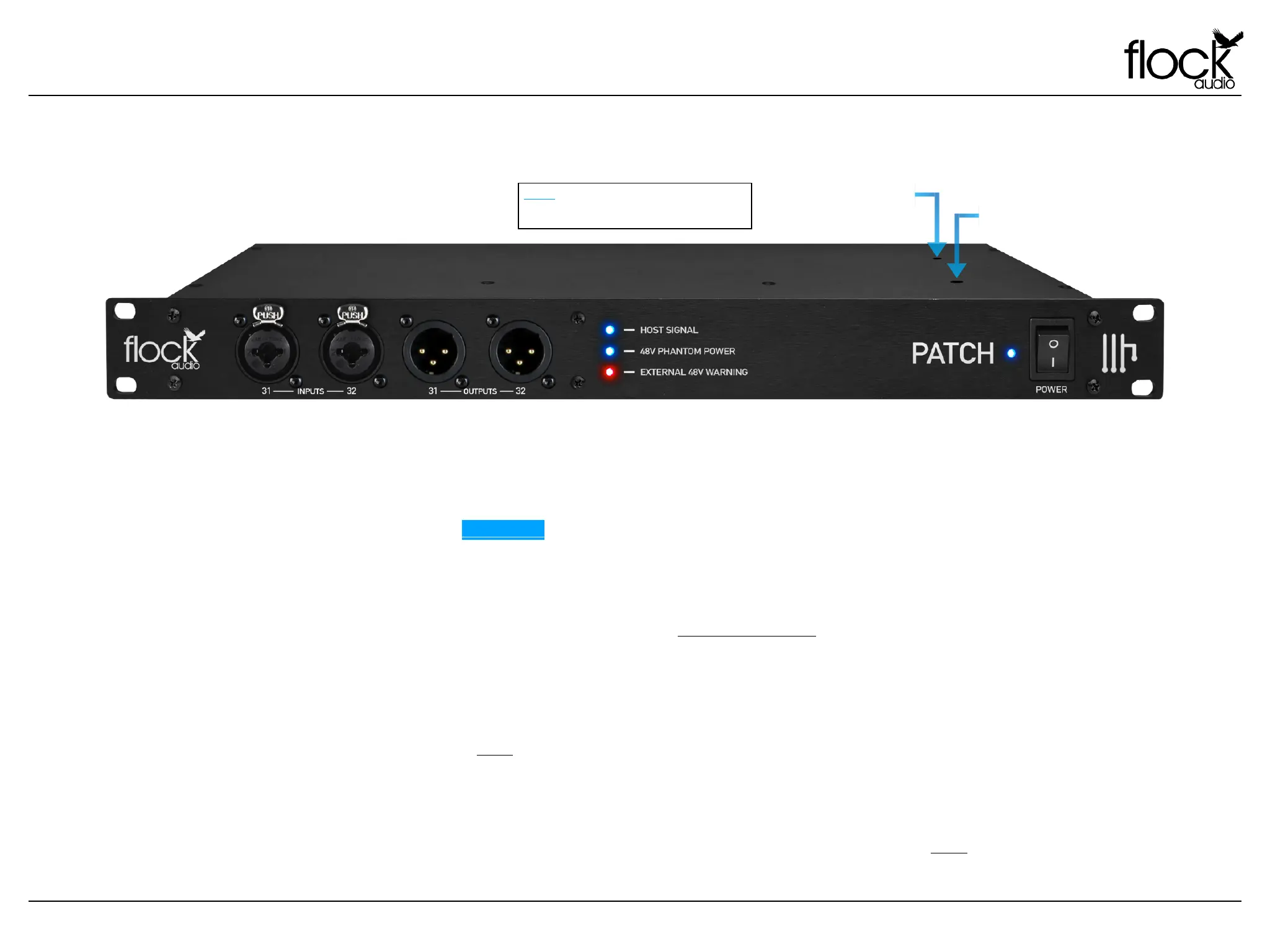
In order to properly install new available Firmware onto the Flock Audio PATCH System Hardware, you will require access to the top side of
the hardware unit. Located on the top lid on the right hand facing side there are 2 small holes in the chassis lid. These holes provide access
to the Bootload Button and Reset Buttons. REMINDER: Do not open the lid to avoid electric shock causing injury or death. There are no
user serviceable parts inside the PATCH system and opening the lid will result in voiding any active manufacturers warranty. !
!
Perform the following steps to successfully update your systems Firmware.
Step #1. Download the latest available Firmware from your “My Account” at www.flockaudio.com
Step #2. Gently pull the PATCH System slightly out of the rack case to gain access to the top right side of the hardware.
Step #3. Using 2 Paperclip's or similar size tools, insert one through the first hole “Bootload” and while pressing & holding the button
down, use the other Paperclip or similar size tool to quickly press & release the “Reset” button to initiate the system into Bootload Mode
making it ready for new Firmware installation. Note: You can also perform the same process by using a single Paperclip or similar size tool to insert
through first hole “Bootload” and while pressing & holding the button down, quickly toggle the system off for 3 seconds using the front power switch and
toggle it back on while holding and then releasing the Bootload button.
Step #4. Follow the remaining process and prompts on the Firmware Installer Application on your computer to complete the Firmware
Installation. Once complete, restart your PATCH System and the PATCH APP to complete the installation process. Note: If there are any issues
installing the new firmware, please repeat the process starting with Step #3 and if the problem persists please contact Flock Audio Support.
NOTE: T H I S P ROCE S S D O ES NOT RE F L ECT
SOFTWARE UPDATES. FIRMWARE UPDATES ARE
EXPECTED TO BE RARE AND NOT REQUIRED OFTEN.


 To Next Page