19
TOGGLE & CONTROL CENTER
PATCH MANUAL
TOGGLE & CONTROL CENTER
Toggle & Control Center Features
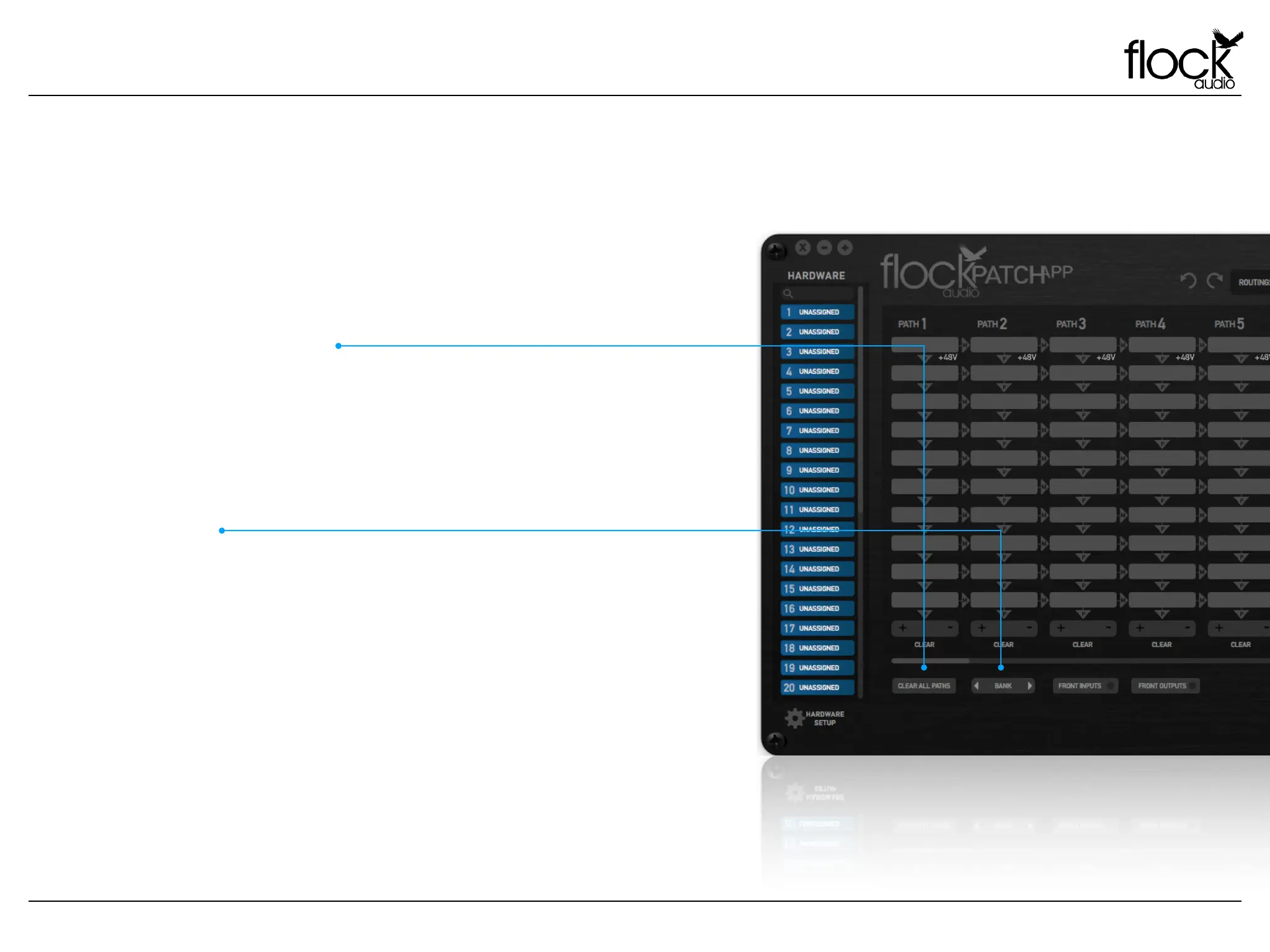
The PATCH APP Toggle & Control Center will easily allow a user
to Clear (I.E. Delete) all active routing PATH’s previously set by the
user. Note: When choosing “Clear All Paths” the system will
prompt the user notifying them all their active routing data will be
lost if they choose to proceed without storing the active routings
for a later date.
CLEAR ALL PATHS
Users can easily Bank between “8 PATH’s” for quick viewing with-
in the active routings section of the PATCH Application.
Alternatively, users are also able to use the bottom scroll bar &/or
a touch sensitive mouse to move between various PATH’s.
By clicking the “Bank” button when scrolling between various
active PATH’s, the PATCH APP will realign the user interface with
the closest 8 PATH’s available.
BANK


 To Next Page