STRADA PAL – MAINTENANCE MANUAL
106/149
8.5.3 Replacing the equipped reception (microswitch + collection
indicator)
8.5.3.1 Preliminary operations
A. Open the maintenance door
B. Turn off the terminal
C. Disassemble the collection trapdoor
8.5.3.2 Replacement
A. Unplug the equipped reception cables.
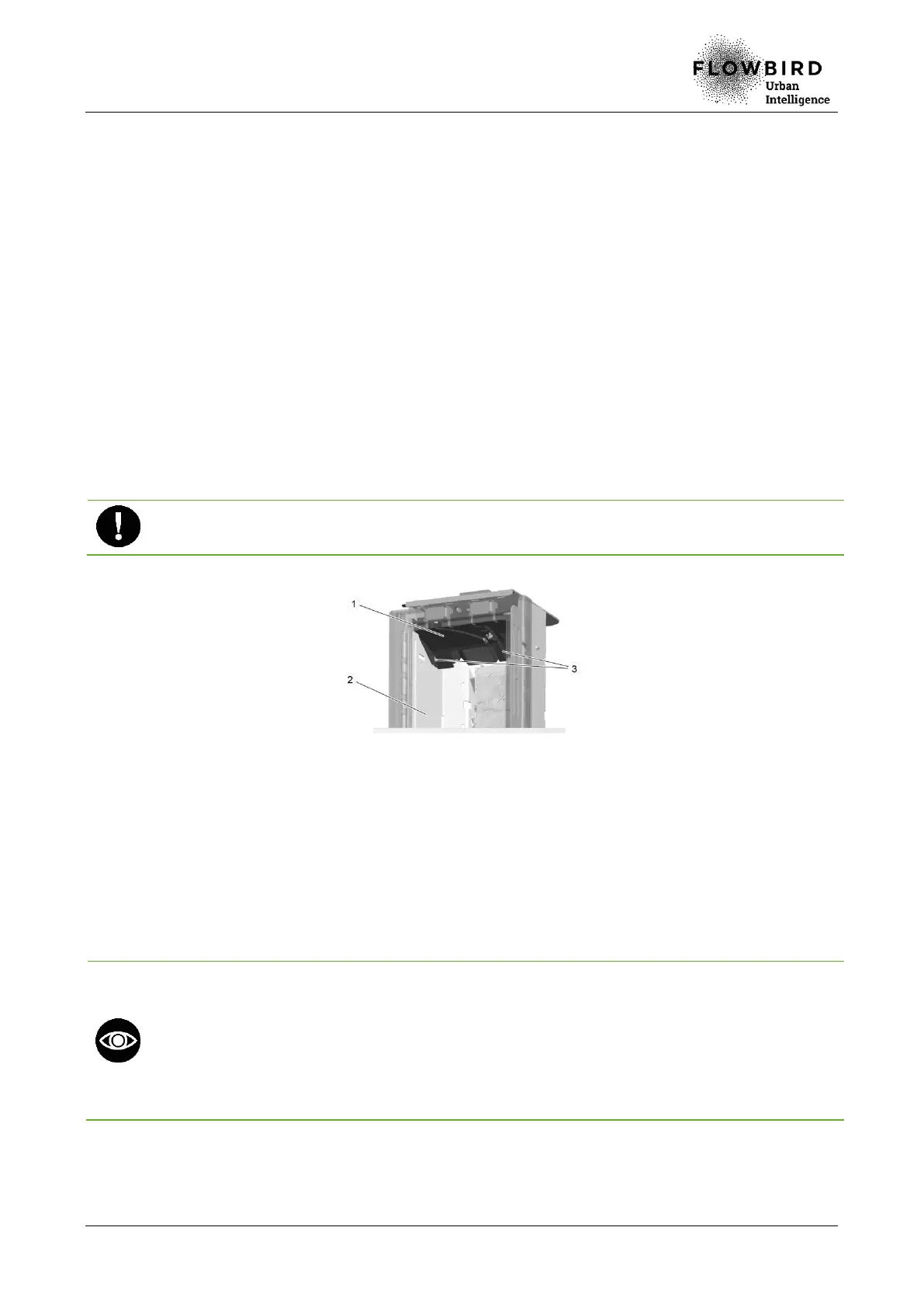
B. Loosen the 2 screws (3) that hold the equipped reception (1) to the collection rack
(2).
C. Remove the equipped reception by lowering it, then pulling it out.
Ensure that the sensors are not damaged during this operation.
Replacing the equipped reception
8.5.3.3 Installation
A. Place back the front of the equipped reception first, then the back.
B. Push the equipped reception on the left and tighten the left clamping screw.
C. Install and tighten the right clamping screw.
D. Plug the equipped reception cables.
Check the cables position:
key: white brown thread,
trap: blue thread,
id: not applicable,
tir: red,
VDC: bus lin



 To Next Page