STRADA PAL – MAINTENANCE MANUAL
12/149
3.3 Presentation of the user interface
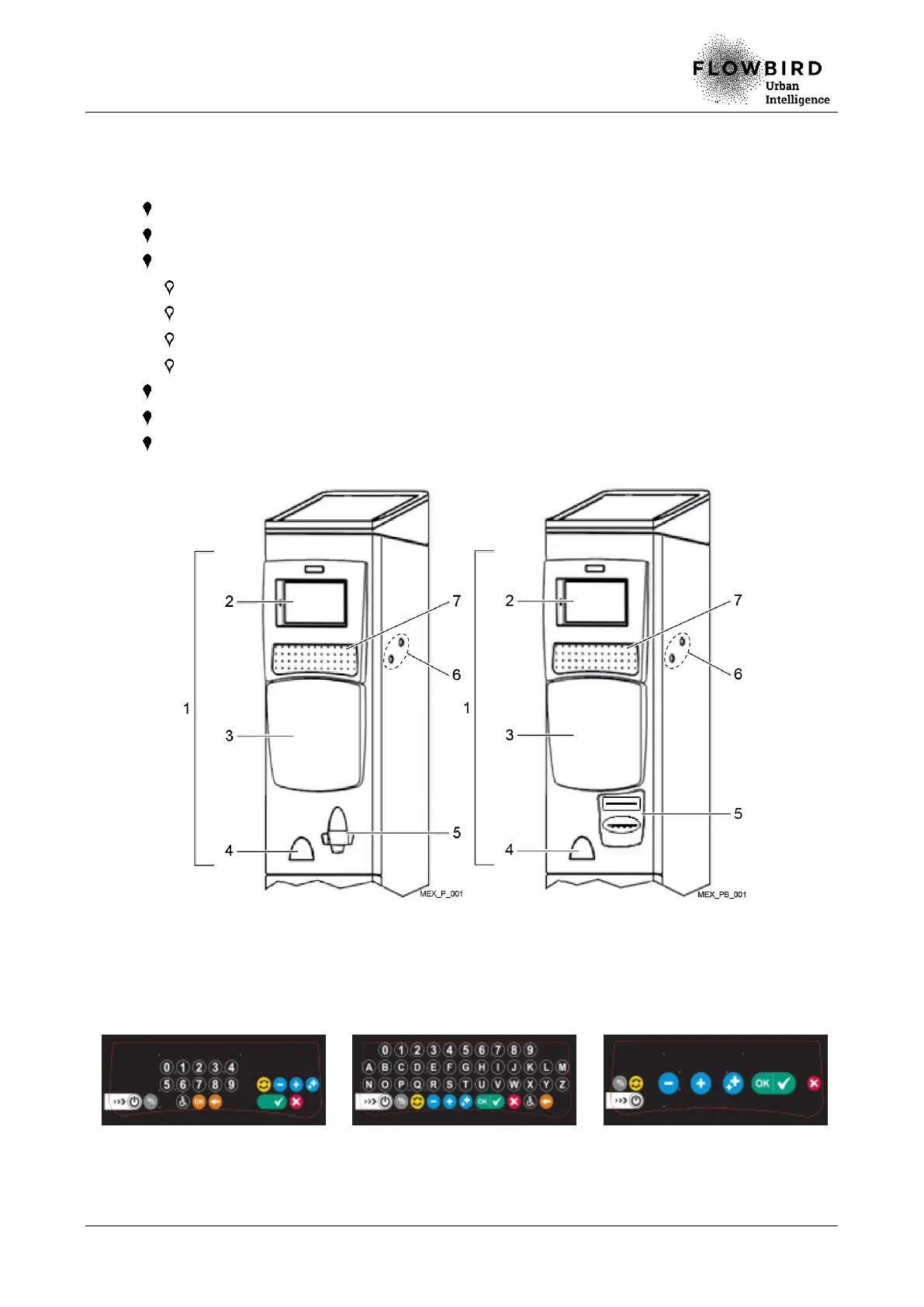
The following elements are visible on the user interface (1):
the colour screen 7" (2),
the keyboard (7),
the payment zone (3), with:
the payment card reader,
the numeric keypad,
the contactless antenna,
the coin slot,
the coin bowl, (4),
the ticket bowl with optional banknote slot(5),
the maintenance compartment lock (6).
External view without BNA External view with BNA
With the extended keyboard option, the keys configuration depends on the customisation
of the terminal.
In any case, the extended keyboard has a validation button (green) and a cancellation
button (red).
Examples of extended keyboards



 To Next Page