STRADA PAL – MAINTENANCE MANUAL
54/149
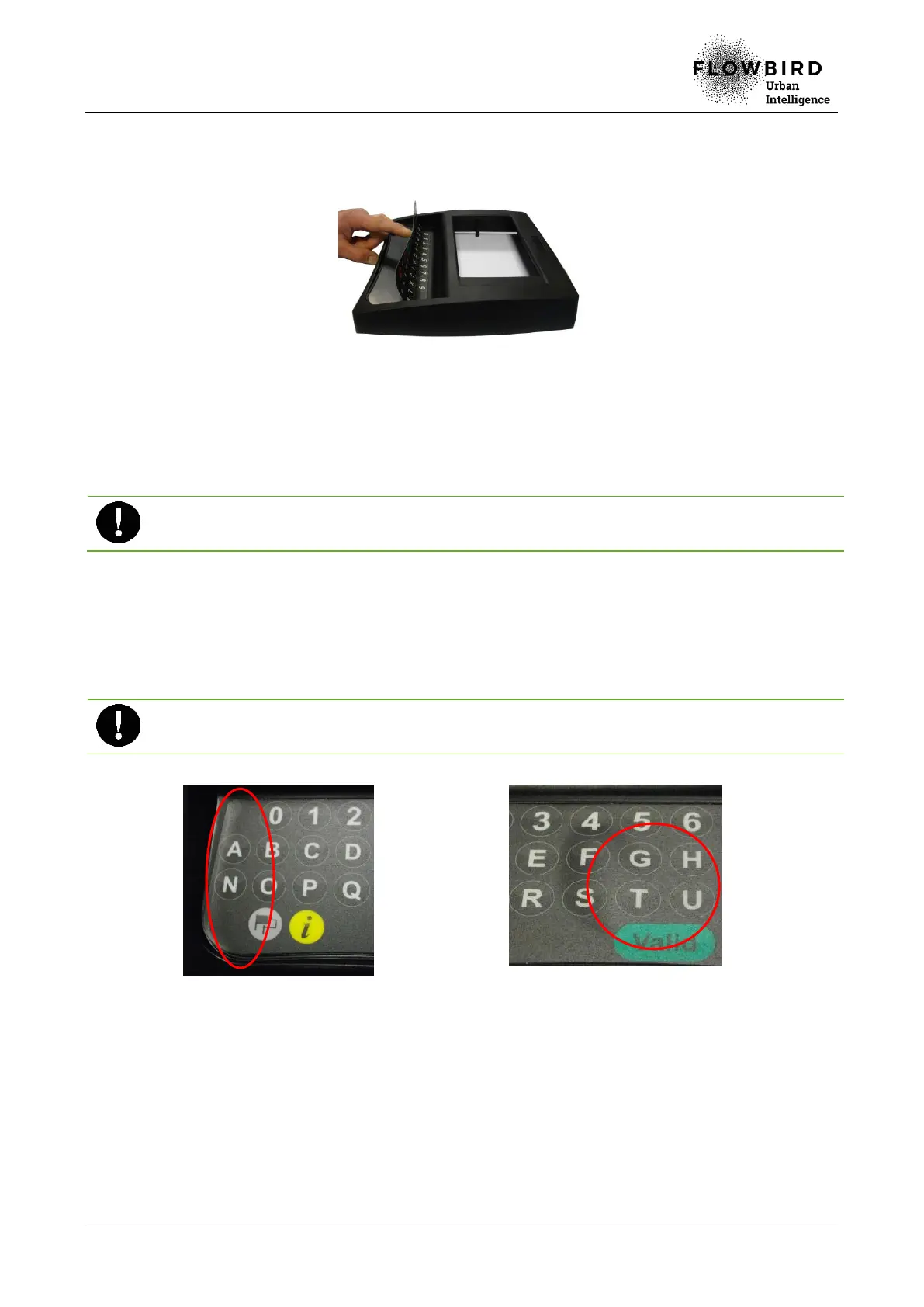
G. When the sticker positioning is satisfactory, rub several times with your finger the
top of the sticker, while maintaining its lower part lifted (this step avoids the
presence of bubbles).
Placing the top of the sticker
H. Rub slowly left to right, then right to left, moving gradually towards the bottom of the
sticker, so that the sticker is applied without any bubbles.
I. Check that the sticker is correctly positioned inside its intended location (no
bubbles, and not extending beyond any side).
A poorly applied sticker (with bubbles or extending beyond its intended location) may
result in malfunction and increases the risk of tearing.
J. If the positioning is not satisfactory, remove the sticker immediately and start again
the procedure with a new sticker.
K. If the positioning is satisfactory, finish the process by rubbing vigorously with a
clean cloth, especially on the sticker sides (that way it will be more difficult to tear off
the sticker).
Do not reuse a sticker that was removed. If any problem occurs during the procedure, use
a new sticker.
Example of a poorly placed sticker: the
left side is extending beyond the side of
its intended location
Example of a poorly placed sticker: bubbles
8.2.4.4 End of procedure
A. Turn on the terminal
B. Close the maintenance door



 To Next Page