STRADA PAL – MAINTENANCE MANUAL
55/149
8.2.5 Replacing the upper front panel
8.2.5.1 Preliminary operations
A. Open the maintenance door
B. Turn off the terminal
8.2.5.2 Replacement
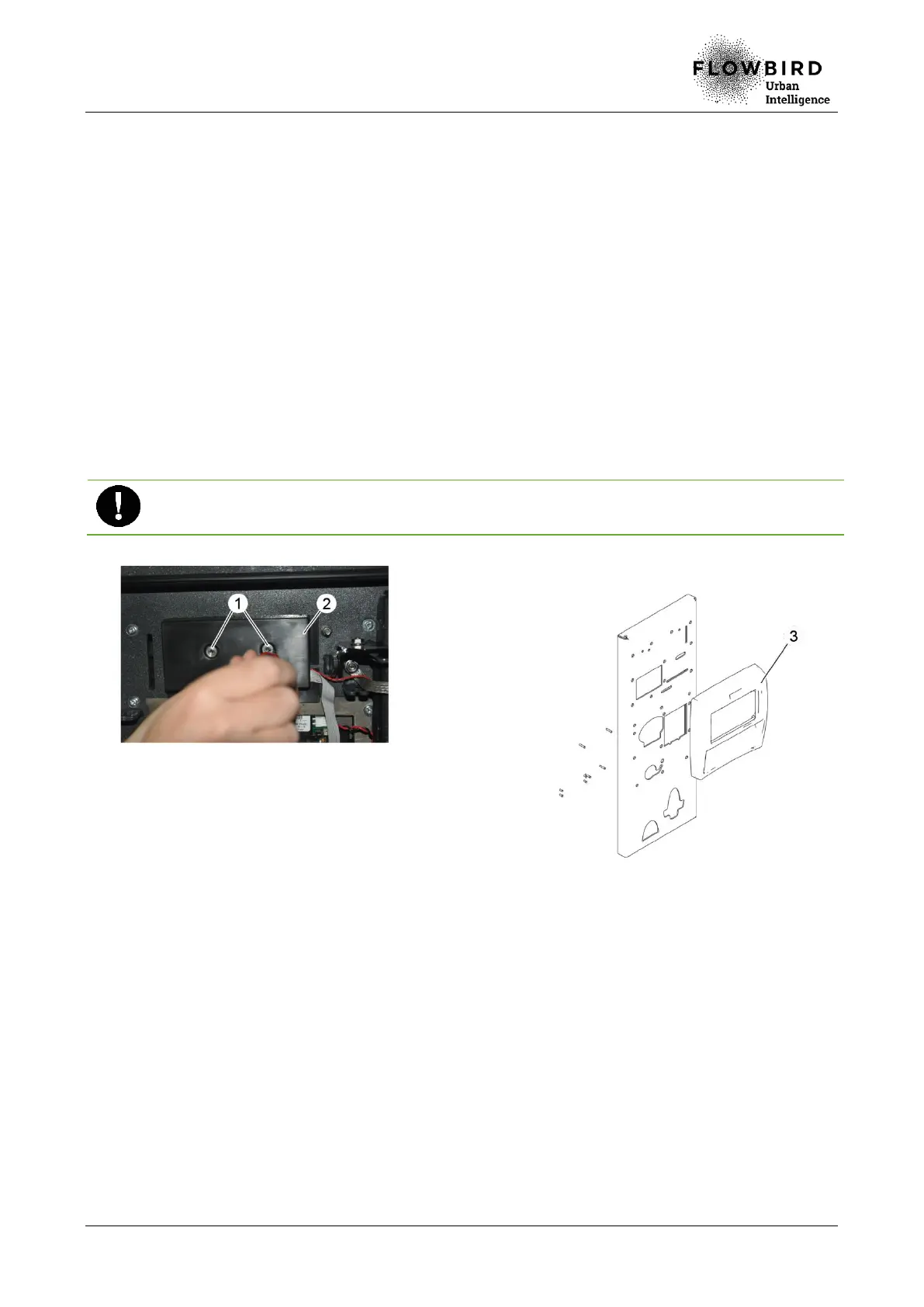
A. Loosen the 2 nuts (1) on the protective cover (2).
B. Remove the protective cover (2).
C. Unplug the enhanced keypad strand
D. Remove the 10 screws that hold the upper front panel (3).
E. Remove the upper front panel.
Maintain from the outside the upper front panel so that it does not fall.
Remove and keep the screen panel and its seal for the new upper front panel.
Replacing the upper front panel
8.2.5.3 Installation
A. Install the old instruction panel with its seal on the new upper front panel.
B. Repeat the previous steps in reverse.
8.2.5.4 End of procedure
A. Turn on the terminal
B. Perform a function test and a test related to each of the disassembled components.
C. Close the maintenance door



 To Next Page