STRADA PAL – MAINTENANCE MANUAL
71/149
8.2.17 Replacing the A1000 contactless antenna
8.2.17.1 Preliminary operations
A. Open the maintenance door
B. Turn off the terminal
8.2.17.2 Replacement
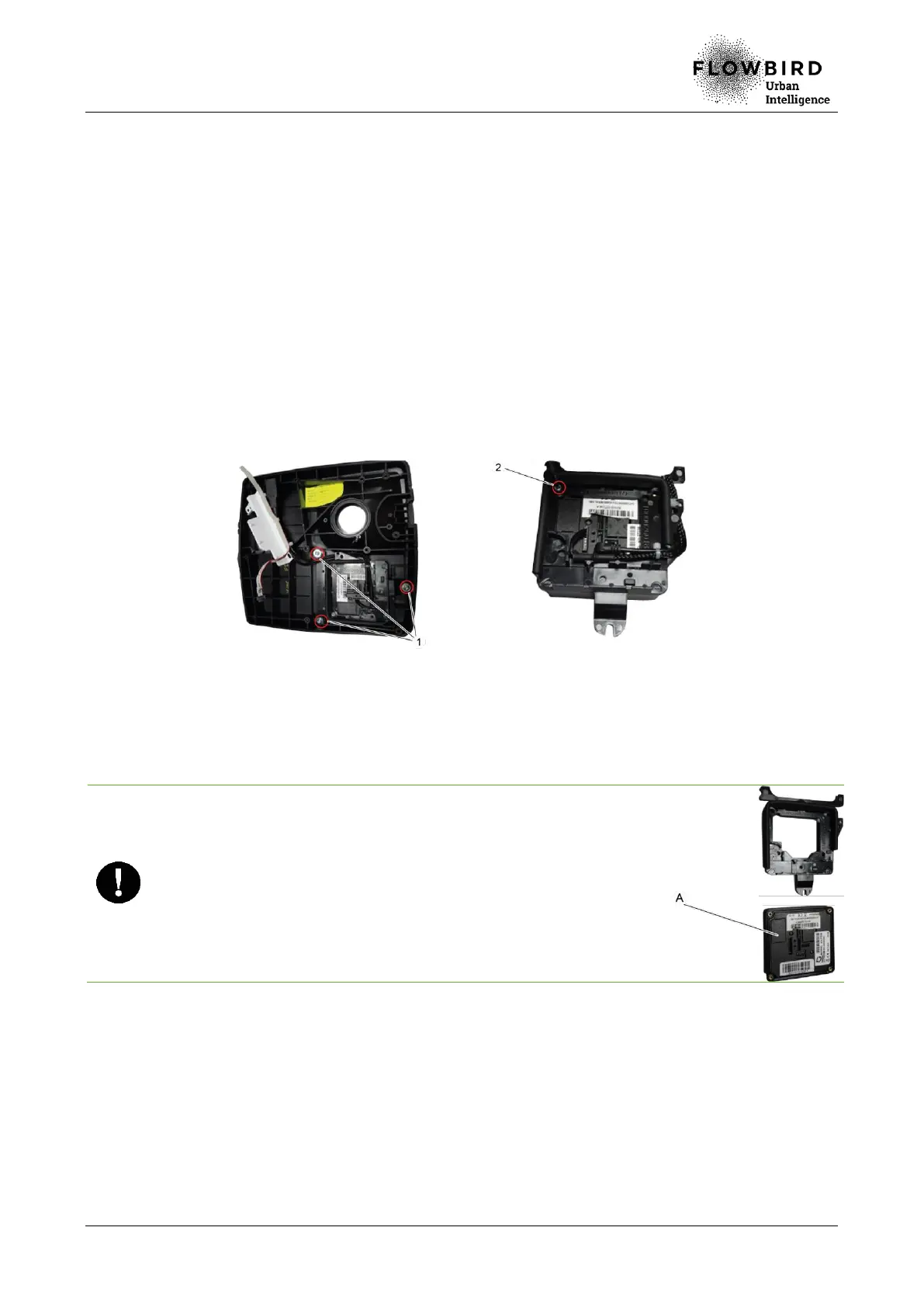
A. Remove the lower front panel Remove the 1 or 3 screws (1), according to the
configuration, that hold the A1000 contactless antenna on the pedestal cover.
B. Remove the screw (2) that holds the contactless antenna on its base.
C. Disconnect the 2 cables from the contactless antenna.
D. Remove the contactless antenna from its base.
Installing the A1000 contactless antenna
8.2.17.3 Installation
A. Place the A1000 contactless antenna on its base.
Check the positioning of the assembly: the SAM card of the
contactless antenna must be located on the left.
B. Tighten the screw that holds the A1000 contactless antenna on its base.
C. Plug the 2 cables and put them through the slot on the base.
D. Then carry out all the other dismantling operations in reverse.
8.2.17.4 End of procedure
A. Turn on the terminal
B. Carry out the functions 80, 94 (initialisation) and 503 (banking maintenance).
C. Close the maintenance door



 To Next Page