STRADA PAL – MAINTENANCE MANUAL
72/149
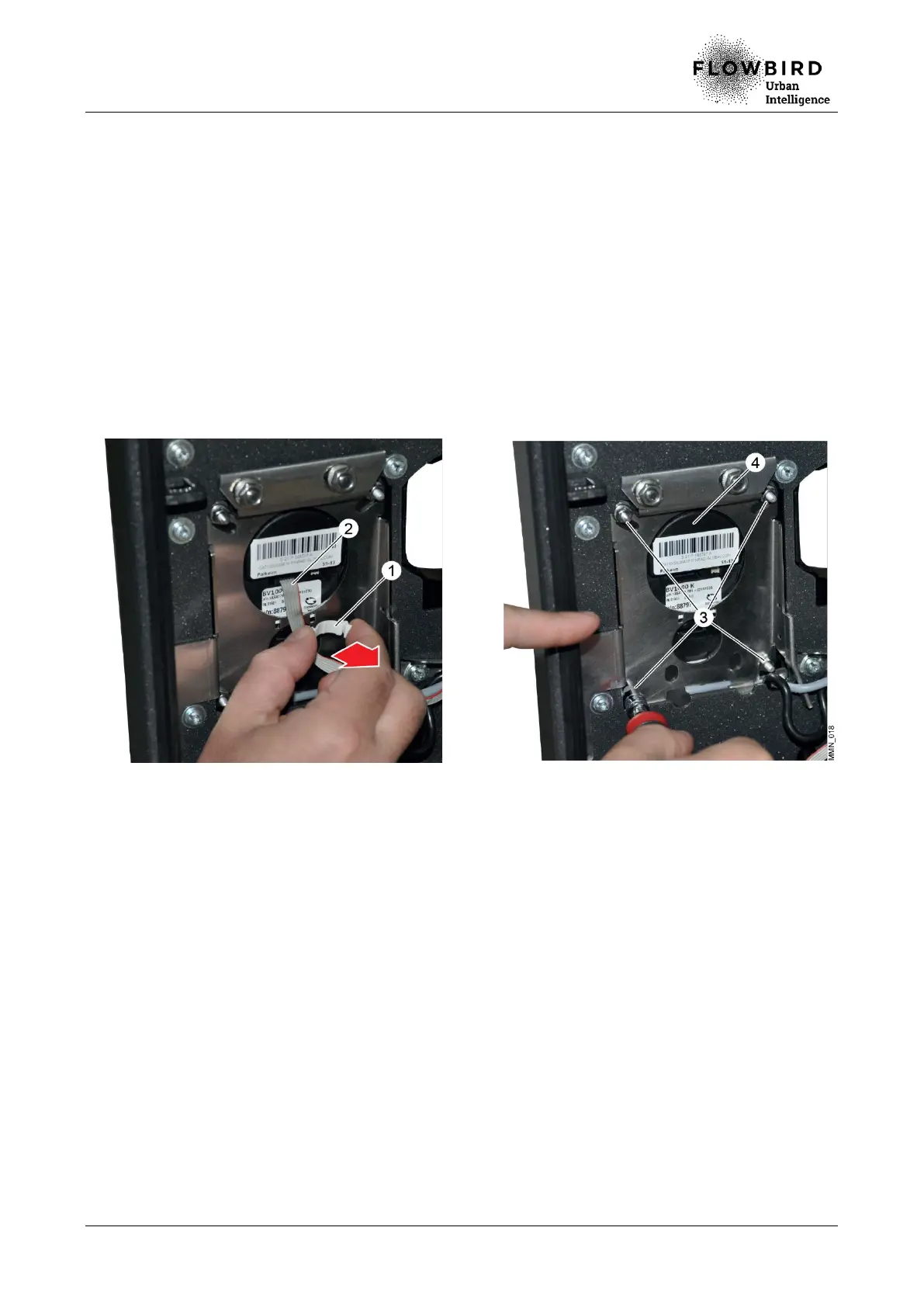
8.2.18 Replacing the bank card keypad
8.2.18.1 Preliminary operations
A. Open the maintenance door
B. Turn off the terminal
8.2.18.2 Disassembly
A. Remove the clip (1).
B. Unplug the cable (2).
C. Remove the 4 nuts (3) that hold the bank card keypad (4).
D. Apply pressure under the bank card keypad (4) and remove it.
Replacing the bank card keypad
8.2.18.3 Installation
A. Repeat the previous steps in reverse.
8.2.18.4 End of procedure
A. Turn on the terminal
B. Carry out the functions 80, 94 (initialisation), 750 (coupling) et 503 (banking
maintenance).
C. Close the maintenance door



 To Next Page