STRADA PAL – MAINTENANCE MANUAL
73/149
8.2.19 Replacing the barcode reader
8.2.19.1 Preliminary operations
A. Open the maintenance door
B. Turn off the terminal
8.2.19.2 Replacement
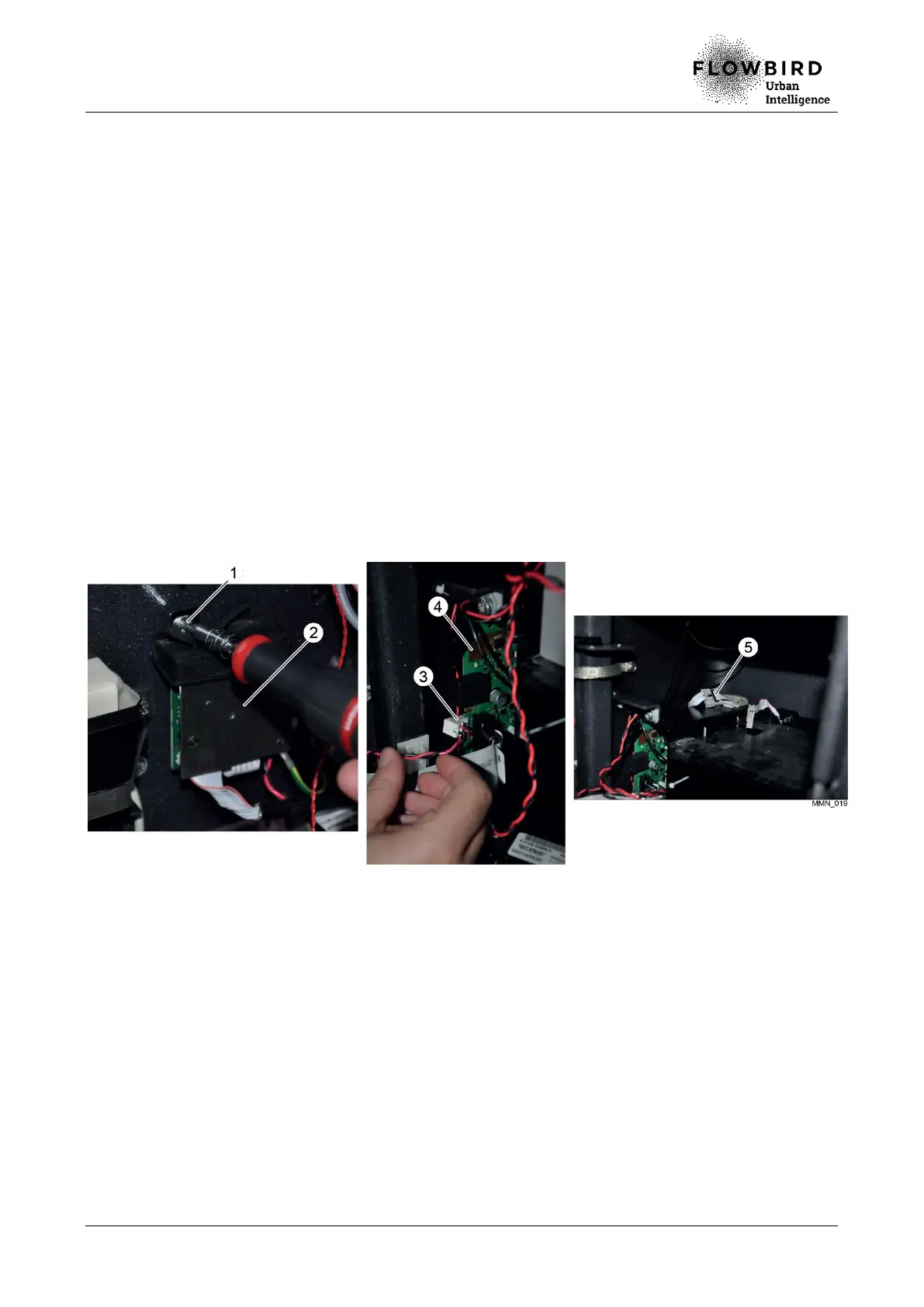
A. Remove the screw (1) that holds the flexible plastic protection of the barcode reader
(2) to the door.
B. Unplug the power supply cable (3) on the main board (4).
C. Remove the battery
D. Disconnect the MSIO cable (5).
E. Cut the cables ties.
F. Unscrew the support.
G. Remove the barcode reader.
Replacing the barcode reader
8.2.19.3 Installation
A. Repeat the previous steps in reverse.
8.2.19.4 End of procedure
A. Turn on the terminal
B. Carry out the functions 80, 140 (initialisation), 141 (reading test) and 142 (timeout).
C. Close the maintenance door



 To Next Page