STRADA PAL – MAINTENANCE MANUAL
77/149
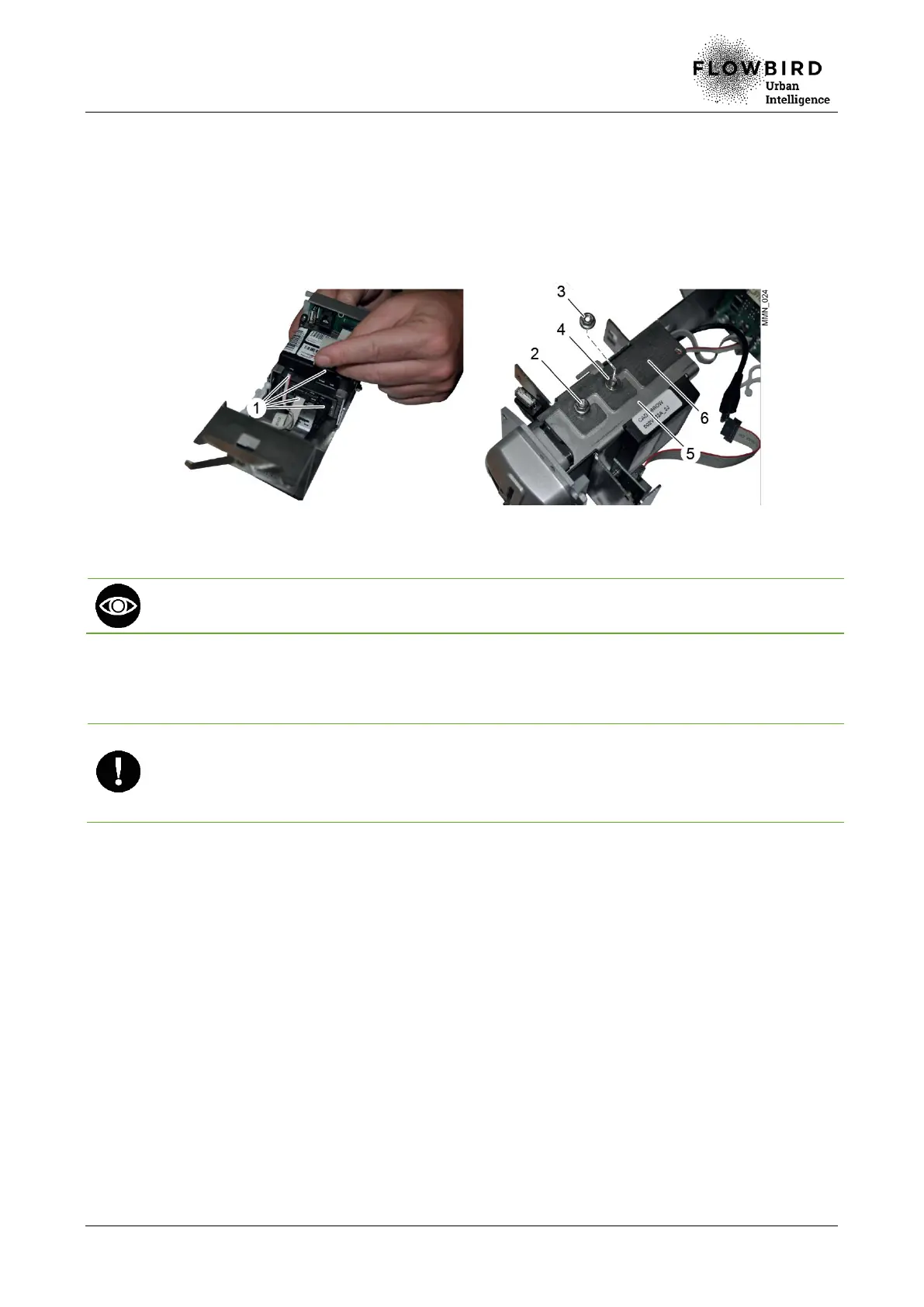
Replacing the bank card reader
G. Unplug the 4 cables (1).
H. Loosen the 2 nuts (2) and remove the 2 nuts (3) and the locking washers (4).
I. Remove the casing (6).
J. Remove the reader (5).
Replacing the M1000 reader
The reader can rotate without being entirely pulled out: press then pull the reader to the
top. It is then possible to rotate the reader to access the LED for inspection.
8.3.1.3 Installation
A. Repeat the previous steps in reverse.
Ensure that the locking washers and the nuts are positioned correctly.
Check that the reader is well positioned on the safety plate.
Check that the flat cable is plugged in the SPK connector with the red thread outside the
reader.
8.3.1.4 End of procedure
A. Turn on the terminal
B. Run the following tests and functions:
C. Run consecutively the commands 94, 750 [initialisation and, if necessary, coupling
(yellow LED)] then 750 for the start and finally, 503.
D. Close the maintenance door



 To Next Page