STRADA PAL – MAINTENANCE MANUAL
88/149
8.3.12 Replacing the ticket roll
Flowbird recommends the use of specific paper. Contact Flowbird customer service for
more information.
For the ticket count to be accurate:
the terminal must be in operation when replacing the ticket roll,
Flowbird recommends installing a brand new ticket roll.
8.3.12.1 Preliminary operations
A. Open the maintenance door
8.3.12.2 Procedure
A. Lift the paper protection.
B. Remove the extremity of the ticket roll from the printer.
C. Remove the roll and the paper reel axis from the terminal.
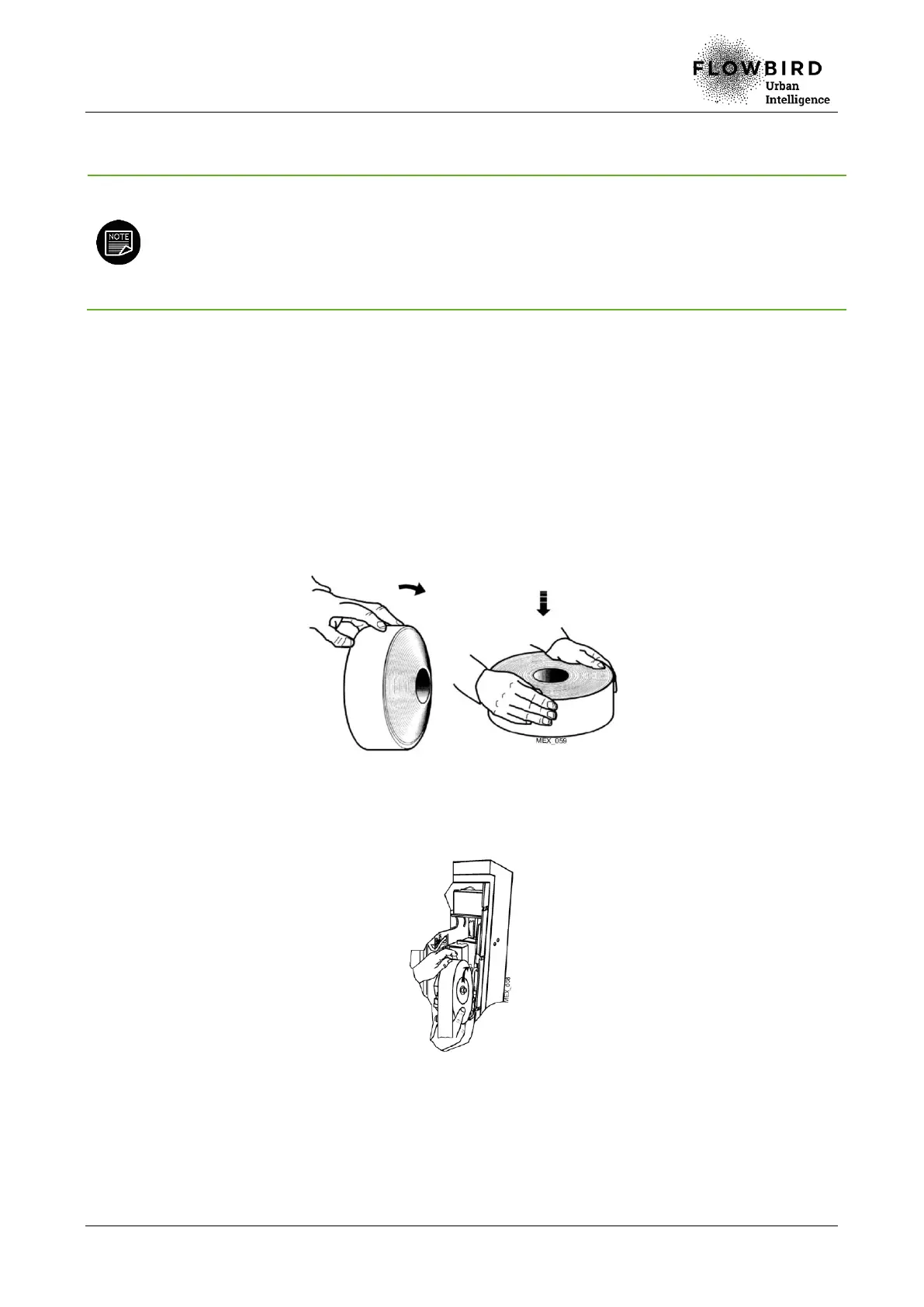
D. Check the flatness of the new ticket roll.
Checking the flatness of the tickets roll
E. Position the axis of the paper reel in the new ticket roll.
F. Install the new ticket roll / paper reel axis assembly in the terminal.
Installing the tickets roll
G. Check that the roll rotates freely in the support.
H. Insert the extremity of the paper in the printer guide and gently push the paper until
it reaches its end stop.
I. Put the paper protection back in place.



 To Next Page