STRADA PAL – MAINTENANCE MANUAL
87/149
8.3.11 Changing the printer
8.3.11.1 Preliminary operations
A. Open the maintenance door
B. Turn off the terminal
8.3.11.2 Replacement
Do not disassemble the internal components of the printer (knife, etc.).
In case of malfunction, replace the entire printer.
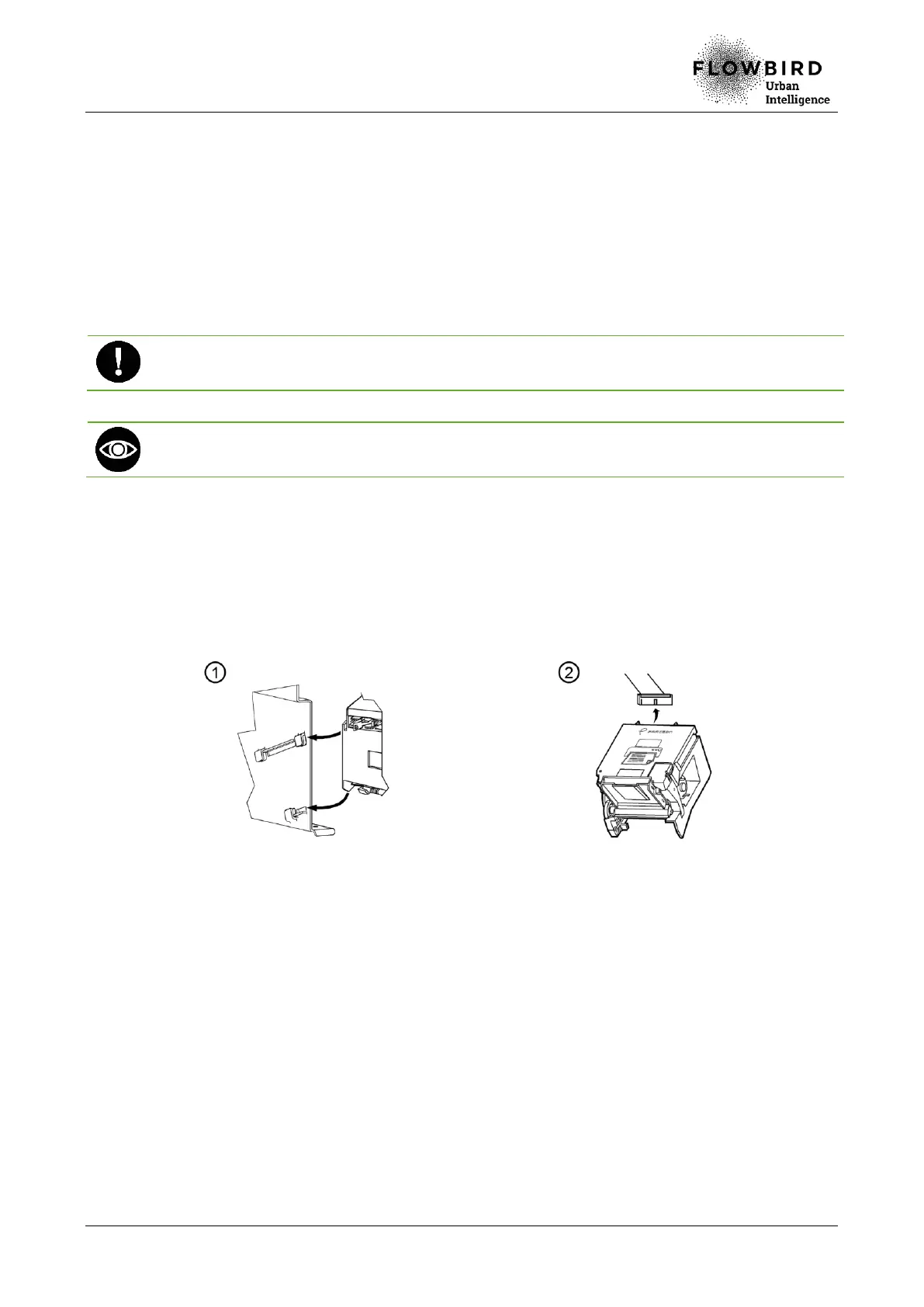
The printer is hold on the rack by a lateral grip.
A. Lift the protective cover of the ticket roll.
B. Remove the paper from the printer.
C. Remove the ticket roll.
D. Get the printer out by removing it from the rack slots (1).
E. Unplug the cable at the back of the printer (2).
8.3.11.3 Installation
A. Repeat the previous steps in reverse.
8.3.11.4 End of procedure
A. Turn on the terminal
B. Run a print test.
C. Close the maintenance door



 To Next Page