Chapter 3: Operation
Connect the Hyperion Tissue Imager to Helios
Hyperion Imaging System User Guide
25
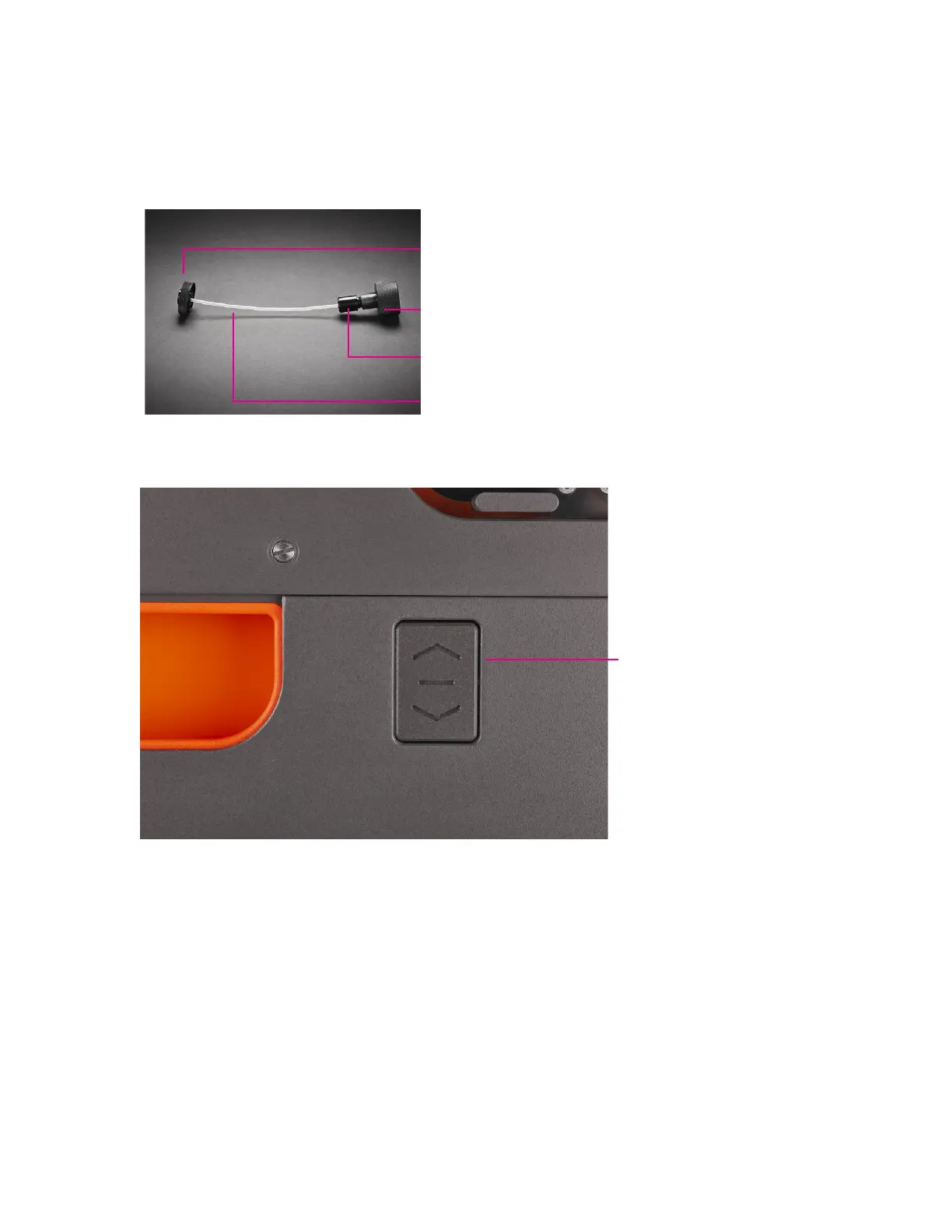
Wheel retraction switch
3 Inspect the coupling tube to ensure that there is no debris or dust (use compressed air
to remove any dirt from the coupling), and then connect the larger-diameter nut to the
injector.
Ablation
chamber nut
I nj ector nut
Injector fitting
Coupling tube
4 Press the wheel retraction switch on the right side of the instrument to lift the system so
that the castors are exposed for movement of the system.
5 Loosen the knob of the alignment tool and push the arm in all the way.



 To Next Page