Chapter 3: Operation
Start the Hyperion Imaging System
Hyperion Imaging System User Guide
33
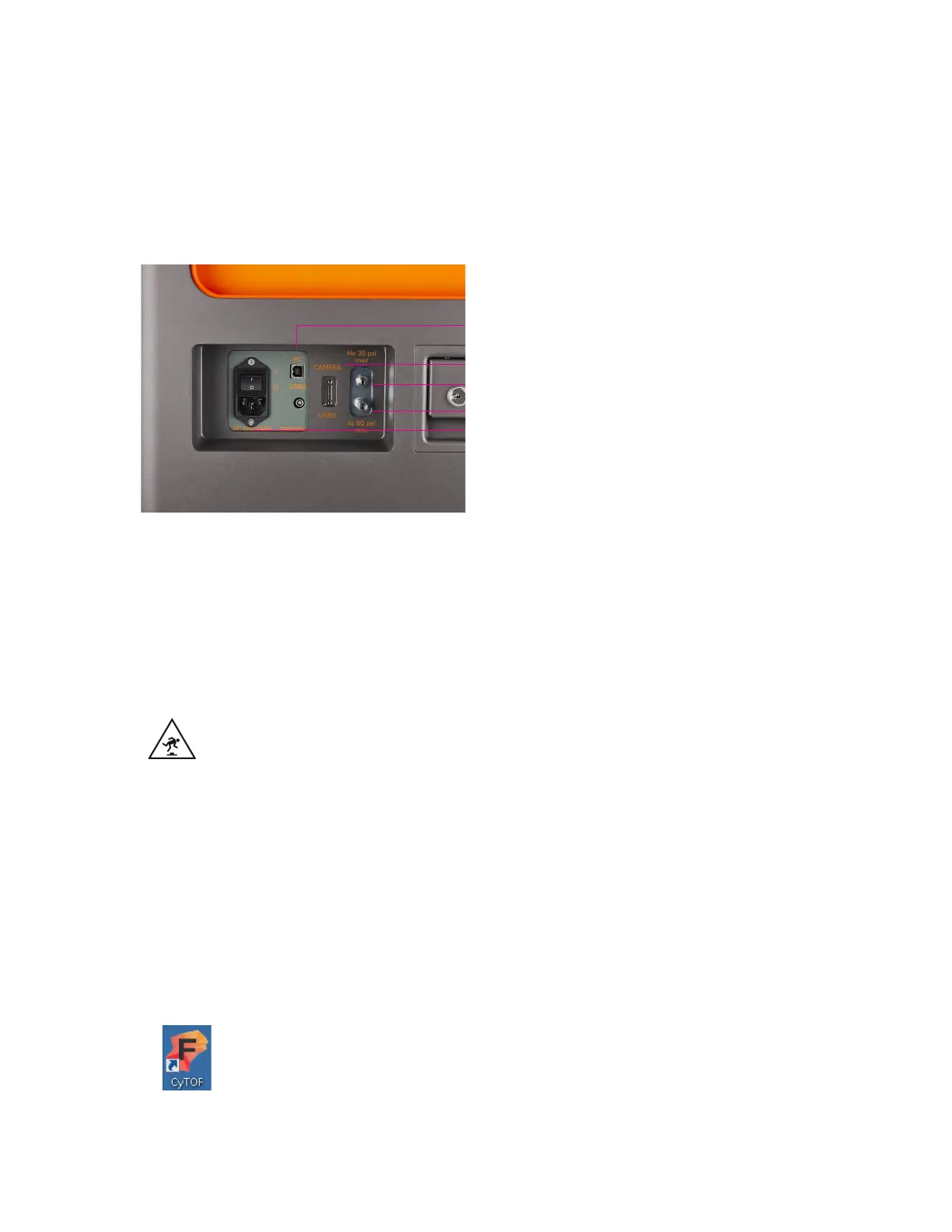
• Connect the gas supply lines.
o Connect the helium gas line to the external helium supply.
o Connect the argon gas line to the makeup gas supply on the front cover of
the Helios instrument.
PC (USB 2.0)
Power supply
Helium supply
Argon supply
Camera (USB 3.0)
22 Open the helium and argon gas valves.
23 Turn the instrument on by clicking the I/O power switch on the communication panel to
the I position.
The Hyperion Tissue Imager is now connected to Helios and is ready for operation.
WARNING TRIP HAZARD. Watch your step to avoid falling over objects.
IMPORTANT The electrical cables and communications are a potential trip hazard. Be
careful when walking close to the Hyperion Tissue Imager.
Start the Hyperion Imaging System
To start the Hyperion Imaging System, log onto the acquisition computer connected to the
Hyperion Imaging System and open CyTOF Software v7.0.
1 Start and log on to CyTOF Software.
a Double-click CyTOF Software icon on the desktop.



 To Next Page