1586A
Users Manual
6-4
1 2
hcn027.eps
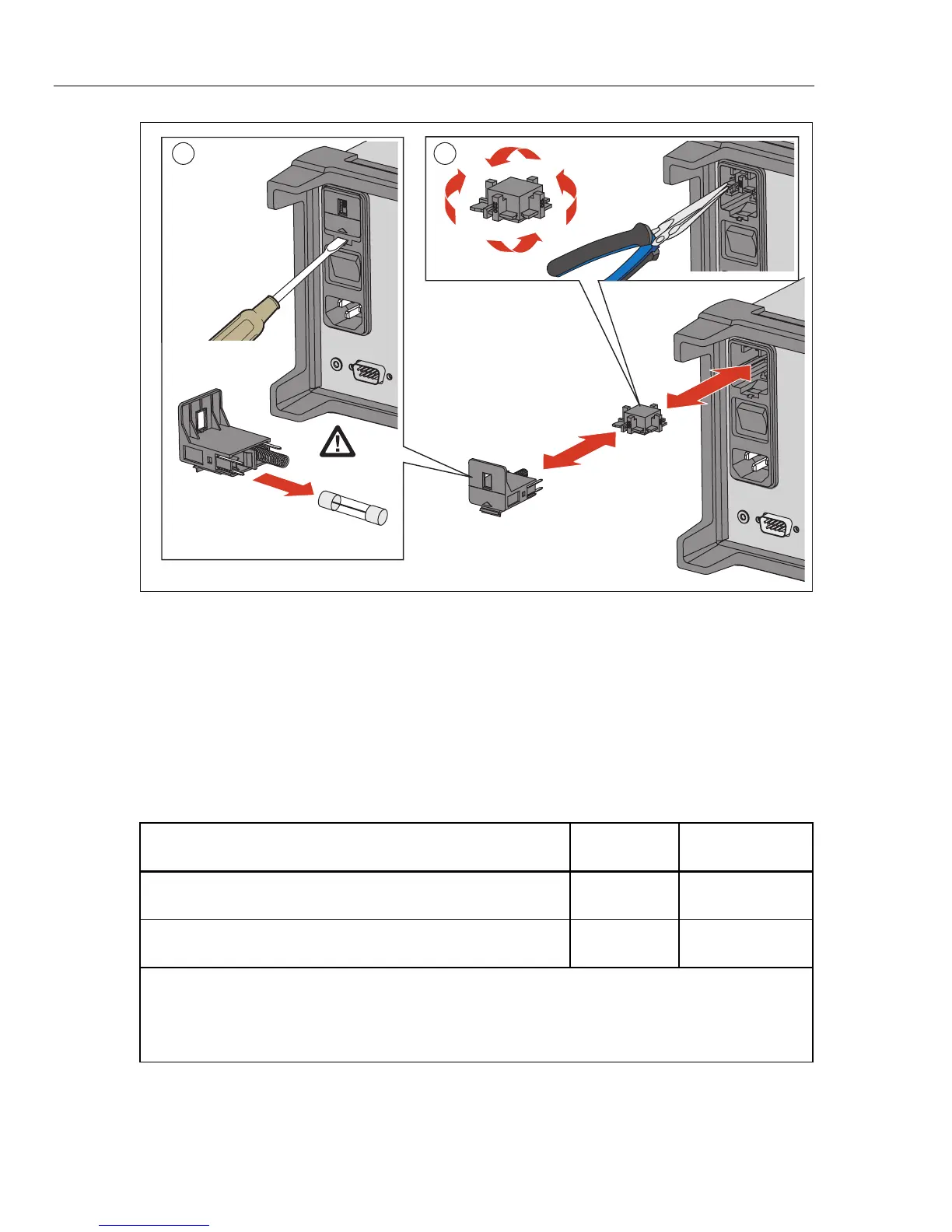
Figure 6-1. Fuse Replacement
Memory Reset and Factory Reset
The Product has two memory reset functions to remove data from the memory and to
reset the Product: Clear all Files and Factory Reset. See Table 6-2 for a comparison of the
three functions.
Note
All memory reset functions require the Admin password to accomplish.
Table 6-2. Comparison of the Memory Clear Functions
Task
Clear All
Files
Factory Reset
Deletes Test Setup files, DMM Data files, and Scan Data files from
the internal memory.
[1]
•
Clears the configuration of the Channel Setup, Test Setup, and
Instrument Setup
[2]
•
Notes:
[1] – Does not remove data from the USB drive.
[2] – Does not reset the MAC address, the serial number, calibration, clock time, nor the Admin or User
passwords.



 To Next Page