1586A
Users Manual
3-34
Display As
Located in the Channel Options menu, use this setting to change the type of measurement
of a temperature sensor. Available options change with the channel type selected.
Selections available:
• temperature or the compensated mV equivalent for thermocouple channels.
• temperature or resistance for PRT and thermistor channels.
Open Detect
Located in the Channel Options menu, this setting enables the Product to automatically
detect an open circuit in the probe. This setting only shows in a thermocouple channel.
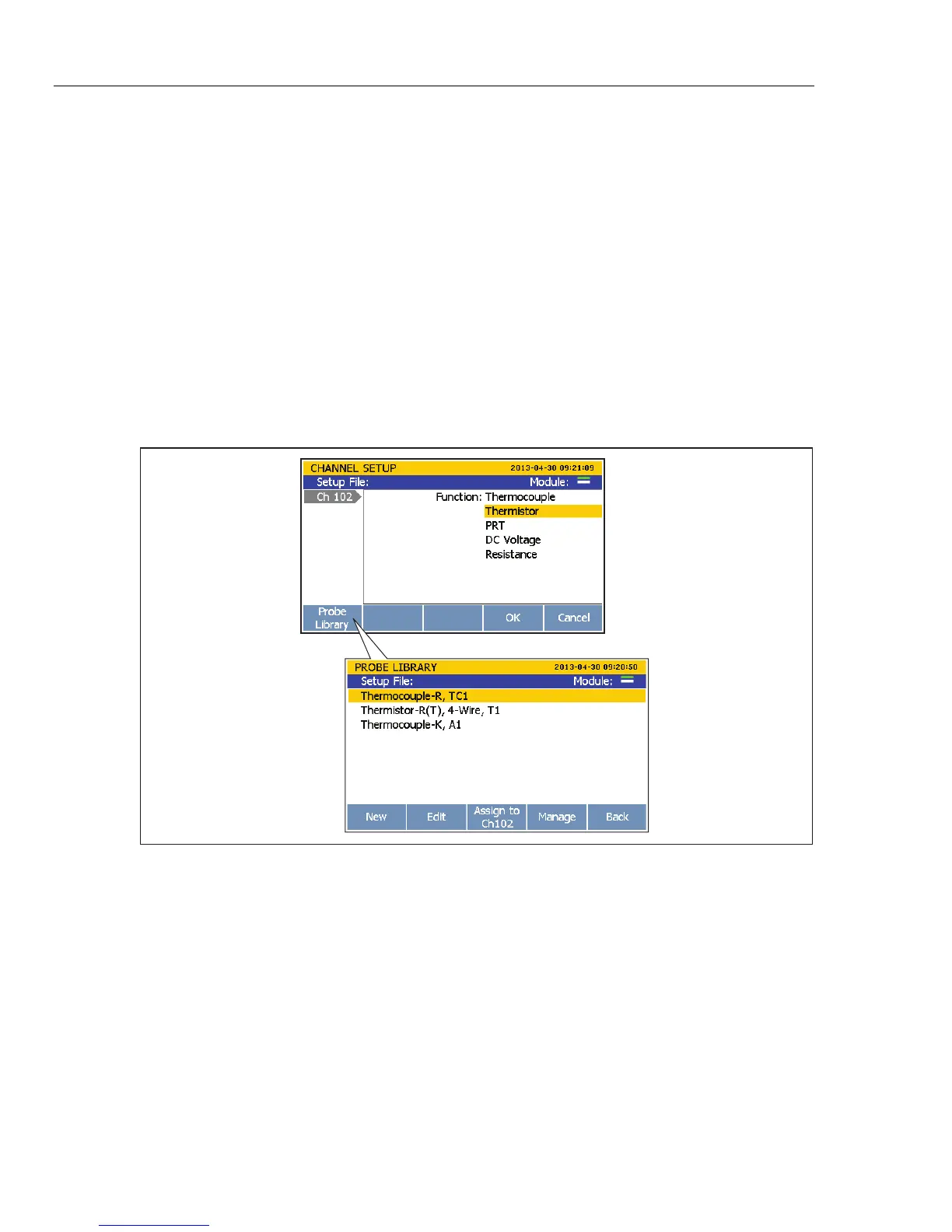
Probe Library
The Probe Library lets users quickly load and save thermistors, thermocouples, and PRTs
along with their coefficients to memory. Through the Probe Library menu, users can
input new probes, change probes, and assign the probes to a channel. The Probe Library
can be accessed with when editing the function of a channel. See Figure 3-12.
hcn069.eps
Figure 3-12. The Probe Library
To input a new probe:
1. Push
.
2. Push or to highlight a channel then push .
3. Push or to select Function then push .
4. Push to open the Probe Library.



 To Next Page