Initial Setup and Configuration
Set the Handle Position 2
2-5
Set the Handle Position
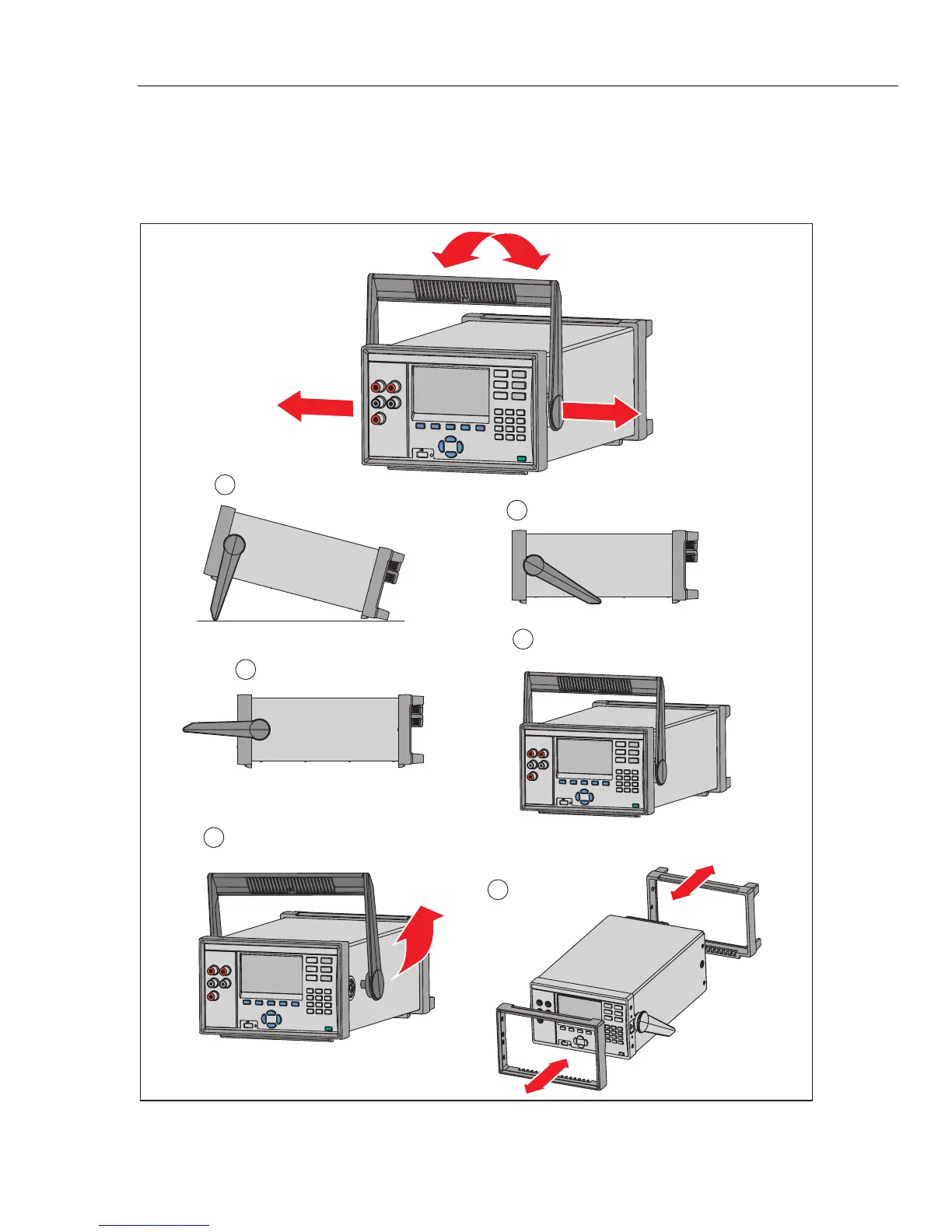
The handle is used to easily transport the Product but can also be used as a stand.
Figure 2-3 shows the various handle positions and also shows how to remove and install
the handle and the protective rubber boots.
Carrying Position
Viewing Position
Alternate Viewing Position
Removal Position (to Remove,
Pull Ends Out)
To Remove, Pull End From Unit
4
5
Boot Removal
6
2
1
3
Hcn003.eps
Figure 2-3. Handle Positions and Boot Removal



 To Next Page