Scan/Monitor, Record, and Data
Automated Test 4
4-17
Configure an Automated Test
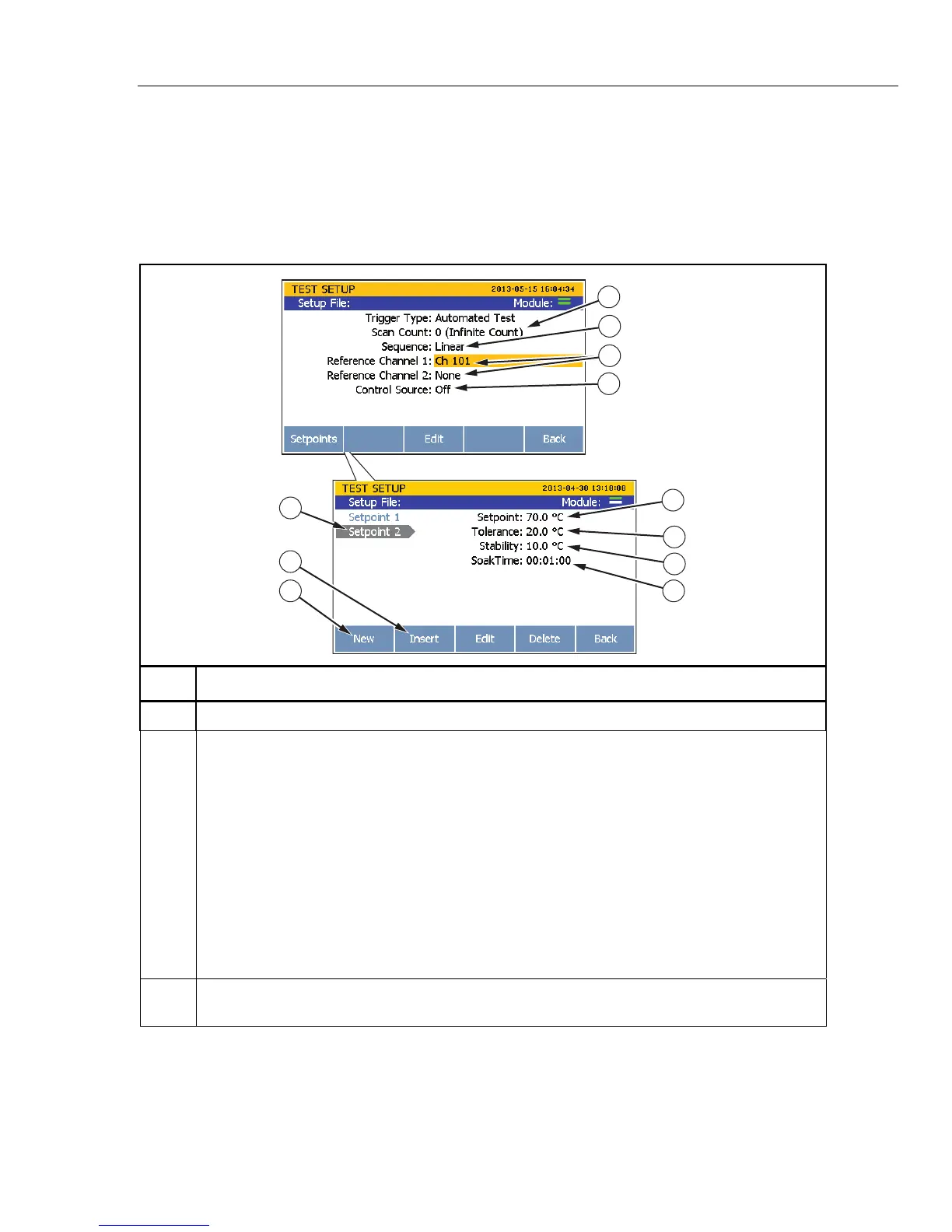
The Automated Test is a trigger type that is configured in the Test Setup menu. The
options in the Automated Test setup lets the user set a series of custom temperature
setpoints and select a test sequence that the Product will run without user interaction.
Refer to Table 4-4 to setup an Automated Test.
Table 4-4. Automated Test Setup
1
2
4
6
5
7
8
10
9
11
3
hcn070.e
s
Item Function
Sets the number of times to repeat a scan sweep at each setpoint.
Sets the test sequence. Selections available:
Linear – This scan sequence will scan the first reference channel (Ref1), then all of the enabled
channels in ascending channel order, followed by the optional second reference channel (Ref2).
For example: Ref1 > Ch102 > Ch103 > Ch104 > Ref2.
Alternate Reference – This scan sequence will scan the first reference channel (Ref1), then a
single channel, followed by the optional second reference channel (Ref2). This then repeats for all
the other enabled channels. For example: Ref1> Ch102 > Ref2 > Ref1 > Ch103 > Ref2 > Ref1 >
Ch104 > Ref2.
Up/Down – This scan sequence will scan the first reference channel (Ref1), then all of the
enabled channels in ascending channel order, followed by the optional second reference channel
(Ref2). This is then immediately repeated in reverse, descending order. For example: Ref1 >
Ch102 > Ch103 > Ch104 > Ref2 > Ref2 > Ch104 > Ch103 > Ch102 > Ref1.
Set the reference channels that the reference probes are connected to. The Reference Channel 1
is required, the Reference Channel 2 is optional.



 To Next Page