Scan/Monitor, Record, and Data
Monitor 4
4-15
Monitor
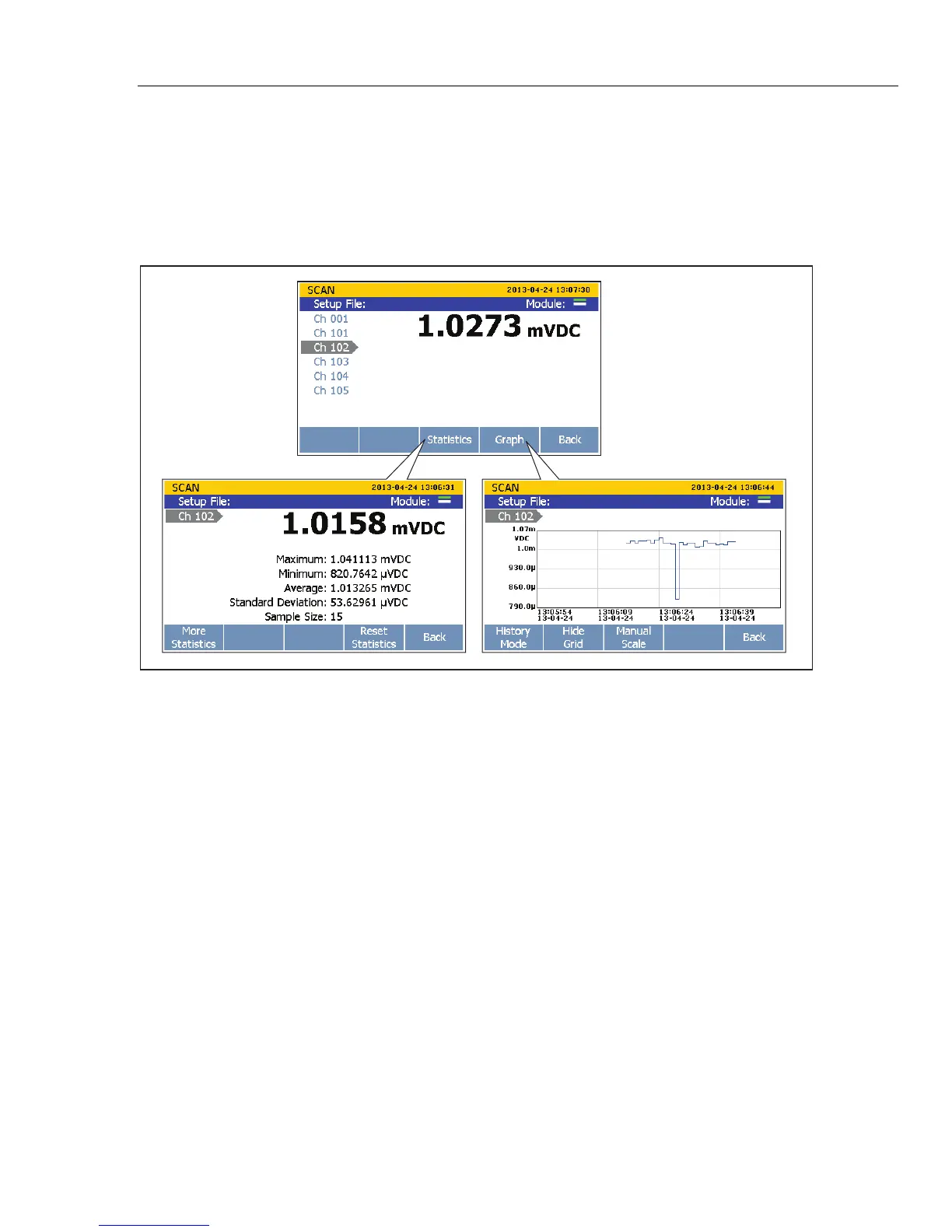
Monitor lets the user measure a single channel between scan sweeps. In addition, the user
can view statistics and a graph of the measurement data since the scan began. To monitor
a channel, push on the Scan menu. When a scan is in progress, the display shows
the measurement from the last reading. If a scan is not in progress, the display shows a
real-time measurement.
hcn053.eps
Figure 4-6. Monitor Menu
To monitor a channel:
1. Set all channels to be scanned to ON. See “Set Channels to ON or OFF” in Chapter 3.
2. Push .
3. Push to open the Monitor menu. The first active channel is displayed.
4. Push or to switch between channels.



 To Next Page