1586A
Users Manual
4-4
hcn045.eps
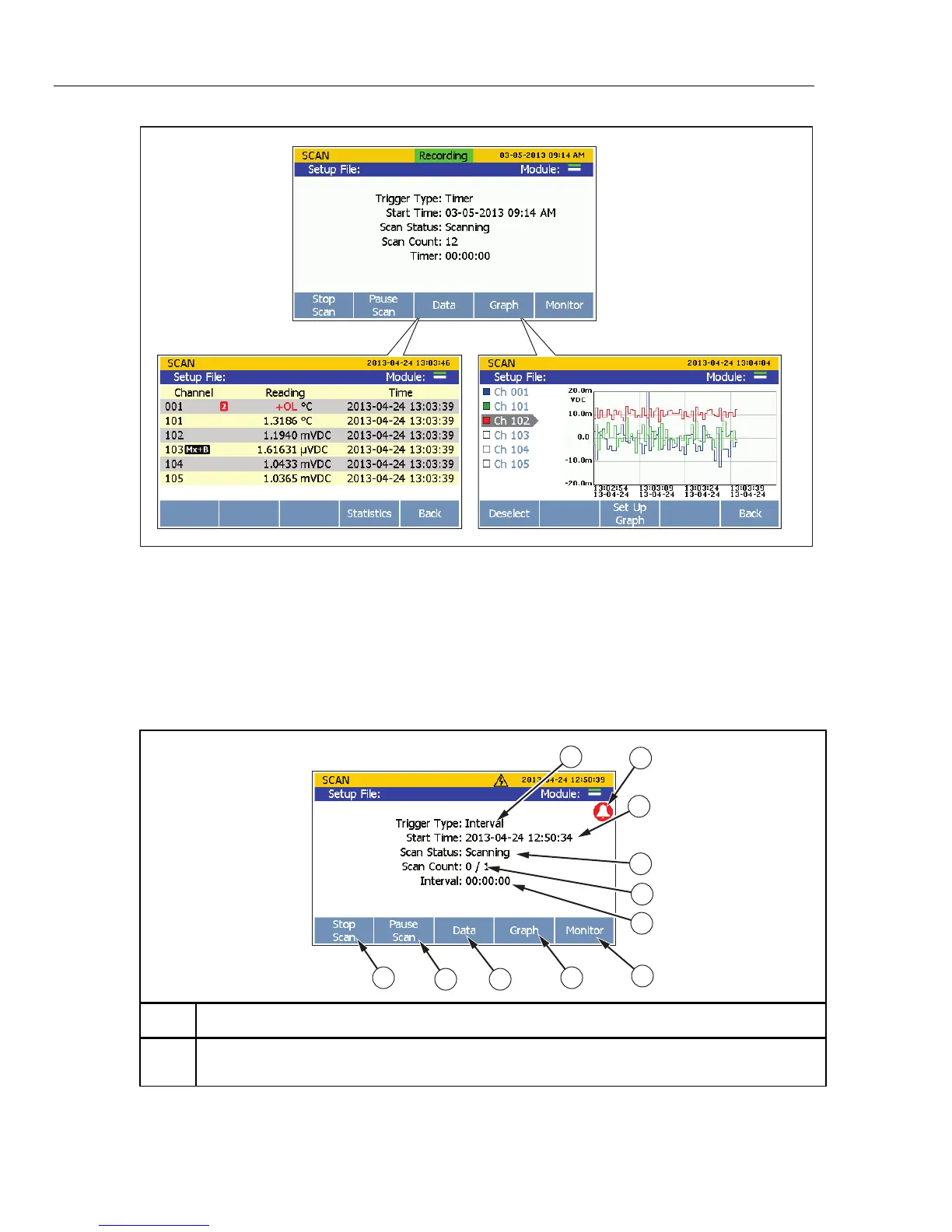
Figure 4-1. Scan Data
The Scan menu lets the user control the scan and view the scan data. The Scan menu also
shows important status indicators to quickly inform the user of the scan status and
progress of the scan. Table 4-1 shows the Scan menu and describes the status indicators
and functions that can be performed from this menu. To open the Scan menu, push
on the front panel.
Table 4-1. The Scan Menu
1
5
4
3
6
7
8
910
11
2
hcn023.eps
Item Function
Shows the type of trigger configured in the Test Setup. The trigger type determines when a scan
starts and stops. See “Trigger Type” on page 4-7.



 To Next Page