Ti200, Ti300, Ti400, Ti450, Ti450SF6, Ti480
Users Manual
8
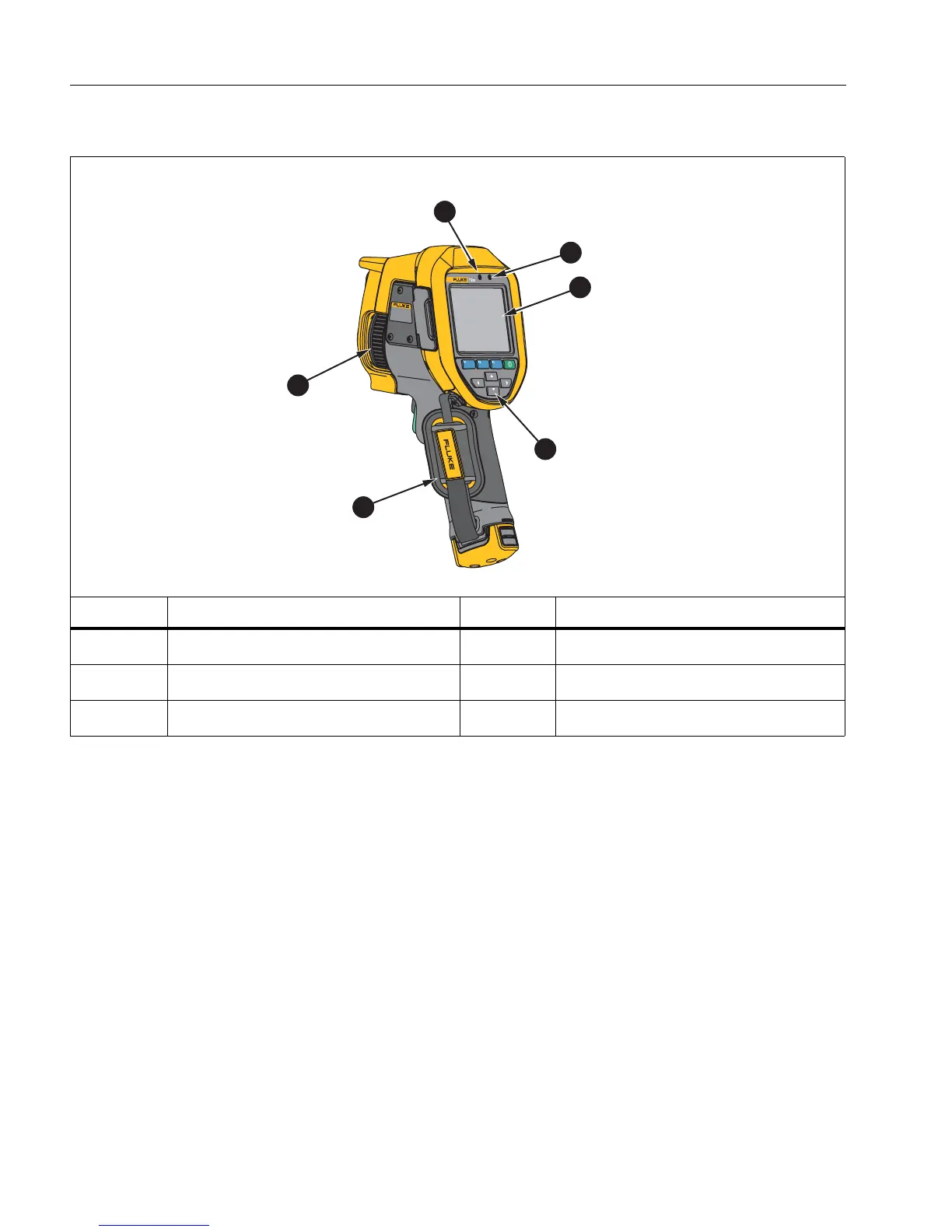
Table 5 shows the back of the Product.
Touch Screen
The touch screen is a shortcut to the most used settings. To change parameters or select functions and
options, touch a target on the display.
The touch screen has a backlight for work in dimly lit spaces. When not in a menu, double tap on the
display to capture an image.
Table 5. Back
Item Description Item Description
Microphone
D
Control Panel
Speaker
E
Hand Strap
LCD Touch Screen (display)
F
Manual Focus
Ti
2
00
IR FUS
I
ON
TECHN OL
OG
Y
6
5
4
2
3
1



 To Next Page