Thermal Imagers
Menus
11
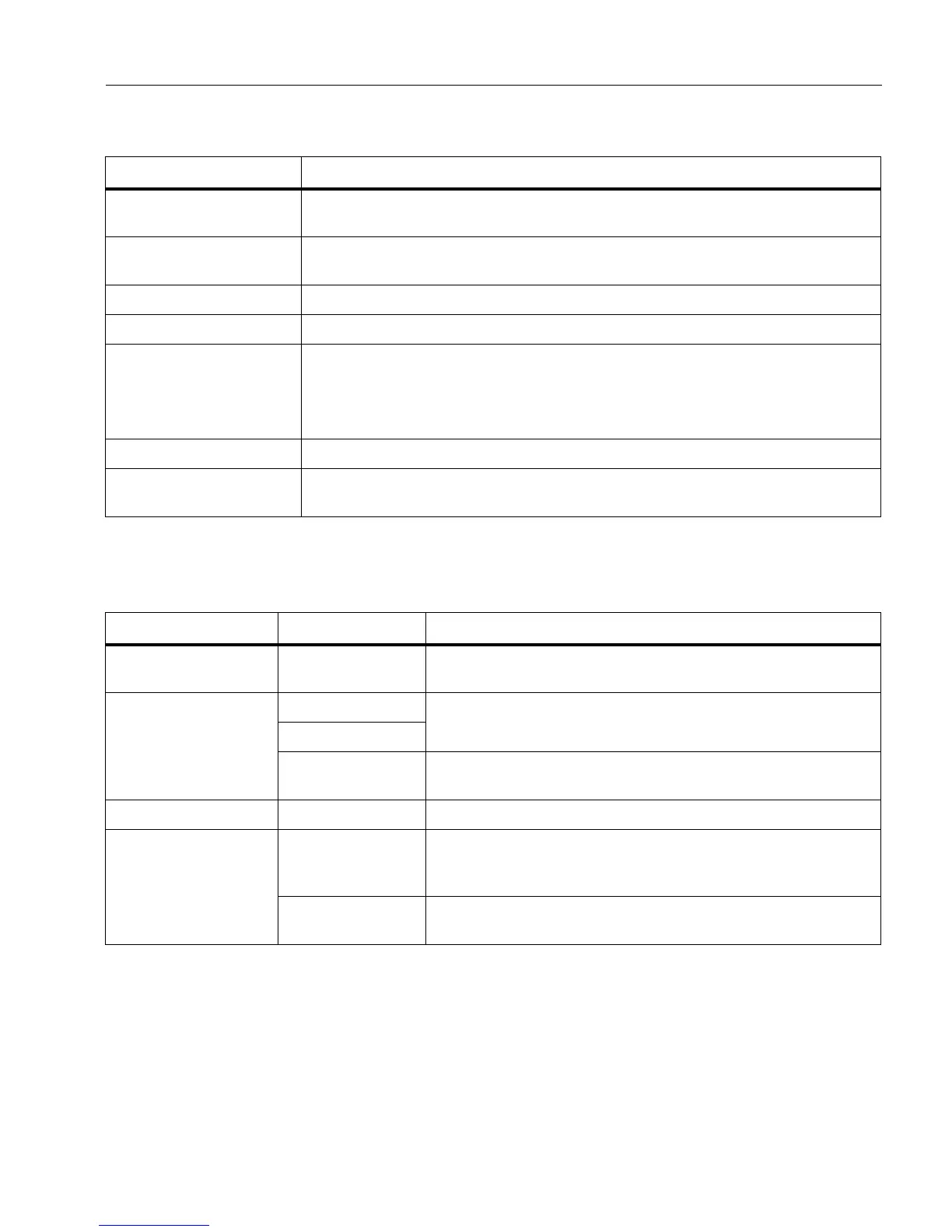
Table 7 lists the secondary menus available in the Primary Menu.
Measurement Menu
Table 8 lists the options in the Measurement menu.
Table 7. Primary Menu
Secondary Menu Description
Measurement
Set the calculation and display of radiometric temperature measurement
data related to the thermal images.
Image
Set features used to show infrared images on the display and in some
saved image and video files.
Camera Set options for secondary camera features.
Memory Select to review and delete captured images and videos.
Fluke Connect
Select to pair the Imager to the Fluke Connect app on a mobile device or to
other Fluke Connect tools.
Note
The Fluke Connect system is not available in all countries.
Settings Set user preferences and to view information about the Imager.
SF6 Gas Detection
Mode
Set options for gas-detection features.
Table 8. Measurement Menu
Option Menu Option Description
Range <options>
Select the temperature range from one of the preset
measurement ranges or to a fully automatic range.
Set Level/Span
Auto
Sets the Level/Span to adjust automatically or manually.
Manual
Set Level/Span
With Level/Span set to Manual, changes the Level/Span.
See Level/Span.
Line Temp <options> Turns on/off the Line Temp.
Emissivity
Adjust Number
Sets a custom emissivity value when a value from the
standard emissivity table is not appropriate for the
measurement. See Emissivity Adjustment.
Select Table
Select an emissivity value from a list of common materials.
See Emissivity Adjustment.



 To Next Page