Page 51
Flymaster GPS M User Manual v. 1.0
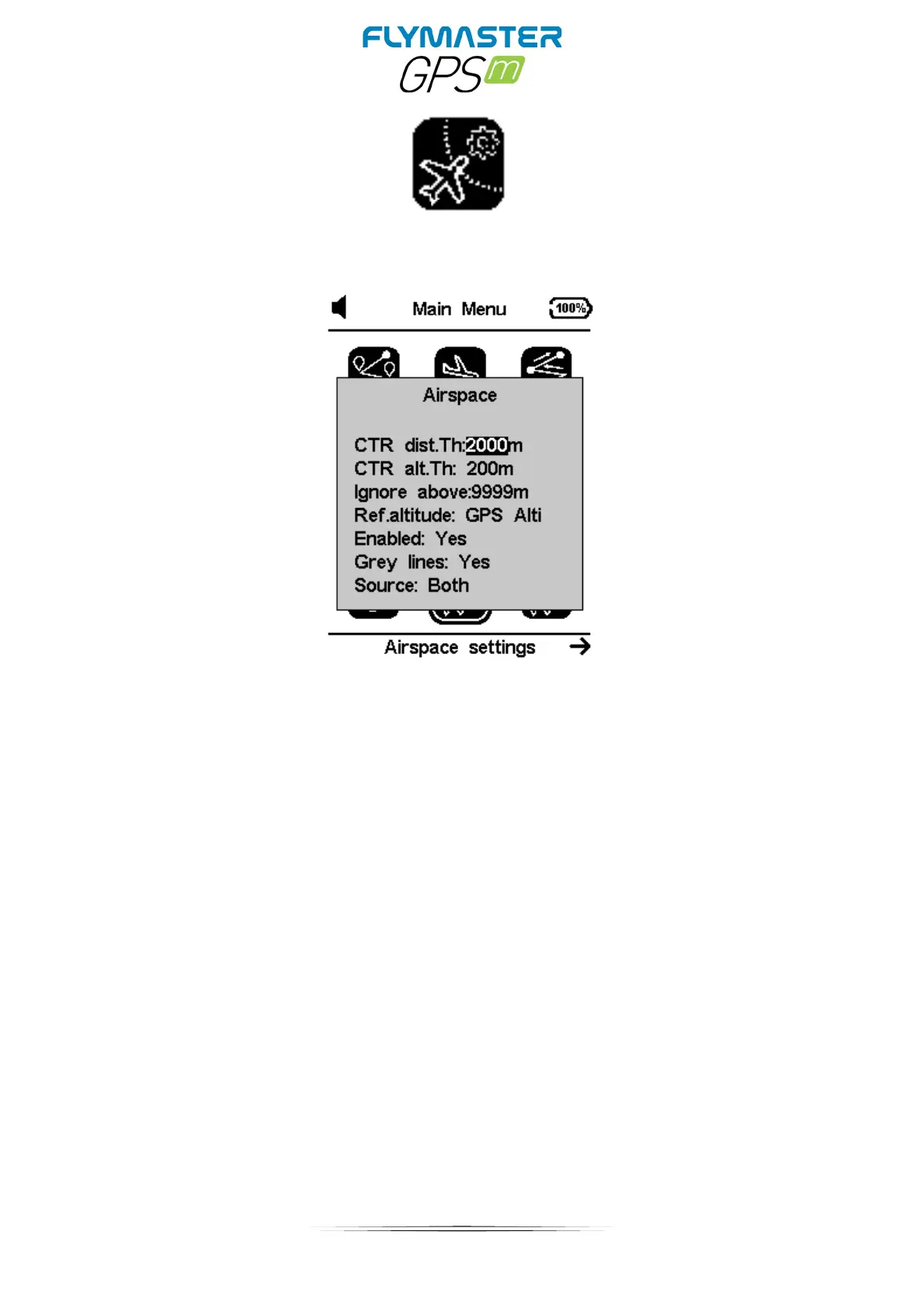
Airspace settings
CTR Distance Threshold: This value is defined for which the horizontal distance
passes to issued warnings of imminent proximity to the airspace. This value acts as a safety
margin to avoid late warnings.
CTR alt. Threshold: This value is defined for which the vertical distance passes to
issued warnings of imminent proximity to the airspace. This value acts as a safety margin
to avoid late warnings.
Ignore above: You can set an altitude at which to ignore any airspace.
Ref. altitude: Here you can define the type of altitude reference for airspace warnings.
It can be set by barometric altitude, GPS altitude or FL (flight level)
Enabled: You can enable or disable ALL airspace warnings (this setting is critical and
must be set with maximum careful)
Grey lines: In the airspace map object the airspace limit lines can be represented in gray
or black.
Source: this is define where the airspaces will be read from. It’s possible to read from the
SD card (world.frd) , internal memory (OpenAir files loaded by Flymaster Instrument
manager) or both sources.



 To Next Page