Page 35
Flymaster GPS M User Manual v. 1.0
Map Layer Selection
Airspaces
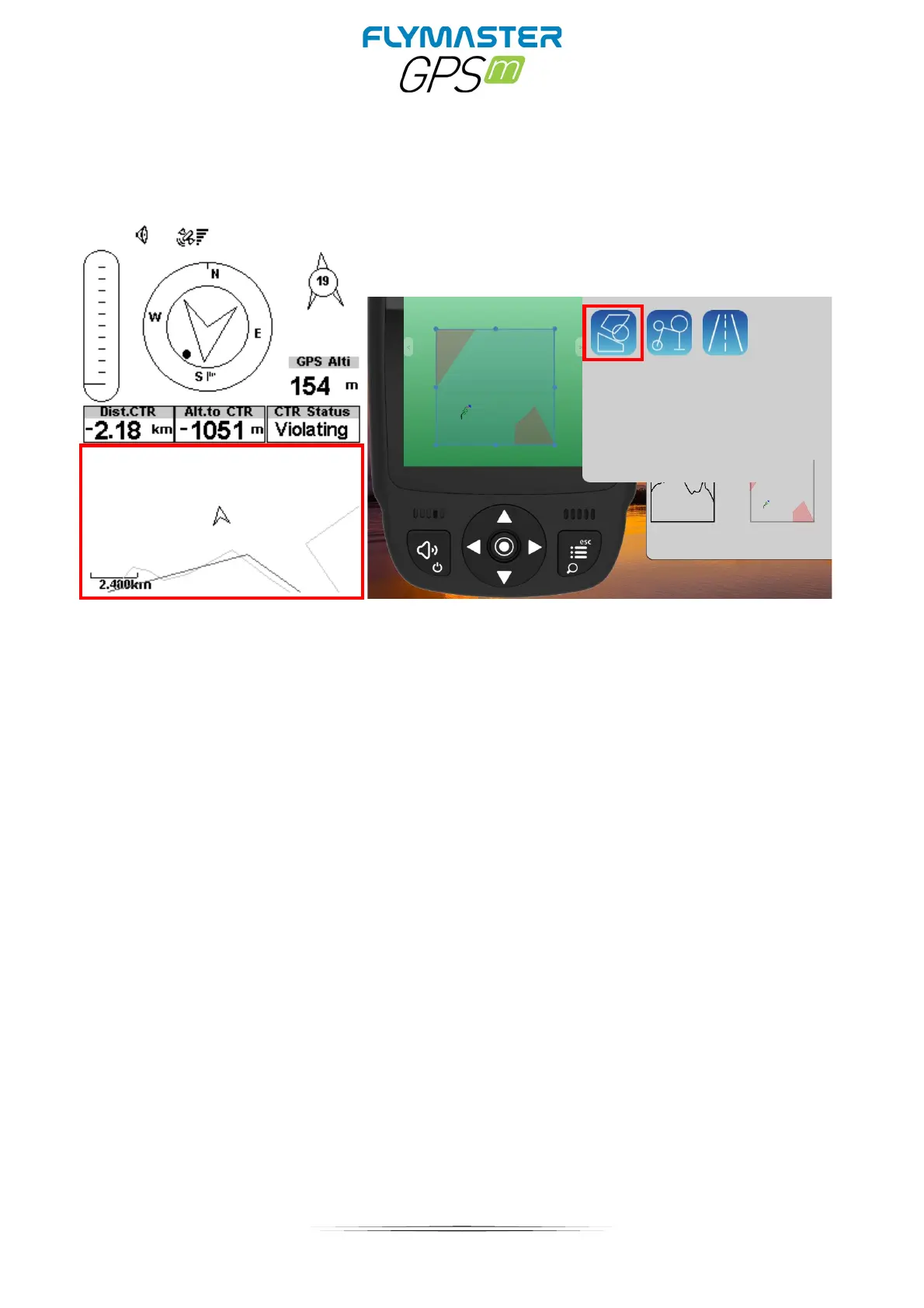
When the element of Airspaces is inserted in a layout using F.I.M, a 2D map (box) is shown
on the instrument (see Figure above). On the bottom left of the map the scale is indicated
in Km, and on the centre of the map is an arrow. This arrow represents the pilot position,
and its orientation indicates the bearing of the movement. The map is always oriented
North Up.
Note: When new Airspaces data element is uploaded to the GPS M using F.I.M the
previews data is deleted. If a empty Airspaces data element is uploaded then all the
Airspaces will be deleted.
The first time the map is drawn, it is centred on the last GPS position the GPS M has in its
memory. The map is re-centred once the flight starts i.e. when a valid gps signal exists,
and the start speed is reached.



 To Next Page