31
Installation and Operation Manual
SystemsSystems
2001 and 2002
Simulated Flow Operation
The Simulated Flow function of the system allows the
operator to control the foam pump manually. The water
flow rate and the concentrate injection percentage rate
can be set by using the display readout and the rate
adjustment buttons on the Digital Display Control Module.
This function provides the manual control requirement of
NFPA. This function also allows the operator to empty
the foam concentrate tank for cleaning or changing foam
types. It also provides a means of checking the operation
of the foam pump at all normal rates of flow and injection
without running the water pump.
Warning: When operating the FoamPro in the
Simulated Flow function, an outlet for the foam
concentrate injection must be provided. Otherwise,
dangerous excessive pressure may be built up in the
apparatus water piping and or hoses. This outlet for
the foam concentrate can be provided by turning the
CAL/INJECT valve to the CAL position. A suitable
container must be provided to collect the foam
concentrate.
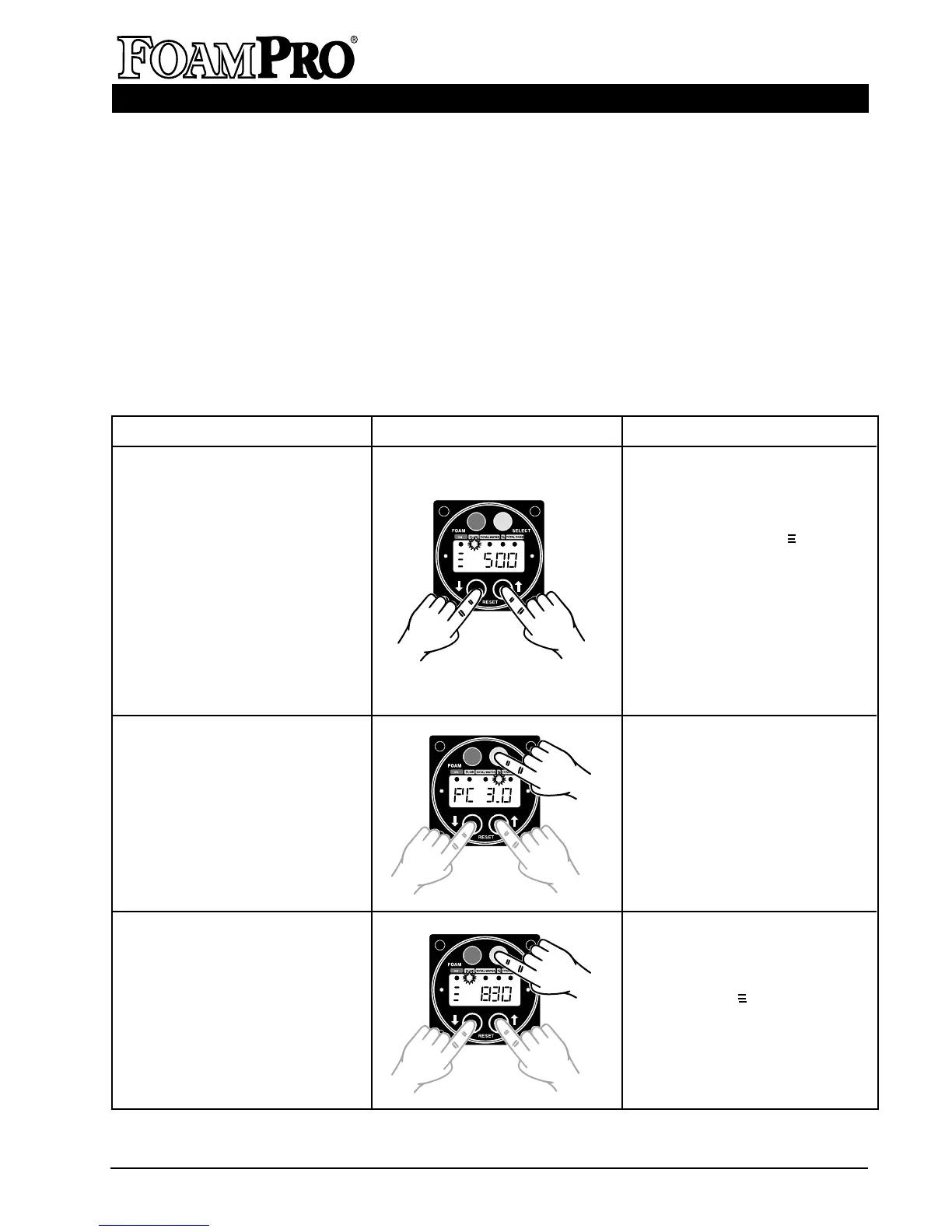
Simulated Flow Operation Summary
How to Display Action
1. Make sure the lamp below
FLOW is illuminated. Press both
the ▼ and ▲ buttons at the
same time. The FoamPro
Display will read to the left
of the flow, meaning the system
will “simulate” the displayed
water flow rate. (The default
value of flow may be set to any
value, see Section 11).
CAUTION: Be certain that an out-
let is provided for the foam con-
centrate when the foam pump is
started.
2. Press the SELECT button
(grey upper-right button) until
the LED lamp below the %
label is illuminated. The display
will read the current percent
setting. Press the ▼ or ▲
buttons to select the desired
injection rate. The FoamPro will
respond and immediately
begin injecting concentrate at
the new rate.
1. Begin Simulated Flow
Function.
2. Change the injection rate while
in Simulated Flow Function.
3. Change the Simulated Flow
Rate while in the Simulated
Flow Function.
Simulated Flow Operation Summary Continued on Next Page
3. Press the SELECT button (grey
upper-right button) until the
LED lamp below the FLOW
label is illuminated. The display
will show and current flow
rate. Press the ▼ or ▲ to select
the desired simulated water
flow rate. The FoamPro will
respond and immediately begin
operating at the new flow rate.



 To Next Page