WORKING WITH AUDIO USING H EADPHONES
111
USING HEADPHONES
You might find headphones helpful for monitoring audio input signals. You can plug a set of head-
phones directly into the MX-4 by connecting them to the headphone jack located on the rear panel
of the unit. Headphone audio is stereo.
Normally, headphones carry only the main sound, that is, the sound coming from the CURRENT
input source. You can, however, monitor the sound from the NEXT source without disturbing the
audio going to the output device.
To monitor the audio on the NEXT source:
• Press
SHIFT+AUDIO/VIDEO.
Each time you press
SHIFT+AUDIO/VIDEO, you toggle between the audio on the CURRENT source
and that on the NEXT source.
ADVANCED AUDIO STEPS
If you have an external audio mixer device available, FOCUS Enhancements recommends you use
that device to manually control all sound. you can:
• Connect the external mixer’s output to any MX-4 audio input, and permanently set that source
as your sound input source. This lets you use the external mixer when you need flexibility, or
use the MX-4 when you want control of the audio. The latter gives you the ability to perform
more activities, like fading audio automatically when video transitions run.
• Meter line out, which is not necessarily the source you’re working on. For example, suppose
the Program out is on Source A, but your adjusting the gain for Source B. You won’t see that
reflected in the LED meter (if Source B was on the program out you would). The line out
slider should affect the meter.
USING THE ANALOG AUDIO ADJUSTMENTS FUNCTION
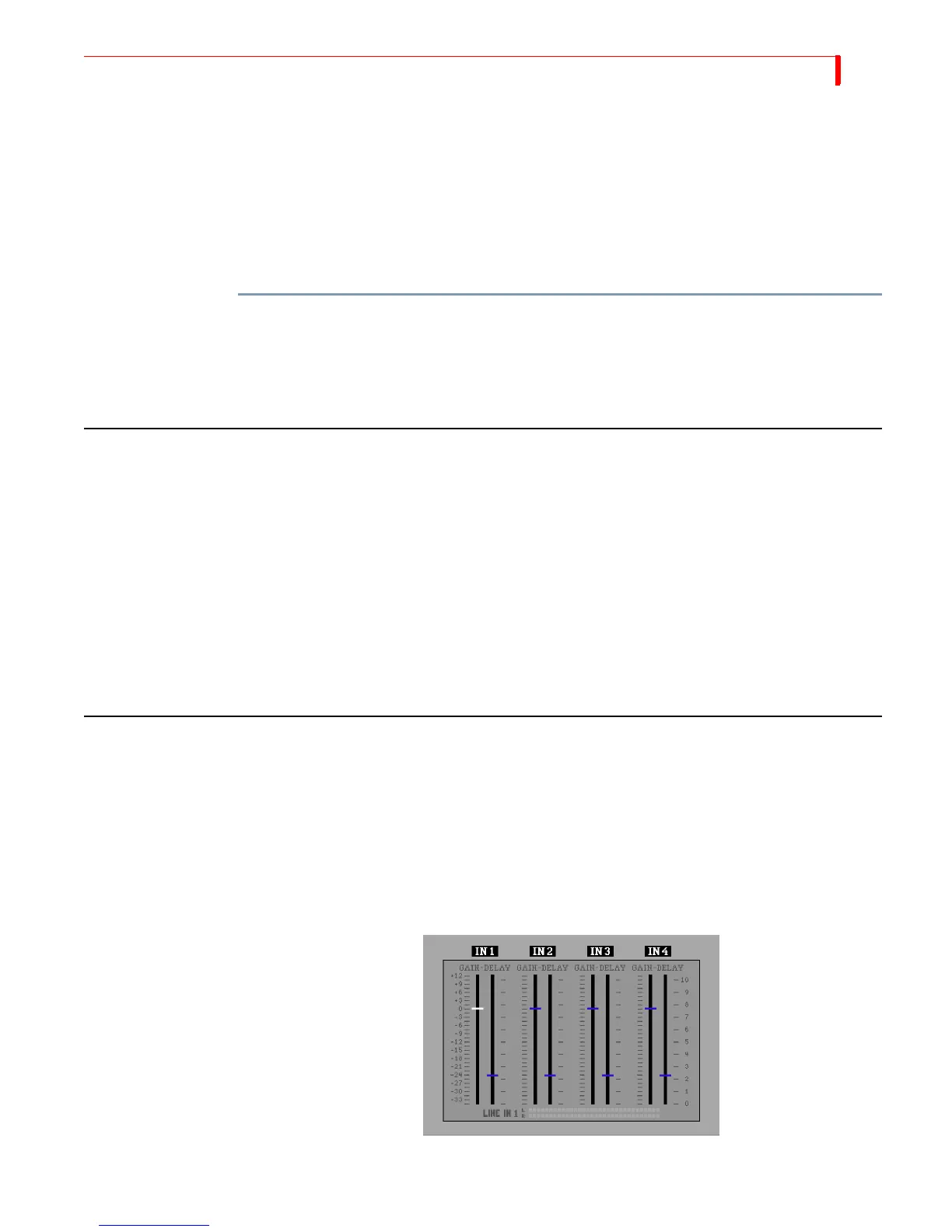
Use the Analog Audio Adjustments Function to adjust the analog audio input levels and add delay
to the analog audio path. These are advanced functions and most user should leave the system set
to its default settings: 0dB gain and 2.25 fields of delay. Use these functions if you need fine con-
trol over your audio inputs or to compensate for video delays that may have occurred in other
devices in your video stream.
To display the Analog Audio Adjustment screen, press
SHIFT+AUDIO MIX. The four slider groups
represent the four analog audio inputs on the rear of the MX-4: IN1, IN2, IN3, and IN4.



 To Next Page