BASIC OPERATIONS CREATING CUSTOM COLORS
43
Creating Custom Colors
You can change any color other than color 0 (black) (refer to Table 2 on page 41) to create custom
colors. You cannot add more colors, but you can change the existing ones. Once you create a cus-
tom color, it stays permanently in the MX-4 unit until and unless you change it again.
BG COLOR and BORDER COLOR share the color palette. Therefore, changing any color affects both
the background and border colors.
To create a custom color:
1 Press BG COLOR or BORDER COLOR until the color you want to change appears in the Color
Selector.
2 Press
LEARN+BG COLOR or LEARN+BORDER COLOR (depending on which one you want to
change).
These key combinations activate Learn Color mode. The MX-4 blinks the
VIDEO/AUDIO selec-
tor lights to indicate you are in the proper mode.
3 Use the
JOYSTICK and T-BAR in combination to define the new color.
aMove the
T-BAR up and down its slot to adjust luminance.
b You can use the SHIFT+ARROW KEYS for fine adjustment to luminance.
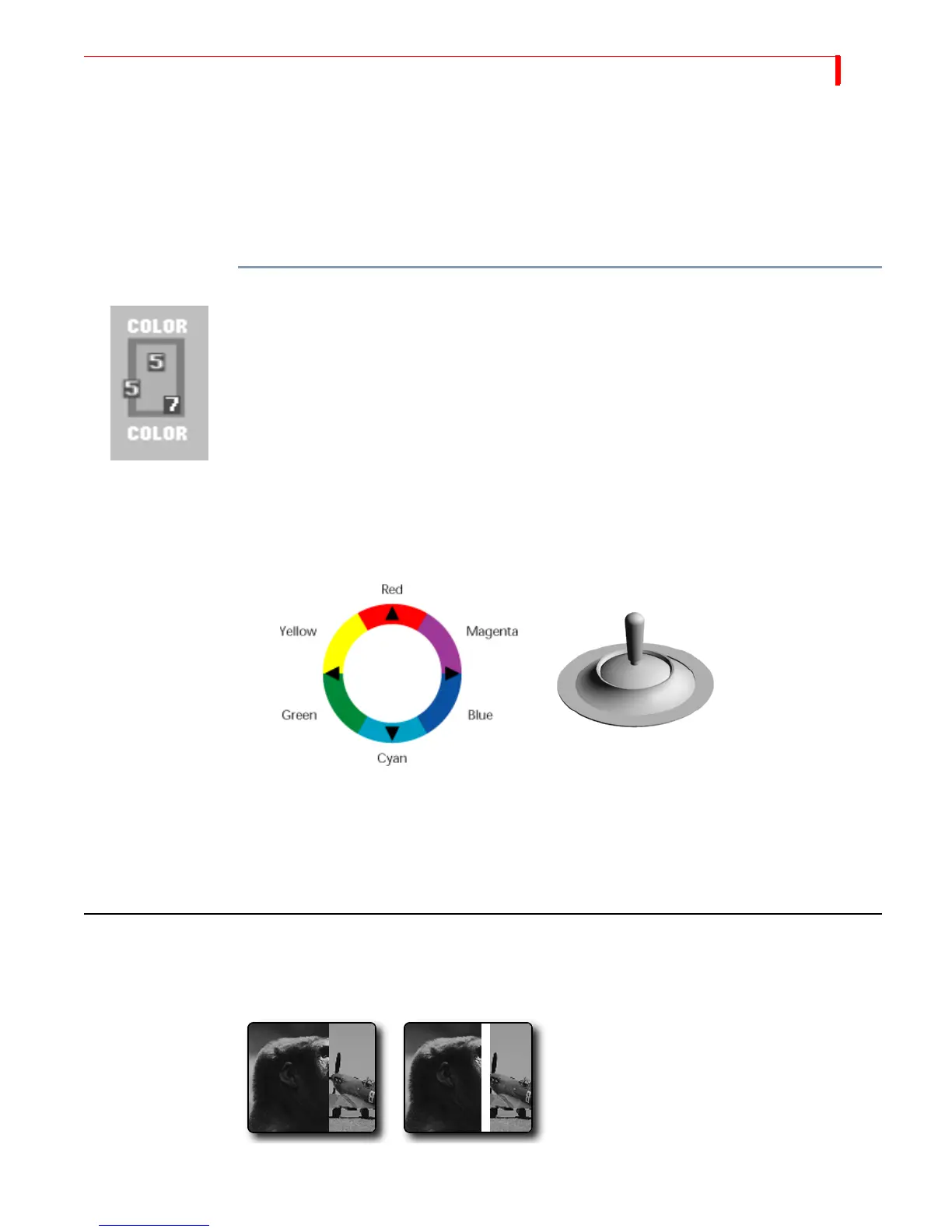
c Move the JOYSTICK relative to its color ring to adjust chrominance (or color value).
d You can use the arrow keys for fine adjustments to chrominance.
4 When the color you want appears in the Color Selector, press
OK. You exit from Learn Color
mode and the
VIDEO/AUDIO lights cease blinking.
If you decide you don’t want to change the color after manipulating the
JOYSTICK and T-BAR,
press
SHIFT+0 (zero) to revert back to the original color. The MX-4 restores the original color
and exits from Learn Color mode (the
VIDEO/AUDIO lights cease blinking).
USING BORDERS
Borders have many uses, such as providing a distinct separation between two sources while run-
ning a transition.
Wipe Transition
No Border
Wipe Transition
White Border



 To Next Page