MX-4 USER GUIDE CHAPTER 9
88
BASIC COMPOSITION STEPS
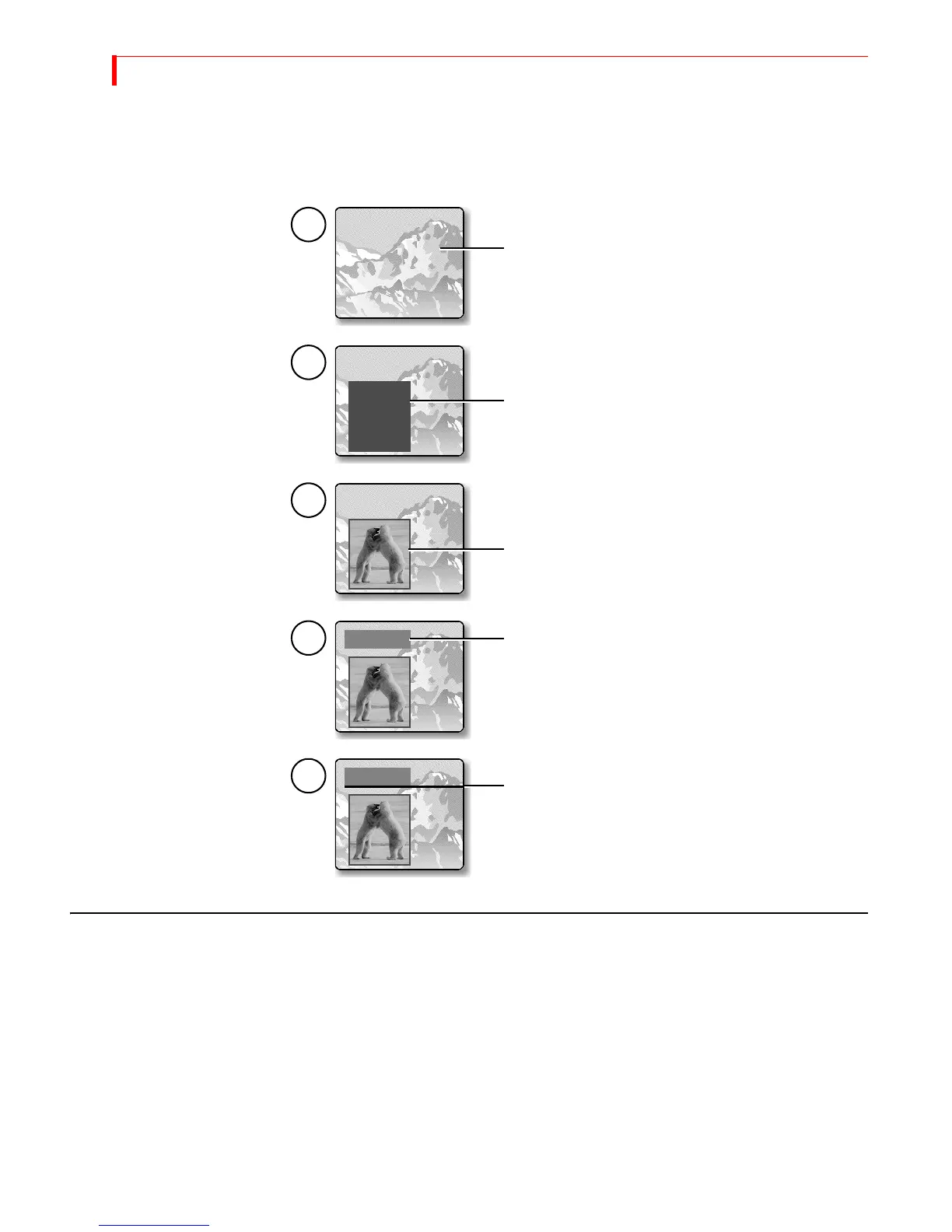
This sequence shows how the composition at the beginning of this chapter was produced. More detailed
descriptions of the steps follow.
BACKGROUNDS
The background for a composition can be any of the following:
• A moving video sequence
• A still image (that is, a frozen frame from a video sequence)
• A solid color
• A set of color bars
•A gradient
• An imported still frame jpeg image
1
2
3
4
5
Create a solid color tile. This rectangle serves as a
background for the next element and separates it
from the main background image.
Create the next tile, which is a moving video of two
polar bears jousting.
Create another solid colored tile. You might eventually
Create one last solid color tile, but make it long and thin
so that it looks like a simple, wide line.
use this tile as a background for a text title.
Select the background. This example uses a still image
of a mountain range. You can use imported still jpeg
images, gradients, solid color backgrounds, or color
bars.



 To Next Page