MX-4 USER GUIDE CHAPTER 7
76
Sub-Route Menus
You can select Sub-Route menus for the following:
• Input graphics
• Foreground graphics
• Background graphics
Once you highlight the selection on the Route menu, press
OK to continue into the selected sub-
menu.
Input Graphics and
Background
Graphics Menu
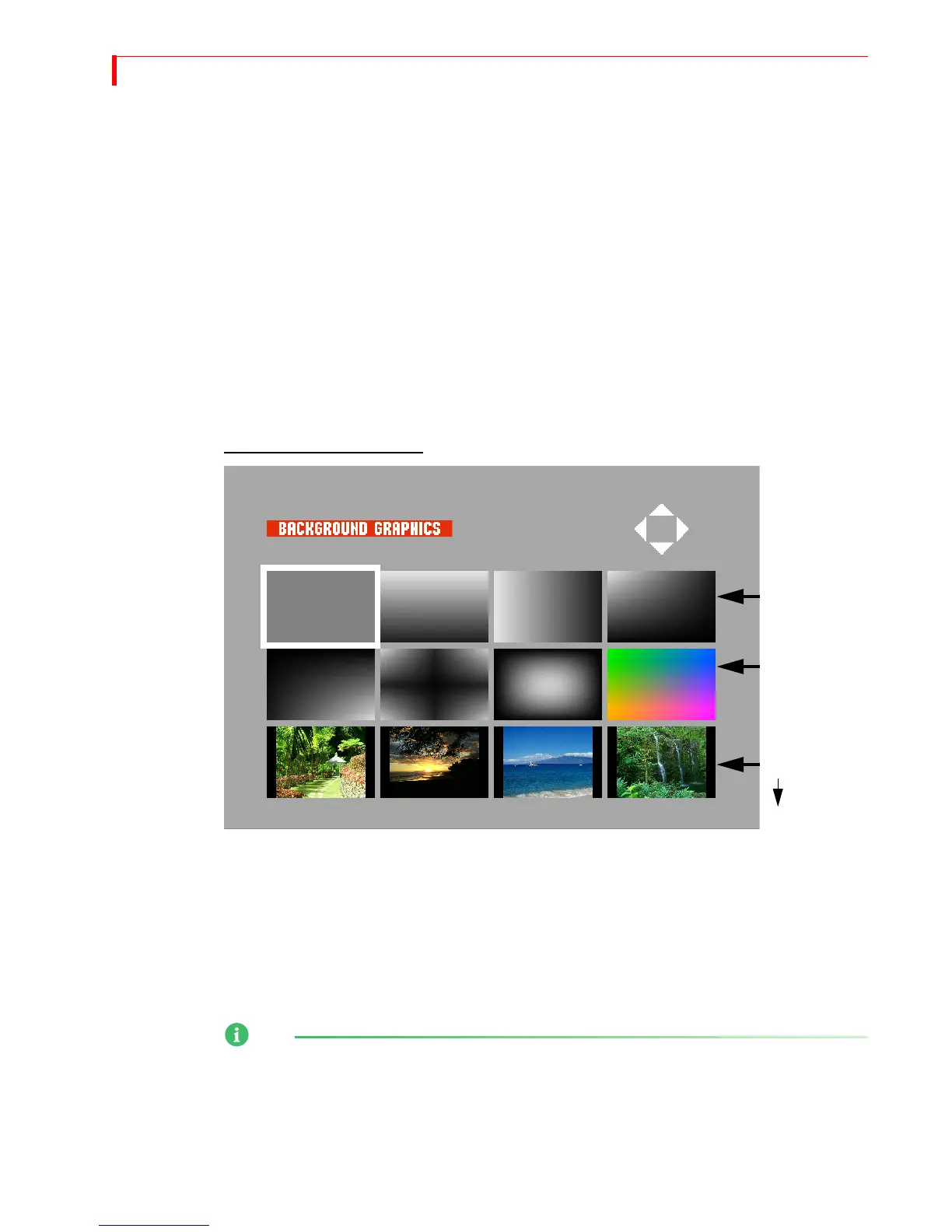
Once you chosen either a graphic as an input or apply a background graphic from the main router
menu, you will be directed to the menu referenced below. The menu provides eight gradients, and
a possible 50 background jpegs to add to your unit.
Use the
ARROW keys to select a graphic. You can change the gradient colors by using the BG
COLOR button. To create a custom gradient colors, press LEARN+BG COLOR, and then use the joy-
stick and
T-BAR to create a new color. When you’re done creating a custom color, press OK.
Background Graphics Menu
Importing Graphics
into the Foreground
and Background
Menus
In order to import a jpeg graphic into the Foreground or Background menu, you must first assign a
proper file name. It must include the specified menu (background or foreground) and placement
within the selected menu (0-49 foregrounds, 0-49 backgrounds). For example:
Back_08.jpg
Once you complete your file name configuration, you can then import the jpeg files using the
Ethernet port on the back of the unit and by using the standard FTP software. Refer to “Transfer-
ring Files TO or FROM the MX-4” on page 128 for complete details.
NOTE
The MX-4 comes with the following twelve inch design background and foreground jpeg images:
Background_00.jpeg through Background_49.jpeg
Foreground_00.jpeg through Foreground_49.jpeg
Importing jpegs for background, input, or foreground use will automatically replace what currently
Solid Color
and Gradients
Gradients
0-3
4-49



 To Next Page