MX-4 USER GUIDE CHAPTER 2
12
Using the Route
Function
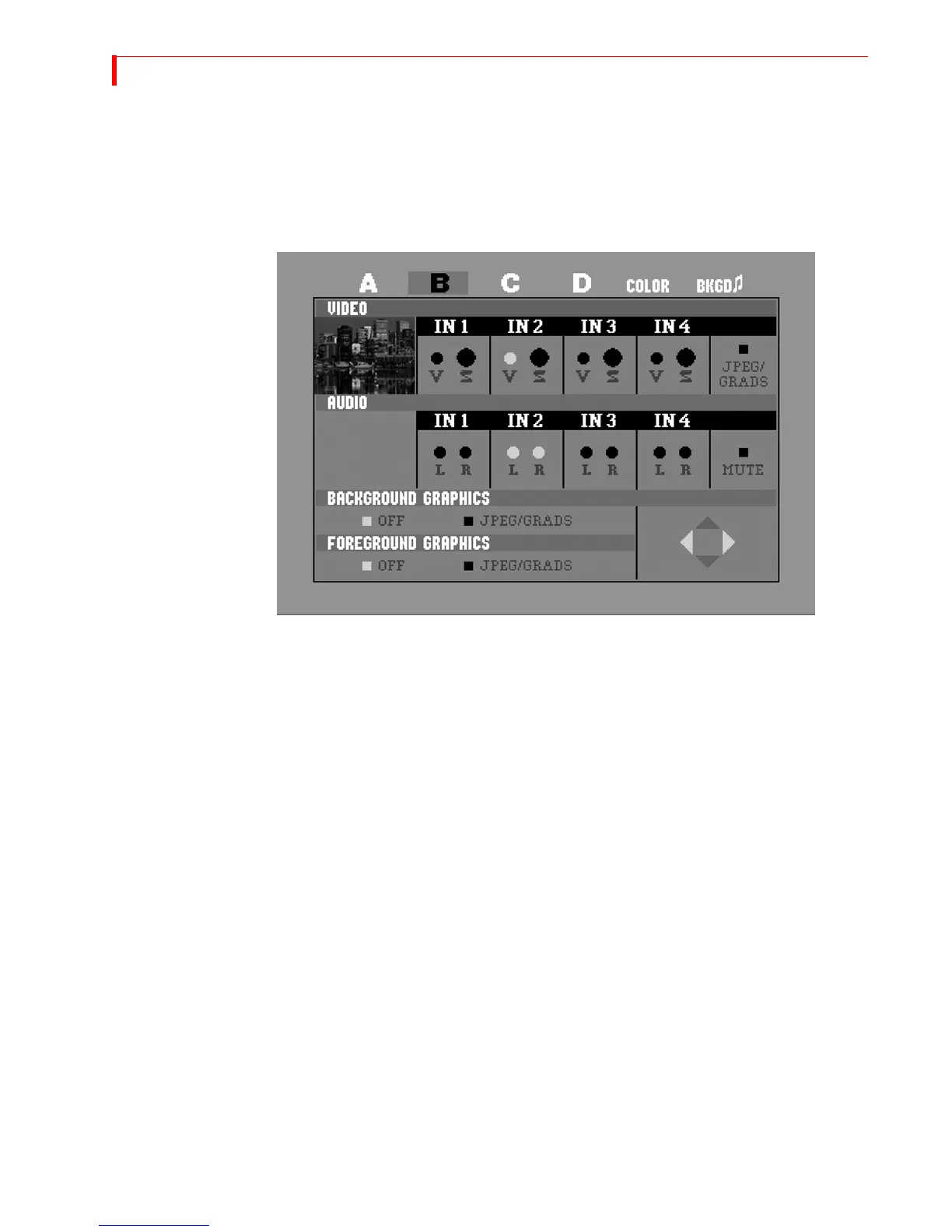
The Route function ensures that the MX-4 understands where your input devices are connected on
the rear panel. If you connect S-Video (Y/C) devices to the IN1, IN2, IN3, and/or IN4 jacks, re-
routing is not necessary. Go on to the next section, “Running the Demo”.
• After starting the MX-4 with all devices connected and turned on, press ROUTE to display the
Route screen.
• Press the
LEFT ARROW or the RIGHT ARROW to select the appropriate input S
(S-Video) or V (Composite).
• To route other inputs to different channels, press NEXT/X, where X represents the chan-
nel to which you want to route. Then repeat the preceding step.
• Press ROUTE again to exit from the Route screen.
Running the Demo
The demo gives you a quick look at some of the MX-4’s important features and assortment of tran-
sitions.
•
Press the SHIFT+DEMO/DISPLAY buttons at the same time.
You should see the two sources alternating, with a variety of transition effects in between.
• Press any key to stop the demo at any time.



 To Next Page