MX-4 USER GUIDE CHAPTER 6
60
INPUT EFFECTS MENU
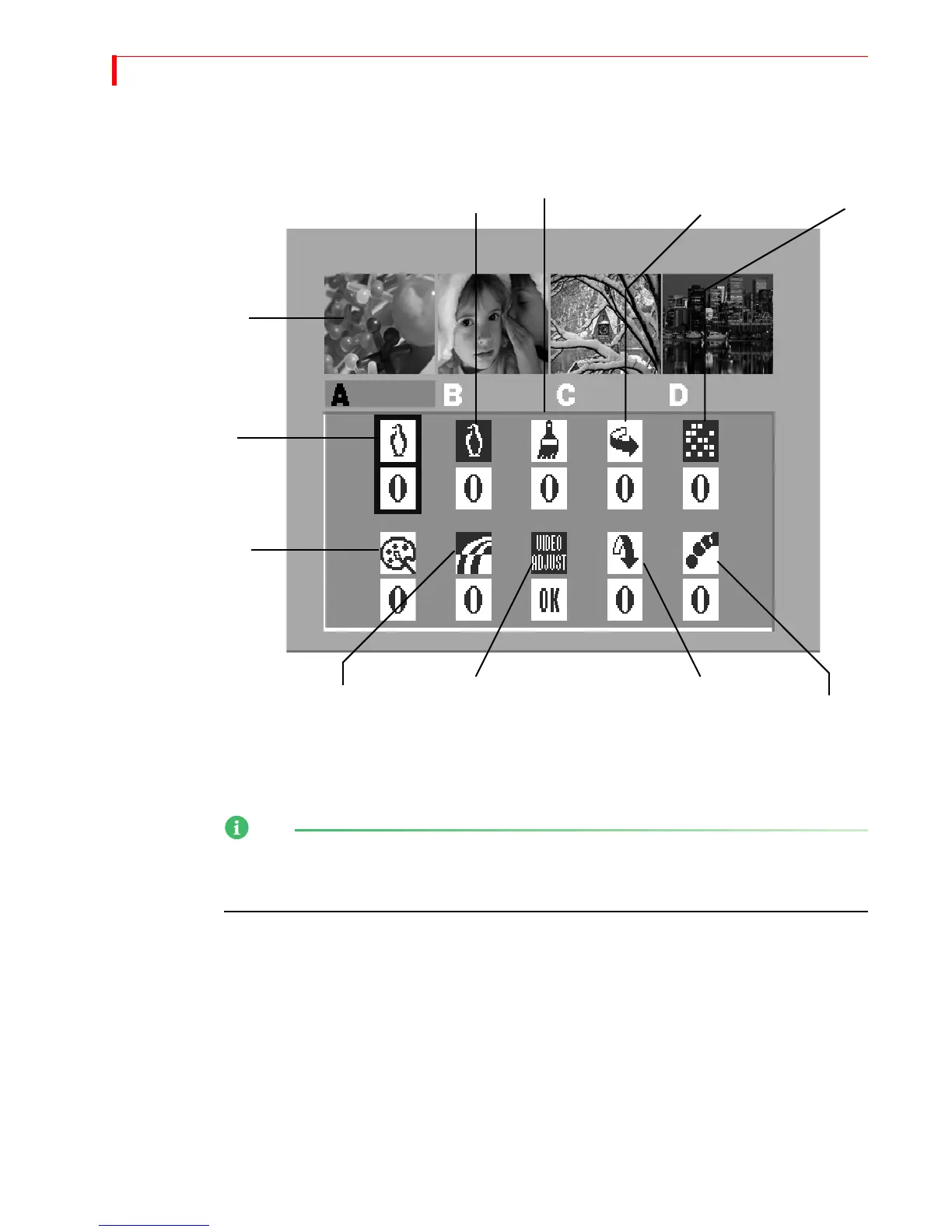
Press any input effects button to display the Input Effects Menu — or, press the EFFECTS button.
When you press one of the input effects buttons (such as
POSTERIZE), the MX-4 automatically
selects that effect in the menu. When you press the
INPUT EFFECTS button, the MX-4 selects the
first item in the menu —
B&W.
NOTE
The menu does not contain an icon or settings for the chromakey option. When you press the
CHROMAKEY button, the MX-4 takes you directly to the chromakey screen. Refer to Chapter 10,
Chromakey, for details.
B&W
B&W
POSTERIZE
FLIP
MOSAIC
COLOR
COLOR
FLIP
STROBE
NEGATIVE
CORRECT
NEGATIVE
HORIZONTAL
VERTICAL
MX-4 updates the
preview images to show
Input Effects.
VIDEO
ADJUSTMENT



 To Next Page