INSTALLING THE MX-4 CABLES AND ADAPTERS
23
CAUTION
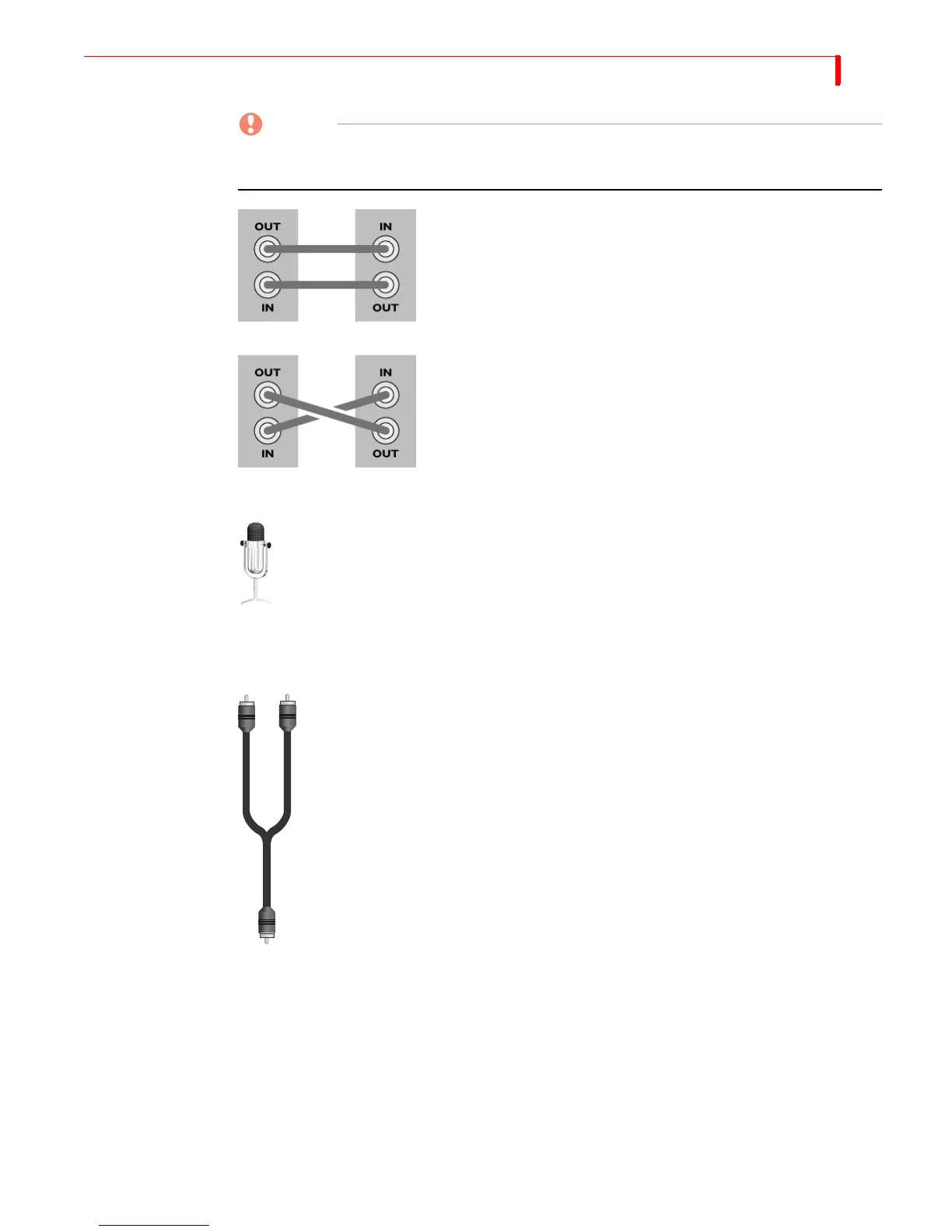
When making connections, always connect the OUT from one device to the IN on the other
device. NEVER connect OUT to OUT or IN to IN
Microphones You can connect a microphone to any MX-4 input jack, but you may need a special
adapter to make the connection. The type of adapter needed varies depending on the
type of microphone you want to use. If you do not have the adapter you need, take
your microphone to a local electronics supply store to make sure you select the cor-
rect adapter.
Audio Connectors To connect a stereophonic audio device to the MX-4, you need two separate audio cables — one
for the left channel and one for the right.
To connect a monaural audio device you need a Y-adapter cable (like the one shown
at the left). Connect the single end of the adapter to the line input or output on the
device. Connect the two remaining ends to the left and right channel inputs or out-
puts on the MX-4 rear panel.
The Y-adapter cable does not provide stereophonic audio. It simply directs the mono
signal to or from both MX-4 channels.
You can also connect a mono audio device, then connect the other end to either the
left or right connector on any MX-4 audio input. Once connected, use the MX-4
ROUTE function to specify which connector (left or right you used. Refer to
“Route” beginning on page 73.
GOOD!
BAD!



 To Next Page