MX-4 USER GUIDE CHAPTER 7
74
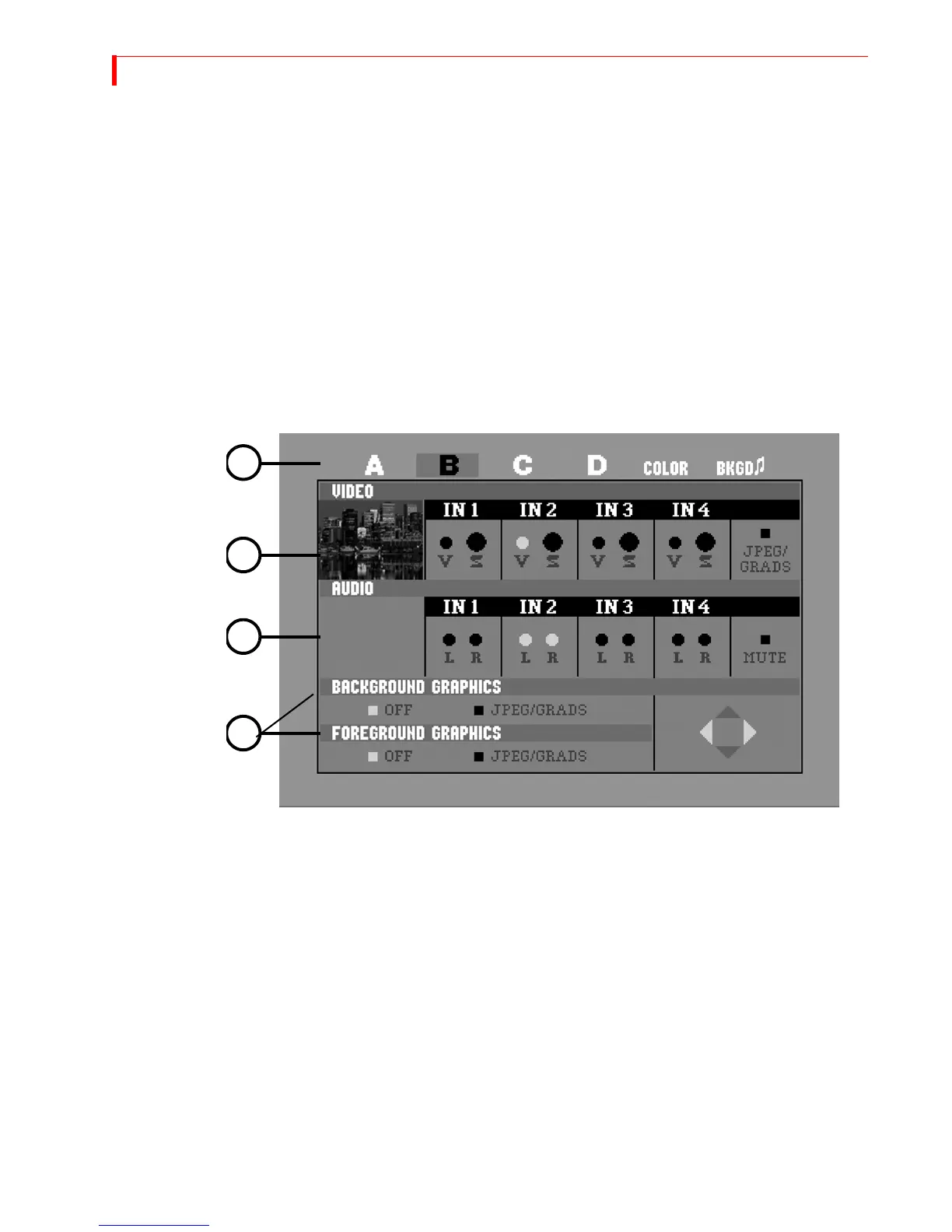
2 Select the channel (A,B,C or D) you want to change by pressing NEXT/A, NEXT/B, NEXT/C,
NEXT/D, NEXT/BACKGROUND, or SHIFT+NEXT/BACKGROUND (for Background Audio). Once
selected, the channel is highlighted.
3 Select the video source you want to display for this channel. Use the
UP ARROW/DOWN
ARROW keys to move to the Video row, then use the LEFT ARROW/RIGHT ARROW keys to
select a video source.
a The first choices in each Video Input selection (IN1-4) are composite (V) and Y/C (S)
sources.
b The remaining choice to the right consists of a graphics/gradients input selection. Once
you select this feature and press
OK, a sub menu appears providing the option to select
graphics/gradients or a solid color as an input. Refer to “Sub-Route Menus” on page 76
for more information.
4 Select the Audio source to use for this channel. Use the
DOWN ARROW key to highlight the
Audio row, then use the
LEFT ARROW/RIGHT ARROW keys to select an audio source.
2
3
4
5



 To Next Page