12
Function Keys . . .
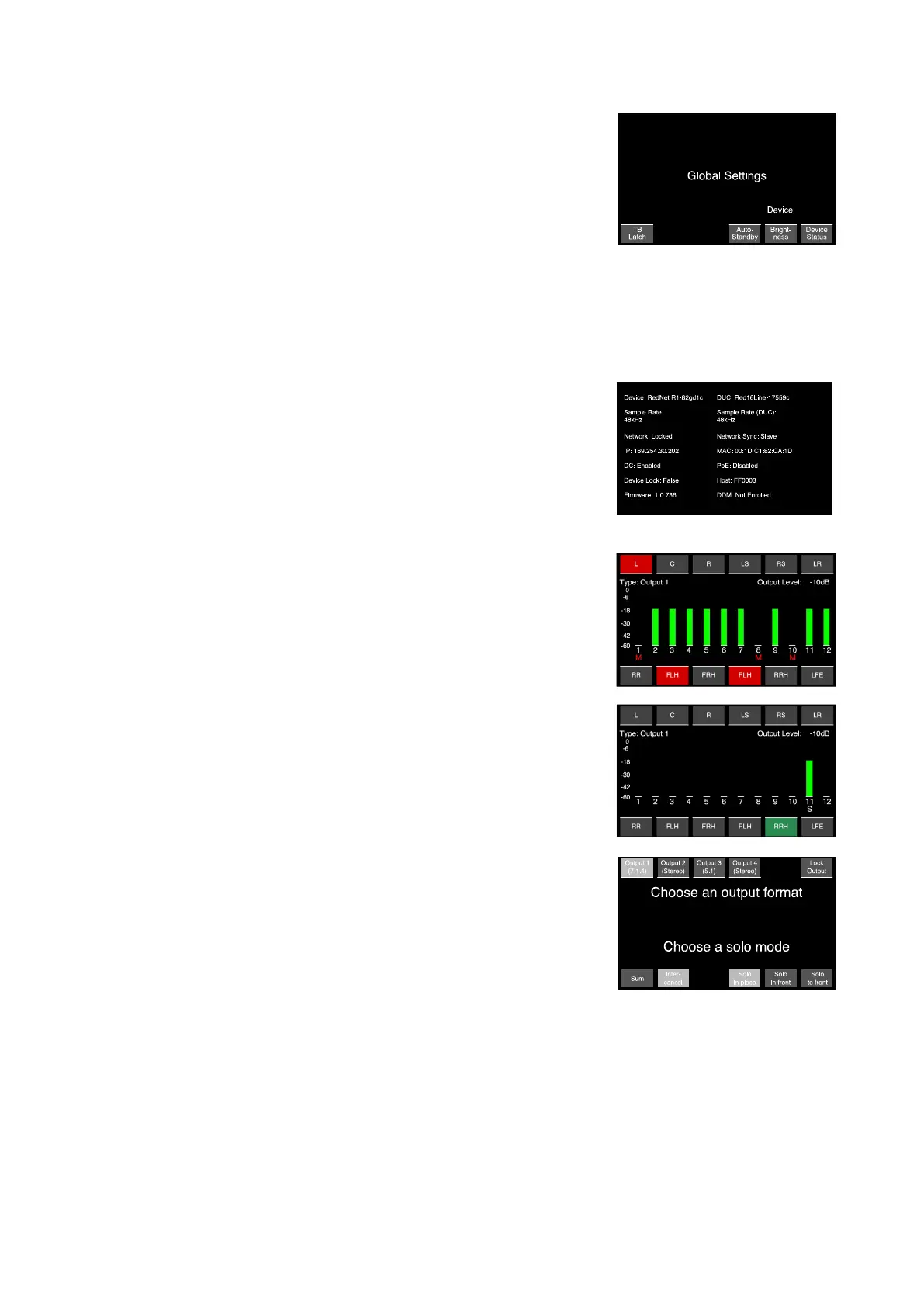
Settings – Accesses the Global Settings submenu:
• Talkback Latch – Toggles the action of the talkback buttons
between momentary and latching
• Auto Standby – When active, will cause the TFT screens to turn
off after 5 mins of inactivity, ie., no metering changes, switch
presses or pot movements.
The system can be woken by pressing any switch or moving any Encoder
Note that, to prevent unintentional conguration changes, the initial switch press or pot movement will not have
any effect other than to wake the system. However...
The Mute and Dim buttons are exceptions and remain active, so pressing either one will wake the
system and mute/dim the audio.
• Brightness – Rotate the Output Encoder to adjust the screen
brightness
• Device Status – Displays hardware, software and network
settings of the device and the device under control (DUC)
Mute
Use the soft-buttons to mute individual loudspeaker channels. Muted
channels are shown with a red ‘M’.
Solo
Use the soft-buttons to solo or un-solo individual loudspeaker
channels.
• An ‘S’ indicates that Solo status is active when in Mute Mode.
• Solo mode options are set via the Outputs menu, see below.
Outputs
Allows selection of the channel output format, plus the operating
mode for the Solo button.
• Four slots, for Outputs 1, 2, 3 & 4, These are congured in RedNet
Control, see page 15
• Lock Output Duplication of the Preset switch (pages 6&7)
• Solo Sum/Intercancel
• Solo in place Solos selected speaker(s) and mutes all others
• Solo in front/ Solos selected speaker(s) and dims all others
Solo to front Sends the audio from the selected solo speaker(s) to a different speaker
A/B
Allows quick comparison between two different speaker configurations. The A and B configurations
are set via the RedNet Control Monitor Outputs menu. See page 15.













 To Next Page