18
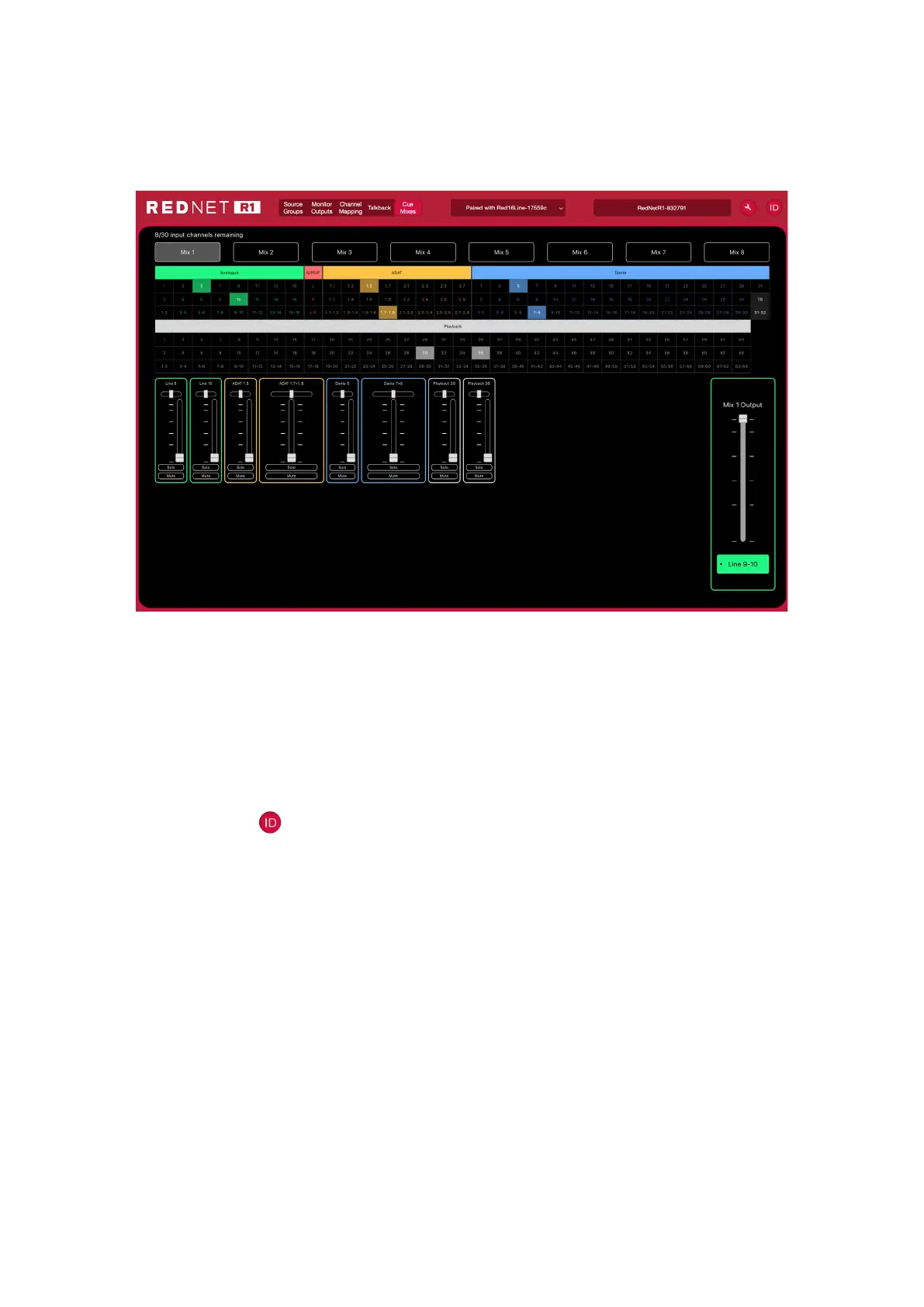
Cue Mixes
The Cue Mixes page shows the source, routing and level settings for each of the eight mix outputs.
Mix output selection is shown above the list of available sources. Use CMD+’click’. to select multiple
Output Destinations.
Up to 30 sources can be selected as mixer inputs.
ID (Identification)
Clicking on the ID icon will identify the physical device being controlled by flashing its front panel
switch LEDs for a period of 10s.
The ID state can be cancelled by pressing any of the front panel switches during the 10 second period. Once
cancelled, the switches then return to their normal function.













 To Next Page