19
Tools Menu
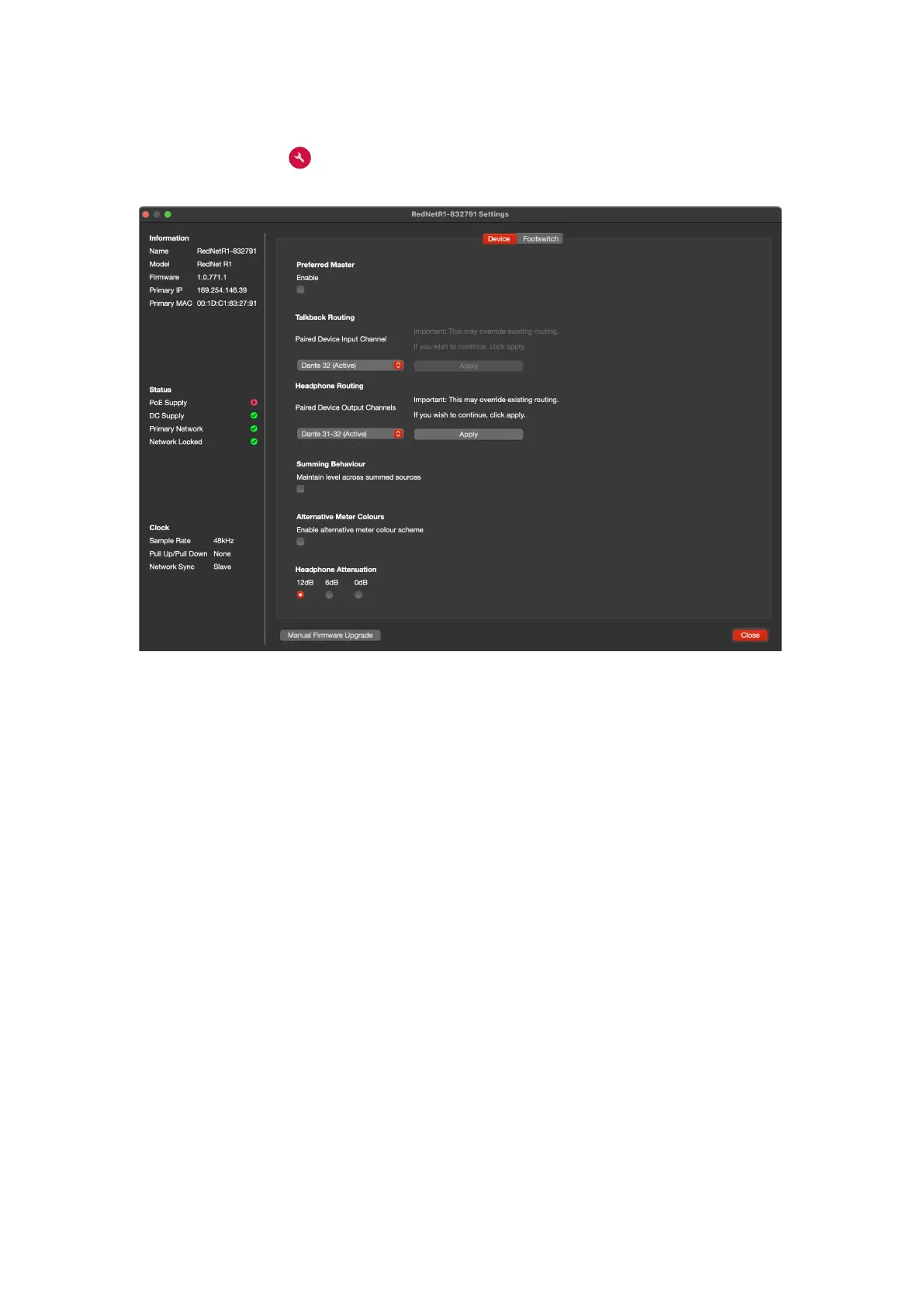
Clicking on the Tools icon will bring up the System Settings window. Tools are split across two
tabs, ‘Device’ and ‘Footswitch’:
Device:
Preferred Master – On/Off state.
Talkback Routing – Select the channel on a Red device to use as the talkback input.
Headphone Routing – Select the channel pair on a Red device to use as the headphones input.
Summing Behaviour – Automatically adjusts the output level to maintain a constant volume as
summed sources are added or removed. Also see Appendix 2 on page 22.
Alternative Meter Colours – Changes Screen 1 & 2’s level displays from green/yellow/red to blue.
Attenuation (Headphone) – The headphone output volume can be attenuated to match different
headphone sensitivities.













 To Next Page