FT-5 User Manual Page 14
LCD Screen
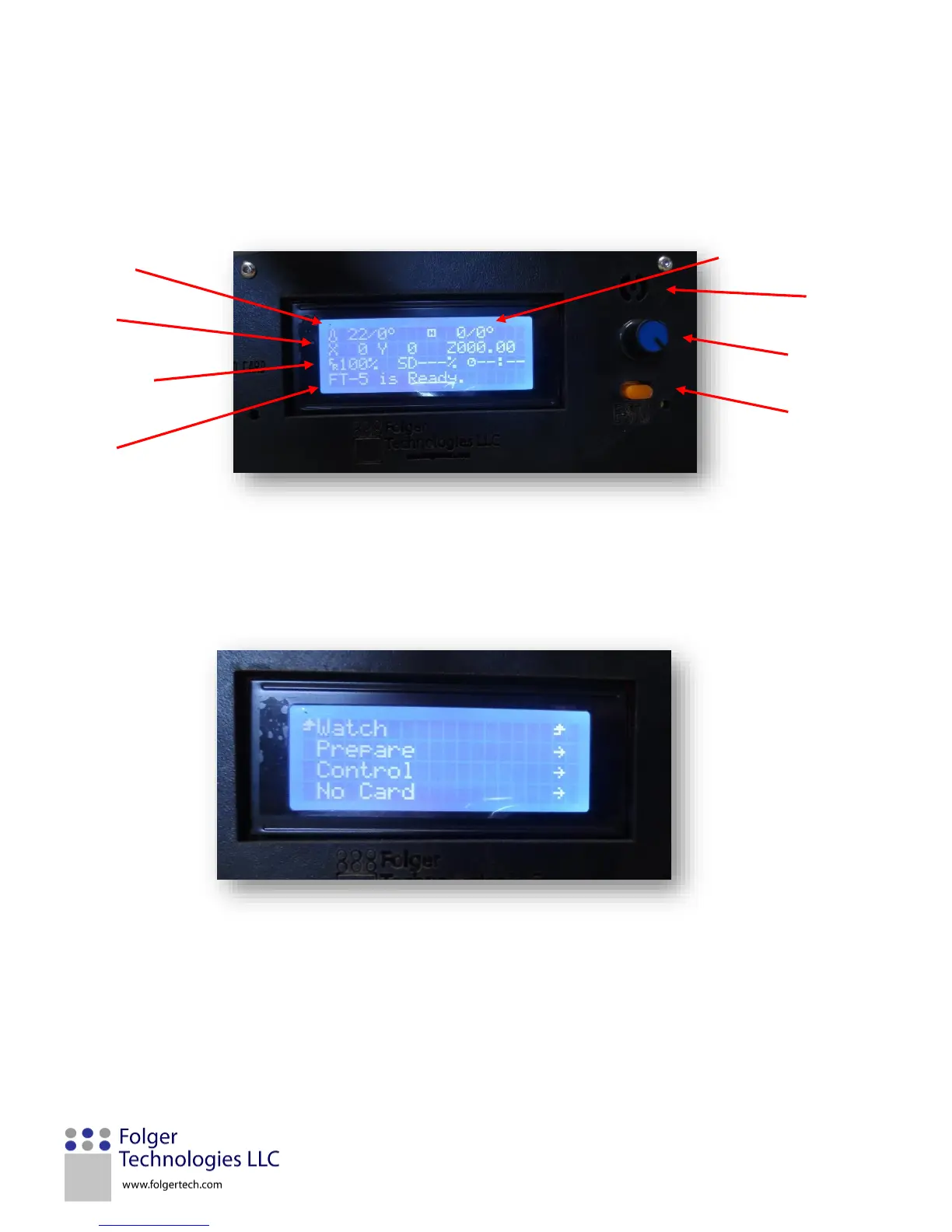
The LCD screen is the user interface that controls the printer. To the right of the LCD screen is a speaker (top), control knob
(center), and emergency stop button (bottom). Press in the control knob to select a function or rotate it to scroll through the
menu options. If the stop button is pressed the machine must be power cycled for functionality to return.
Info Screen: The info screen is the home screen display for the LCD screen.
Main Menu: Press in on the control knob from the info screen to navigate to the Main Menu.
Watch – Returns to the home screen
Prepare – Option to setup a print (preheat hot end, auto home, cool down, etc.)
Control – Change printer firmware settings (temperature, motion, and restore failsafe)
Print from SD – Select a file to be printed


 To Next Page