EasyManua.ls Logo

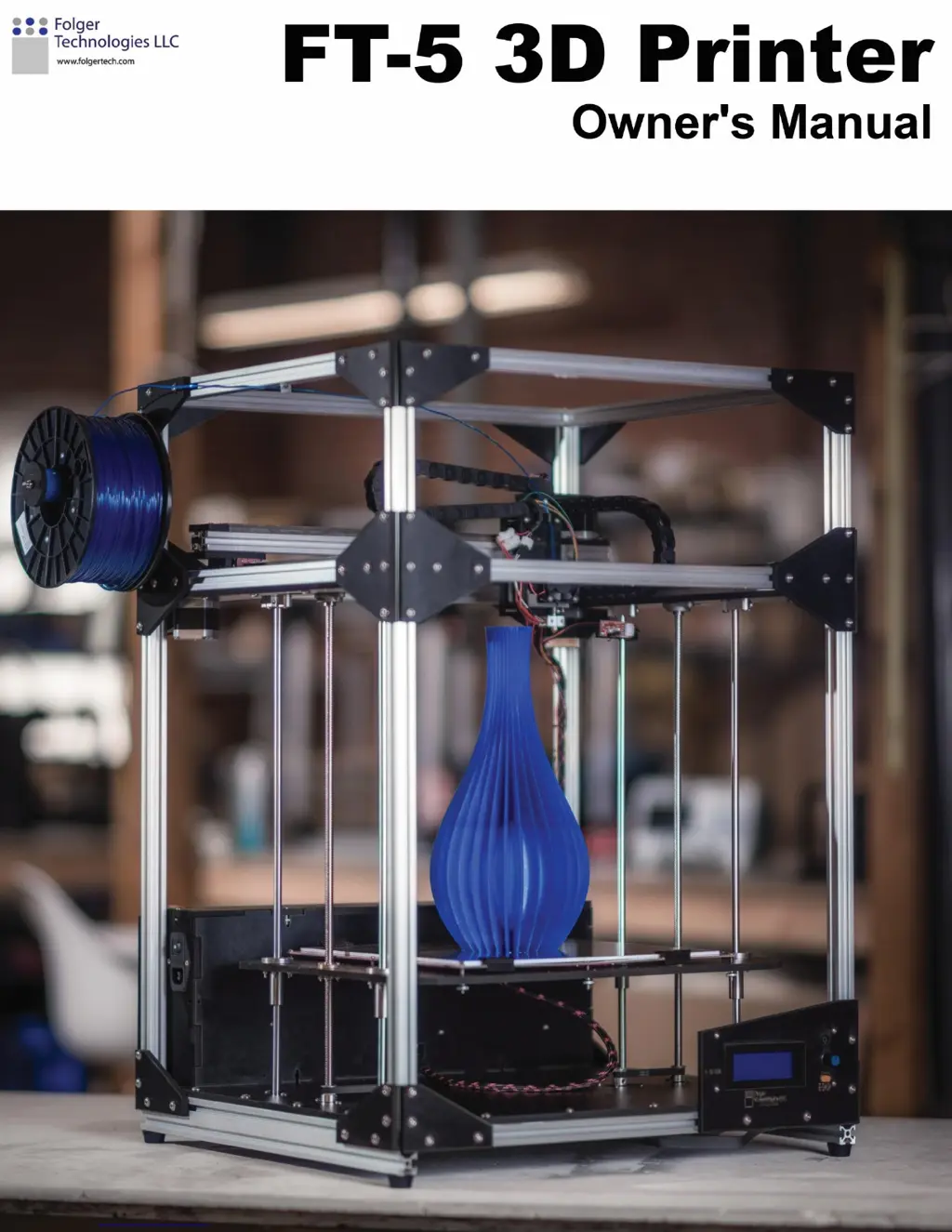
Folger Tech FT-5 - User Manual

Folger Tech FT-5
93 pages
Print Icon
To Next Page IconTo Next Page
Loading...

Questions and Answers

  • C
    cmossAug 3, 2025
    Why is plastic not extruding from the Folger Tech 3D Printers nozzle?
    • J
      Johnny ThompsonAug 3, 2025
      If plastic isn't extruding, first make sure the filament is feeding correctly and being pushed into the nozzle from the extruder. Then, check that the nozzle temperature is correctly set, around 210 °C for PLA and 230 °C for ABS.
  • X
    xbrewerAug 9, 2025
    What to do if the initial layer is not sticking on my Folger Tech FT-5 3D Printers?
    • J
      James RiveraAug 9, 2025
      If the initial layer isn't sticking, try these steps: 1. Replace the Scotch Blue Painter’s Tape. 2. Check the bed level. 3. Apply a thin layer of Elmer’s glue (glue stick only) for maximum adhesion.
  • C
    Christina MedinaAug 14, 2025
    How to fix layers shifting towards a tower on Folger Tech FT-5 3D Printers?
    • M
      Micheal ArmstrongAug 15, 2025
      If layers are shifting towards a tower, check and tighten the belt on that tower. Also, inspect the belt pulley on the stepper motor of that tower for looseness.
  • N
    Nicholas SimmonsAug 20, 2025
    What to do if the nozzle is too close to the bed on the first layer of my Folger Tech FT-5?
    • A
      Andrea MunozAug 20, 2025
      If the nozzle is too close to the bed on the first layer, adjust the Z endstop.
  • S
    Sarah QuinnAug 27, 2025
    How to fix a skipped belt on Folger Tech 3D Printers?
    • C
      Carl BrockAug 27, 2025
      If a belt skipped, check the belts for proper tension.

Summary

Printer Assembly Guide

Assemble the Frame

Step-by-step instructions for constructing the printer's main frame structure.

Assemble the Base Plate

Guide to assembling the bottom panel of the 3D printer.

Assemble the Top Plate

Instructions for assembling the top panel of the 3D printer.

Install Base and Top Plate

Steps to mount the assembled base and top panels onto the frame.

Assemble Bed Plate

Guide for assembling the printer's bed plate components.

Mounting Bed

Instructions on how to mount the assembled bed plate to the printer frame.

Assemble Y Gantry Rails

Guide for assembling the Y-axis gantry rail system.

Gantry Assembly

Instructions for assembling the main gantry structure.

Hotend Assembly

Instructions for assembling the hotend component of the printer.

Endstops and Belts Installation

Guide for installing endstop switches and GT2 belts.

Mounting Electronics and Spool Mount

Instructions for attaching electronic components and spool holder.

Assemble and Mount Heated Bed

Steps for assembling and mounting the heated bed platform.

Testing and Calibration

Software and Firmware Operations

Software Parameter Setup

Printer Operation and Maintenance

Folger Tech FT-5 Specifications

General IconGeneral
Nozzle Diameter0.4 mm
Filament Diameter1.75 mm
ConnectivityUSB, SD Card
Max Nozzle Temperature260°C
Print TechnologyFDM (Fused Deposition Modeling)
Supported MaterialsPLA, ABS, PETG
Frame MaterialAluminum
DisplayLCD