FT-5 User Manual Page 87
GENERATING G-CODE USING CURA
This section details the baseline parameters to use for generating G-code in the Cura software. G-code is the machine language that
the control the printer motors and heater. Individual objects may require changing some of the parameters discussed in the
previous sections to obtain the desired quality and speed.
STEP-BY-STEP PROCESS
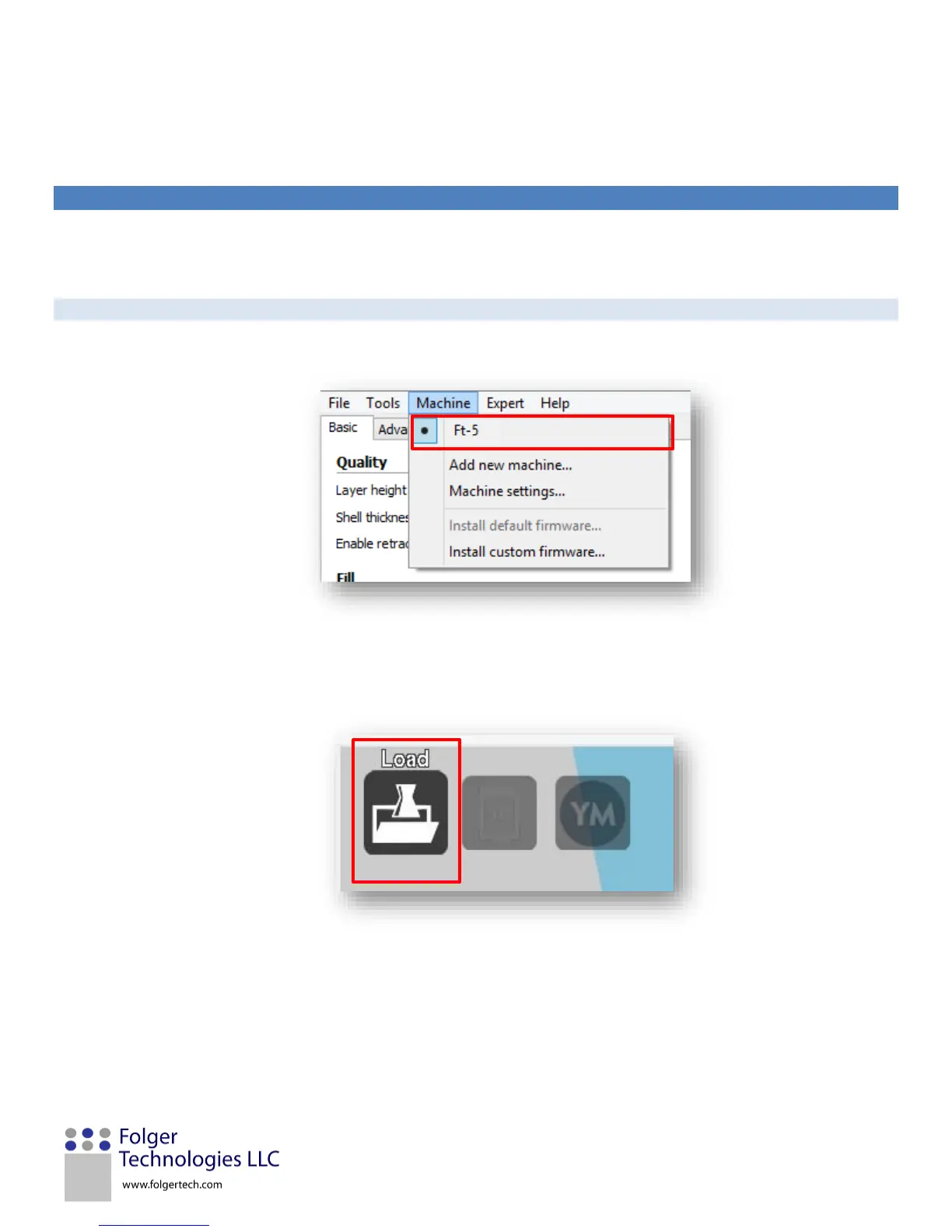
1. Verify that FT-5 is selected under the Machine tab.
2. Load the desired model file (typically STL but CURA does accept other formats) by clicking on the Load icon in the top
left of the print window.


 To Next Page