FT-5 User Manual Page 88
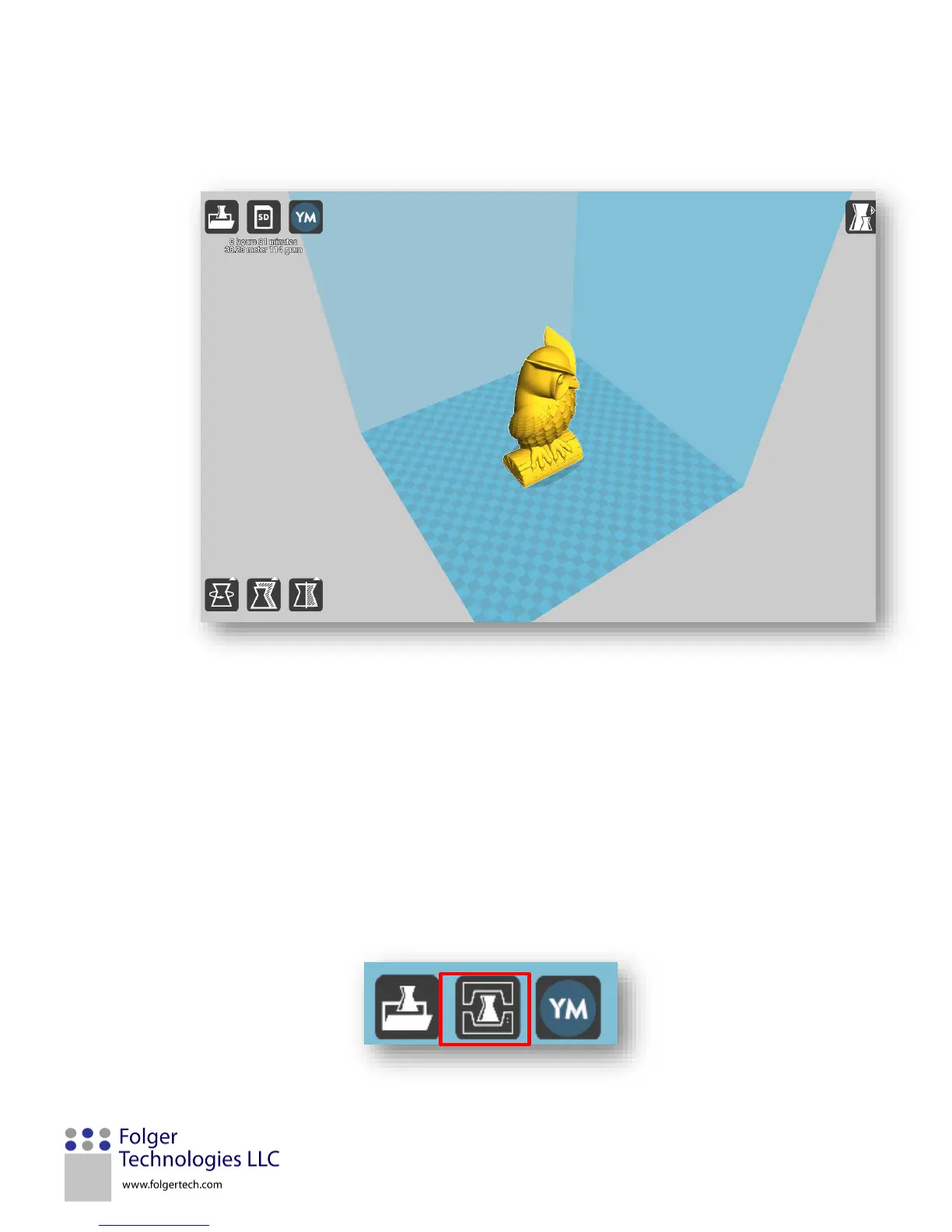
3. Once the model has loaded, reposition the part to the desired location and orientation on the printer bed. To
reposition the model, click, hold, and drag it to the desired location in the printer’s volume, identified by the shaded
blue area.
Note: the orientation will determine if support structure is required. Reference the Printing Settings Definitions
section for help manipulating the part.
4. Verify and adjust any of the Basic and Advanced printing settings. See the Printer Settings Definitions section for more
detailed information on these settings.
Note: Hovering the mouse over a setting will bring up a description of how the setting will affect the print.
5. Plug the printer into the computer into your computer. Click the print icon in the top left of the print window to
connect Cura to your printer.


 To Next Page