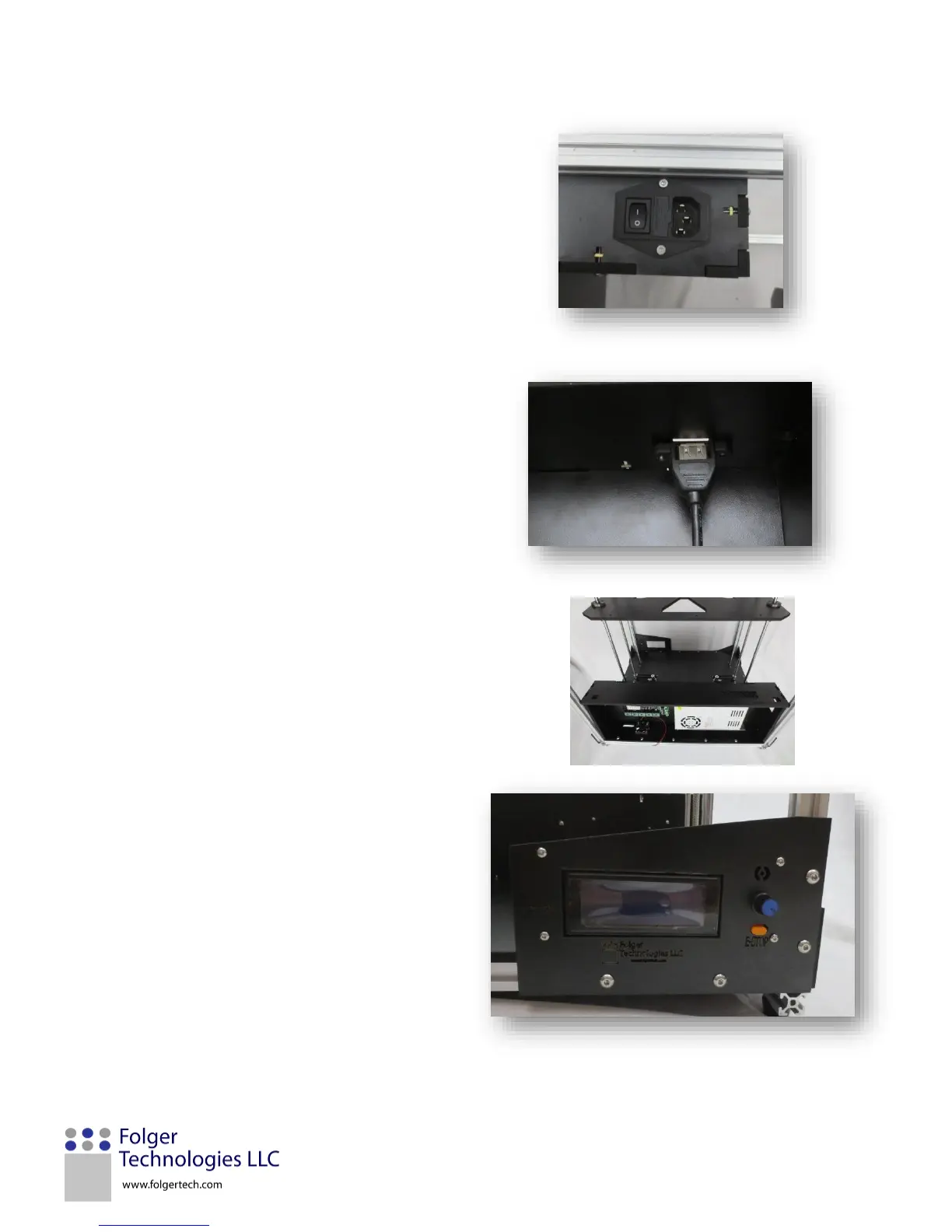
7. Take the USB cable mount plug and secure it
onto FT21 using two M3x12mm screws. This is a
good time to plug the other end into the MKS
board before the top goes on.
9. Take the LCD screen and remove the knob from
the panel. Place the orange stop button through
FT25 and then place the LCD screen into it.
Place the knob back on and secure the panel in
place using four M3x20mm screws, four nylon
spacers, and four M3 Nylocks. Place the four
larger nylon spacers between the LCD screen
and FT25. Be careful not to over tighten the
screws as this can damage the screen.


 To Next Page